

Xbox Wireless Controller – Daystrike Camo Special Edition for Xbox Series X|S, Xbox One, and Windows 10 Devices
$53.99
Related Products


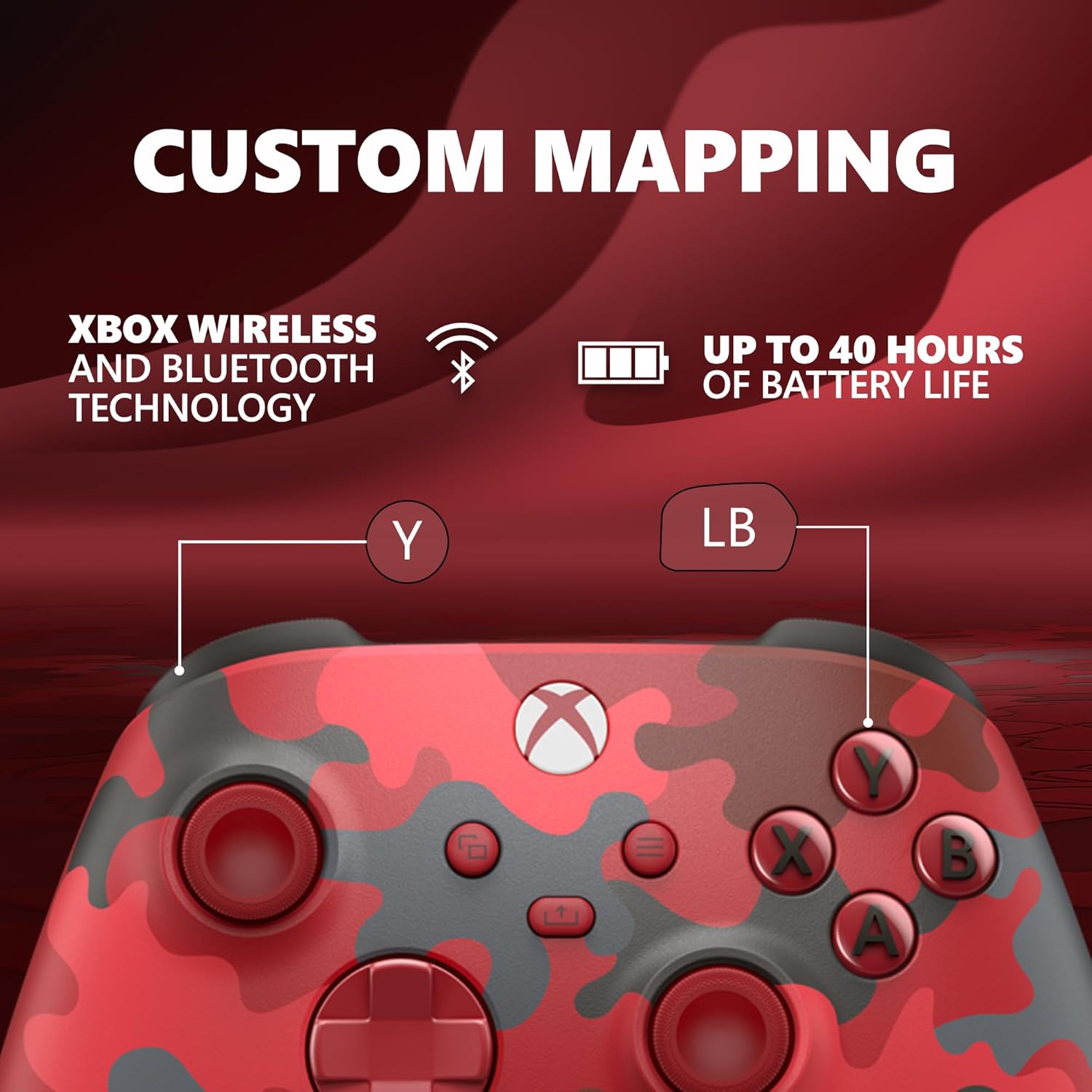

Experience the Xbox Wireless Controller – Daystrike Camo Special Edition, featuring a striking red, gray, and black camouflage pattern. Enjoy modern sculpted surfaces and refined geometry for enhanced comfort during gameplay with battery usage up to 40 hours. Stay on target with a hybrid D-pad and textured grip on the triggers, bumpers, and back-case. Seamlessly capture and share content such as screenshots, recordings, and more with the Share button. Connect using the USB-C port for direct plug and play to console and PC. Support for AA batteries is included on the rear. Plug in any compatible headset with the 3.5mm audio jack. Use the Xbox Accessories app to remap buttons and create custom controller profiles for your favorite games. Quickly pair with, play on, and switch between devices including Xbox Series X|S, Xbox One, Windows 10 PCs, and Android. iOS support coming in the future. Important information: Compatible with select devices and operating system versions; learn more at xbox.com/controller-compatibility. Battery life varies significantly with headsets, additional accessories, usage, and other factors. Testing conducted by Microsoft using standard AA batteries in preproduction units. Button mapping available via Xbox Accessories app for Xbox Series X|S, Xbox One, and Windows 10; app for Windows 10 requires compatible USB-C cable (sold separately). Windows 10: Requires Bluetooth, compatible USB-C® cable, or Xbox Wireless adapter. Each sold separately. Android: Select devices and operating system versions. Some functionality not supported on Android or via Bluetooth®. iOS support coming in the future. *Important information: Compatible with select devices and operating system versions; learn more at xbox.com/controller-compatibility. Battery life varies significantly with headsets, additional accessories, usage, and other factors. Testing conducted by Microsoft using standard AA batteries in preproduction units. Button mapping available via Xbox Accessories app for Xbox Series X|S, Xbox One, and Windows 10; app for Windows 10 requires compatible USB-C cable (sold separately). Windows 10: Requires Bluetooth, compatible USB-C® cable, or Xbox Wireless adapter. Each sold separately. Android, iOS, & Bluetooth: Select devices and versions. Some functionality not supported. Software download may be required via Windows PC or console. See xbox.com/controller-compatibility. Use with controller compatible games. You must accept the Warranty & Agreement at xbox.com/warranty and Software License Agreement at xbox.com/slt. Halo Infinite: Expected 2021. The Bluetooth® word mark and logos are registered trademarks owned by Bluetooth SIG, Inc. and any use of such marks by Microsoft Corporation is under license. Other trademarks and trade names are those of their respective owners.
Experience the Xbox Wireless Controller – Daystrike Camo Special Edition, featuring a striking red, gray, and black camouflage pattern and crafted for enhanced comfort and effortless control. Plus, get up to 40 hours of battery life.
Stay on target with the hybrid D-pad, textured grip on the triggers, bumpers, and back-case. Plug in any compatible headset with the 3.5mm audio headset jack.
Connect using the USB-C port for direct plug and play to console or PC. Support for AA batteries is included on the rear.
Seamlessly capture and share content with the dedicated Share button. Make the controller your own by customizing button mapping with the Xbox Accessories app.
Includes Xbox Wireless and Bluetooth technology for wireless gaming on supported consoles, Windows 10 PCs, Android phones, and tablets. iOS support coming in the future.
13 reviews for Xbox Wireless Controller – Daystrike Camo Special Edition for Xbox Series X|S, Xbox One, and Windows 10 Devices
Add a review

$53.99
David Weiss –
Respectable, Reliable, Really Red
This is the single greatest controller that has ever graced my fingertips. Somehow in the current year of 2025, this thing is still kicking, and I’ve had this thing for at least 3 years at this point. It’s nothing special, it’s a standard Xbox series X/S/One controller, but it’s got red camo print. Never once has it failed me.Yet somehow, against the odds, this one has survived above all my others.
Shawn Carey –
Very good Controller
Controller works nicely and does what you expect it to do. I purchased the controller for it’s color scheme. No issues with it’s performance.
Someone –
Great controller
Very happy with my controller, I love the design and feel of it, unfortunately the batties ot comes with are already half dead
Tammy Dawson –
Gaming control
Wonderful gaming control
Dan –
Still working great after about 6 months of hammering on it
This a great controller. I usually end up killing them after a few months but this one is still going strong. No issues.
James R. –
It’s fit great in your hands and has this texture side on the back of handles.
First of all I love the Colors of this Controller, it feels great in your hands and unlike the Regular White and Black controllers this Controller actually has on the bottom where you are usually holding the Controller theirs a bunch of little textured dots for extra grip so that it’s easy to hold onto instead of just being smooth like the White & Black Controllers. It is a very Sturdy Controller and has no problem.eith connectivity It connected right away the only problem I’ve had is that one of the triggers seems to be sticking a little bit which just seems to happen every now and then when you buy a new one but other then that I Highly recommend this controller to anyone who is wondering if it’s worth it!!
Brandonnleland –
Great product
Very durable and easy to use. My son loves it i ended up buying more in other colors
George Burns jr –
Xbox Wireless Controller
Excellent condition
Excelente. –
Muito bonito, espero que coloquem uma variação maior de modelos.
Gaston –
El modelo que aquí se describe es bastante responsivo, fácil de conectar por BT [bluetooth] sin necesidad de adaptadores extras y al tacto se siente de una calidad superior solo por debajo de las versiones Elite. Además es ergonómico y los dedos quedan en una posición de lo mas natural, sobre todo los pulgares.En cuanto a estética este modelo con diseño en camuflaje rojo se ve hermoso y elegante, lo cual te deja en un dilema; si le pones una funda de silicón para protegerlo pierdes la vista del diseño pero aseguras que dure más, así que ya queda a consideración de cada quien.En cuanto a conectividad si se va a usar en PC como mi caso hacer lo siguiente:1. Descargar la app ”Accesorios de Xbox”.2. Conectar por cable el control cuando la app lo pida y seguir las instrucciones en pantalla.3. Esperar a que el firmware se instale.4. ¡Listo! ya podemos conectarlo por BT.De no hacerlo van a tener problemas para vincularlo a su dispositivo BT, para hacer esto solo oprimir el botón de vincular por 3 segundos y su equipo debe detectar el control si todo se realizo correctamente.Pero no todo son elogios y es precisamente para cambiar de un PC a otro es donde falla, pues si ya se tiene vinculado el control a tu PC, lo vinculas en otra y luego regresas a la primer PC donde lo vinculaste el control ya no se conecta, hay que quitar el dispositivo de la lista de equipos bluetooth y volver a vincularlo como la primera vez ó simplemente no lo va a detectar, sencillamente bastante engorroso para quien solo quiere conectar y jugar, aunque si te mueves en el ambiente de PC es algo con lo que siempre se esta lidiando y no debe representar un problema solucionarlo.
Michael Hill –
Product box security seal arrived broken. Controller has marks and looked dusty as if it was a display model or second hand. Not brand new.
باسم زهير ال سهو –
رهييييب
ryland K. –
Works great and I’ve bought it like 4 years ago very happy with my purchase