

Syntech Link Cable 16FT for PCVR Compatible with Oculus/Quest 3/Meta Quest 3S, Quest2/Pro/Pico 4/Ultra Accessories and PC/SteamVR, High Speed PC Data Transfer, USB 3.0 to USB C Cable for VR Headset
$17.99
Related Products


![iPhone 13 12 11 Fast Charger [Apple MFi Certified] 2Pack 20W PD USB C Wall Charger Type C Power Adapter Lightning Cable Cord Compatible with Apple iPhone 13 Pro/12/12/11/11Pro Max/XS/XR/X/8/SE/iPad](https://futureflowtech.co/wp-content/uploads/2025/12/51cW6nNhuAL._SL1500_.jpg)

![CXX i Phone 17 16 15 Charger Fast Charging-20W USB C Power Brick with 6Ft Type C to C Cord for i Phone 17/17 Pro/17 Air/17 Pro Max/16/16 Pro/16 Plus/16 Pro Max/15 Series, iPad Pro & More [3 Pack]](https://futureflowtech.co/wp-content/uploads/2025/11/611kcFrtA0L._AC_SL1500_.jpg)




From the brand

18W PD Charging Link Cable


Syntech VR Accessories

Head Strap for Vision Pro
Reduce facial pressure, enhance comfort

Quest3/2 VR Battery Pack
Dramatically improves the Quest3/2’s low battery problem by providing extra battery power.

2-in-1 Link Cable 16ft/5m
Compatible with both USB and USB-C ports for more options.

Hard Carrying Case for Quest3S
Upgraded Link Cable 16ft/5m
Designed for Quest2/1. Add an LED indicator to tell you the connection status with VR headset.
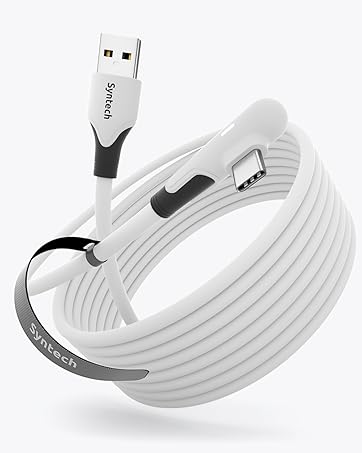
Compatible with Meta Quest 3S/Quest3/Quest2/Pro/Pico 4 Accessories: Syntech link cable connects your VR devices to a gaming PC so that you can play all Steam VR games, providing perfect PC VR experience. The color and design of the cable match perfectly with the Quest3S/3/2 headset. Note: This is NOT a charging cable—do not use it for charging!
Excellent Link Performance: This cable supports USB 3.0 transmission speed. Stable and fast data synchronization working with sustained and reliable current brings you a smooth VR gaming experience. The attached velcro strap fixes the cable and headset to prevent disconnection during movement. Note: Please update your VR headset system and computer’s link software to the latest versions for a stable high-performance wired link.
High Speed VR Cable: Designed for seamless virtual reality experience, this USB 3.0 Type-C cable delivers data transfers up to 5Gbps (practical speeds 2-3Gbps). Note: When connecting to your computer, please insert this USB 3.0 cable into the USB 3.0/3.1/3.2 port.
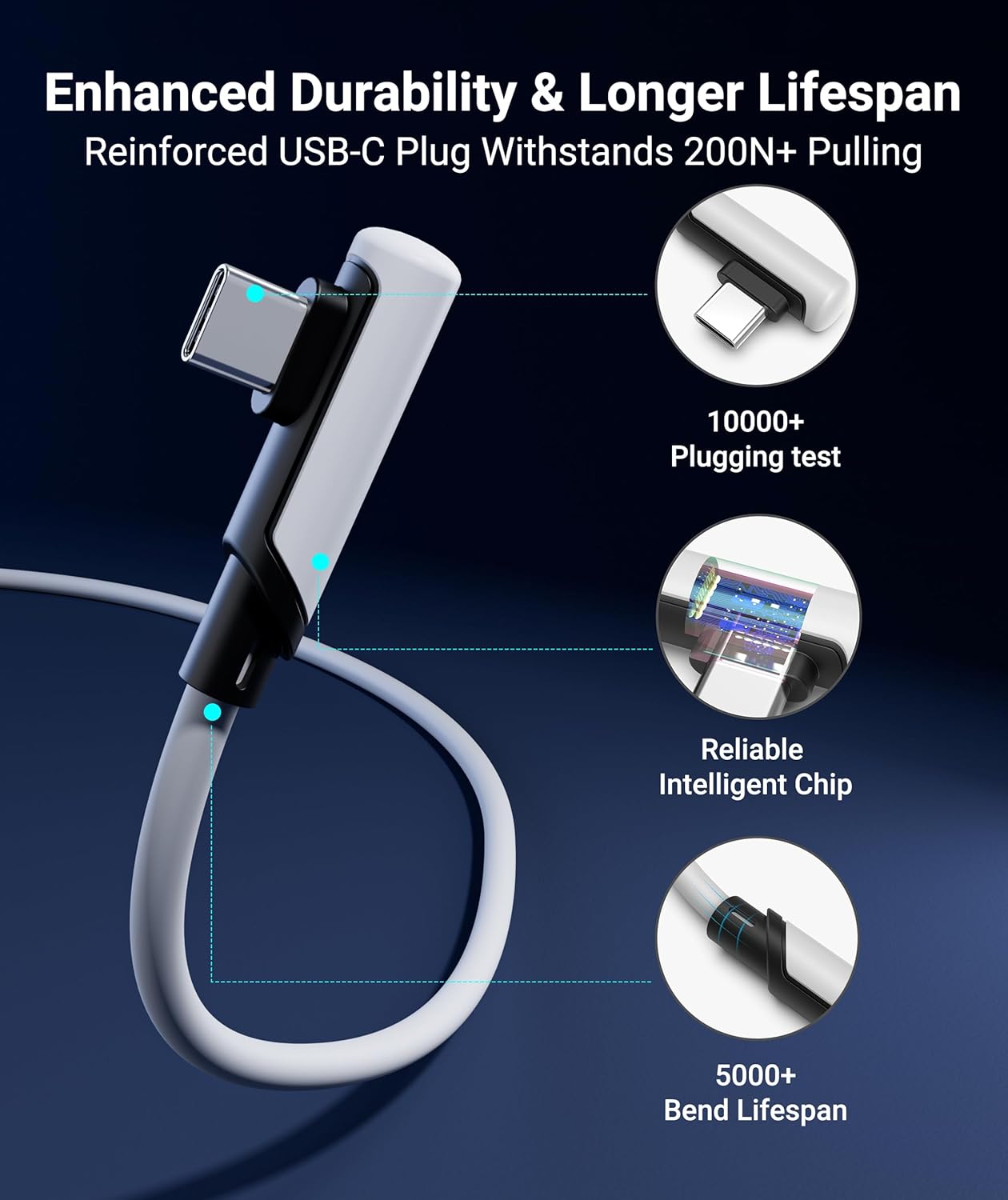
Flexible and Comfortable: This 16 ft long cable gives you maximum freedom of movement without being restricted while immersed in the VR world. At the same time, considering the users’ experience, the regular USB C port is especially changed to L Shaped design to enhance customers’ comfort.
Quality Assurance and Customer Service: This link cable can bend freely without breaking, having good flexibility, stretch resistance, and abrasion resistance. We provide a USER GUIDE tutorial to help you smoothly enable cable link and provide solutions for some of the problems you may encounter while using wired link. In addition, Syntech provides an 18-month worry-free period and Friendly Customer Service Support for this link cable.
13 reviews for Syntech Link Cable 16FT for PCVR Compatible with Oculus/Quest 3/Meta Quest 3S, Quest2/Pro/Pico 4/Ultra Accessories and PC/SteamVR, High Speed PC Data Transfer, USB 3.0 to USB C Cable for VR Headset
Add a review

$17.99
Devin –
Works great!!! Don’t even think about other cheaper cords
Amazing, feels great, works perfectly for connecting your headset to your pc, usb 3.1 connection, no worries, durable, tight fit, length is great for anything you need. Depending on what port your pc has you might suffer from your headset dying I usually get 2-3 hours of sim racing.
Razorx –
An inexpensive solution for my quest three
Works great with my quest 3. Nice and long and charges, but it charges slowly when connected to a PC.
Mason MacMillan –
Great choice
The cable ended up being fully compatible with quest link and I can finally play PCVR games with a stable, uninterrupted connection
Matt M. –
Works But Charges Slow
It works and the price is right. Charge times are slow though so it loses a star for that.
Win –
High Vis is Good
Works great. High visibility orange is good for safety and people who lose cables.
Realest Reviewer –
Loved it… until I didn’t
At first, I thought this was the perfect cable—thick, durable, and fast charging. But it didn’t even last 6 months before it stopped working. For something marketed as extra durable, that’s disappointing. Looked promising, but the lifespan just isn’t there.
Eric –
Works as advertised.
Works well enough. Holds a steady connection, assuming you don’t snap it in half.My only complaint would be that it doesn’t actually charge the Quest during use, but I feel like that’s more of a Quest thing than a cable thing. Also the length of cable on offer is insane. I got 33 feet, and it is So Much. Measure the length of distance between your PC and the midpoint of your actual play area. Then add the distance between the midpoint of your play area, and the furthest corner. Then buy the size that encompasses that amount. I chose 33 to be safe, but MAN is it a lot. Also, the weight of the cable can be a bit bothersome, since it throws off the balance of the headset, but that could depend on the length of cable again.TL;DR: Does what it says, can’t really ask for more. Won’t charge during usage.
patrick samonds –
Does Not Work With Quest 2
Upon opening and first using the cord it worked for hours but after using it once when I went to plug it back-in I got met with “You have been disconnected from your PC, Unplug and reinsert the link cable to continue using meta link” or something like that. So I did and didn’t think much of it and the connection continued to work. Then that same message continued to pop up constantly on my second day with this cable. Then my device on the quest app said my device had an issue, then the entire app on my pc froze and had to run self diagnostics to fix itself and after trying to fix it for like two hours I had no luck and was stuck in the same loop. Which led me to look at the one star reviews on here of this cord and wouldn’t you know it, everyone with a one star review has the same issue or worse. So after doing more research I would only recommend buying the Oculus branded $80 meta link cable unfortunately. I say this because not only will it guarantee compatibility but any third party cord is not covered by your Quest’s warranty and if it were to damage your quest you would be out of luck. Also I see this issue is common with third party type C to C cables as well. The Oculus link cable is type c to c though so if you are looking for a type A to C then I am not sure what your best bet is. I’m sure their is a solution but it is definitely not this cord! I forgot to mention I know my motherboard ports and I had this in a 3.2 Usb Port like it requests and like I said it worked for hours then it just shut down on me when I went to reuse it after having to charge my headset as this cord does not charge it at all and that’s when the problem got worse and worse to the point I tried every port on my pc. I don’t know what Mark did to lock down the market for this device to only work with his $80 Cord but Kudos. Will be returning this product for that one, hope this helped!
中身入り一般人 –
高いな〜と思いながら買いましたがちゃんとしっかりしてます長さもちゃんとありギターシールドくらい太いので何回か椅子で轢きかけましたが大丈夫でした。
Haotian Ji –
The line is very long and the transmission is relatively stable.But the charging is slow, and the wire is thick and a bit heavy.
Juan Manuel –
Excelente cable! cumple con su funcion y los metros son más que suficientes para el uso que le doy (Sim Racing conectado a la pc)
Ferdi A. –
On the brightside, it does what it says on the tin, you can use this cable to do Quest Link and that works fine.Charging the device or rather keeping it at the same battery level seems to be dependant rather on your usb port moreso than the cable itself.
aspire20027 –
عندما وصلني المنتج وجدت أن الصندوق مفتوح وتم استخراج محتوياته ومن ثم تم إرجاعها مرة أخرى،على الرغم من ذلك قررت ان استخدم المنتج وأجربه ، لأن إجراءات الاسترجاع تأخذ وقتا طويلا ولا يوجد تعويض لأن المنتج وصلني من الخارج.ــــــــــــــــــــــــــــــــــــــــــــتجربتي استمرت حوالي 20 يوما على نظارة الواقع الافتراضي ” اوكلس كويست 2″ تم توصيلها بجهاز كمبيوتر والمنتج ادائة بالنسبة لي رائع جدا حيث لا يوجد اي تقطيع او تأخير في نقل الصورة.مع العلم ان السلك عند اختبارة ينقل بيانات بسرعة 2.2 جيجا على منفذ يو اس بي إصدار3.1 وهذا مناسب بالنسبة لي.ـــــــــــــــــــــــــــــــــــــــــــ-توجد لدي ملاحظة وجب التنبية لها، وهي ان بعض الاشخاص و أرى حالياً انهم غالبية يواجهون مشكلة تقطيع الصورة وذلك حسب بحثي البسيط يرجع الى ان الاشخاص يوصلون السلك بمنفذ يو اس بي اصدار2.0 وهذا الامر خاطئ، يجب عليكم توصيل السلك بمنفذ 3.0 او 3.1 لأنه الاسرع على الاطلاق حتا لا تواجهو اي تقطيع بالصورة او بالمحتوى المعروض، وإذا توفر عدة منافذ ذات الاصدار 3.0 او 3.1 يجب ازالة اي جهاز مشبوك عليها سواء فأرة الكمبيوتر او لوحة المفاتيح ودع المجال لسلك نظارة الكويست فقط حتا تستفيد من كآمل السرعة، لانهُ كلما كان هناك أجهزة اخرى مشبوكة على نفس منفذ اليو اس بي سواء إصدار 3.0 او 3.1 كلما كانت السرعة تنقسم بين جميع هذه الاجهزة وهذا لا يدعك تأخذ الاداء الكامل للسلك.ــــــــــــــــــــــــــــــــــــــــــــيمكنكم الاستزادة بالمعلومات بالبحث في محركات البحث عن هذه الكلمة وسوف تفهمون اكثر” USB Controller”