
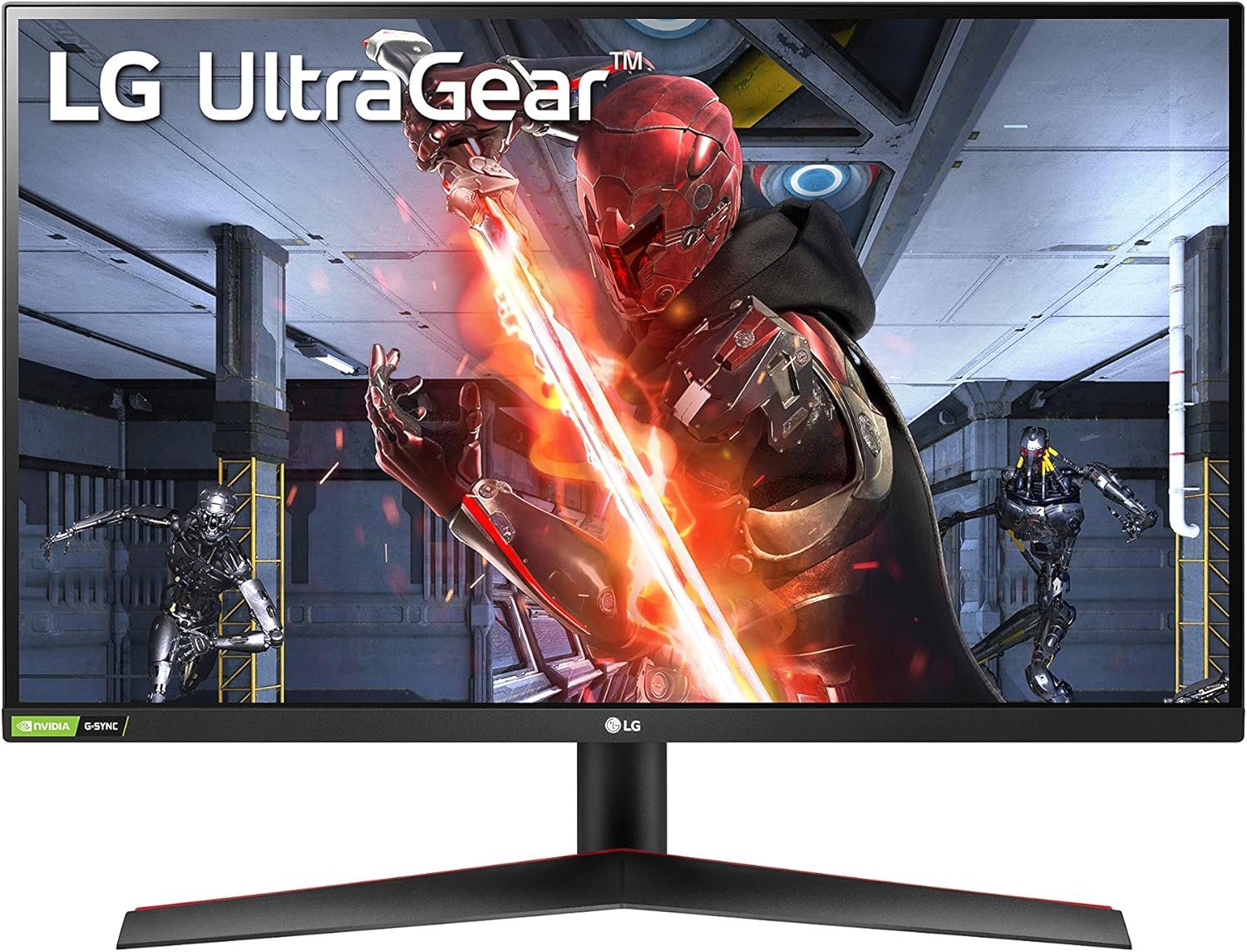
LG 27GN800-B Ultragear 27 inch QHD (2560×1440) IPS 144Hz 1ms Gaming Monitor AMD FreeSync Premium G-Sync Compatible HDR10 HDMI DisplayPort Black
$199.95
Related Products




At 34 inches with a 21:9 screen ratio, this curved QHD (3440×1440) VA Display features realistic, accurate color, contrast, clarity, and detail at wide angles, with multiple features to upgrade your efficiency. sRGB 99% Color Gamut coverage with HDR 10 brings work and virtual worlds to life. Multiple features such as Reader Mode (reduces blue light) and Flicker Safe (reduces onscreen flicker), in addition to improved field of view helps protect your eyes and reduce eye fatigue. Control two computers and share the display with the KVM and the Dual Controller feature. Charge computers and peripherals with USB-C, with up to 90 Watts of power delivery. OnScreen control allows you to make display adjustments using your mouse*. *Software download required to enable OnScreen Control. For download details, visit LGUSA.com/OnScreenControlSupport.
Designed for gaming, this monitor with a 1-millisecond (GtG) response time delivers all of the benefits of IPS (In-Plane Switching), delivering responsive, crisp visuals with sharp clarity to immerse you in gameplay.Specific uses for product – Gaming
A high native 144Hz refresh rate with 1-millisecond Motion Blur Reduction keeps you firmly in the action while reducing blur and ghosting, rendering screen objects more clearly
Color accuracy with sRGB 99% and wide viewing angles (up to 178° horizontal / 178° vertical) from IPS reproduce colors with high fidelity to being vivid scenes to life
With compatible video cards, NVIDIA G-SYNC and AMD FreeSync Premium virtually eliminate screen tearing and minimize stutter in high-resolution and fast-paced games for a fast and fluid gaming experience
Dynamic Action Sync helps reduce input lag to help you respond to on-screen action quickly. Black Stabilizer dynamically brightens dark scenes to help you find enemies in the dark
12 reviews for LG 27GN800-B Ultragear 27 inch QHD (2560×1440) IPS 144Hz 1ms Gaming Monitor AMD FreeSync Premium G-Sync Compatible HDR10 HDMI DisplayPort Black
Add a review

$199.95
T. Tozawa –
Working great as a second monitor
My main monitor is a LG 32” 4K 144hz which I got for around $700 a few years back. I know OLED is the lates and greatest but I needed IPS for the viewing angles and because I leave my PC on 24/7 and game for hours. It’s worked flawlessly so when I wanted to pick up a second monitor I decided to keep it to the LG line and this one is like a baby brother of my main monitor, just at 1440p. Colors look great after adjustment, no dead pixels, no extreme IPS glow.The only con is the round back design LG likes to do with their UltraGear line. You won’t be able to add a monitor bar with it. Also, the original stand has very limited adjustments, but if you’re using a third-party arm like me it’s not an issue. One other thing to note; when you remove the OEM stand, there’s a little mounting piece that kind of just sticks out from the back.Other than that, this is a quality monitor. Admittedly I haven’t done hardcore gaming on this since I’m using it as a second monitor but the quick testing I did was great. Definitely recommend this especially if you can grab it at around $200. Great value.
Omar –
Best monitor I’ve used
I upgraded from my original monitor which was 24 inches 1920×1080 and 144Hz and this upgrade is insane. The visuals on everything from gaming to watching sports is a significant upgrade and I got this monitor on sale and it couldn’t fit my needs better. Make sure you aren’t overpaying for features on a monitor your PC cannot handle but this was perfect for me and if you are looking for an upgrade this is one is perfect.
Javier Vargas –
Best quality and best price.
Amazing product and execution cost. Safe packaging.
UFO6 –
Top-Rated 2560 x 1440 Monitor is Fantastic Despite Missing Flex Joints
I’ve read reviews here complaining about stuck and dead pixels and other image oddities with this monitor, and either I’m unusally lucky and they’re really unlucky, or this is just a great monitor that got jumbled around for some people in shipping – because for the last 2+ months the picture has been flawless and jaw-dropping in its clarity and contrast.I picked this monitor after my old 24″ Dell developed a weird, intermittent power-socket problem that had it shutting down whenever so much as a house fly would land on the cord. I took it apart to inspect the socket’s solder joints to the PCB and they were solid, which led me to believe it was an issue with the power supply circuit itself, likely a failing cap or something. But after using that thing for close to a decade it was time for an upgrade anyhow.So I did some well-spent time scouring a whole bunch of online “Best of” review pages for 27″ 2560 x1440 monitors, and when it finally came down to a toss-up between this LG Ultragear and a Gigabyte M27Q this one won, mostly for being almost 73 bucks cheaper. The Gigabyte has a slightly faster refresh rate – 170Hz vs 144Hz, and a 0.5mS response time rather than 1mS, but I’m not a heavy-duty gamer running a mega-overclocked $4k gaming PC with a graphics card that costs as much as my whole system, so those weren’t persuasive enough to get me to part with the $73 extra – and I’m thinking even hardcore gamers would be hard-pressed to spot any appreciable difference between the two. So LG Ultragear it is.The biggest downside is that there is exactly one (1) physical adjustment that this monitor’s stand allows, and that’s: Tilt. It’s a fixed height so no up-down at all; there’s no rotation joint for landscape/portrait orientation like the old Dell had (but not something I ever used anyway,) but there isn’t even a side-to-side rotation joint on the base. That last is inexplicable and an annoyance because it’s a useful adjustment especially when you have a small and cramped desktop, but given the otherwise-flawless nature of this product I can deal with it. *And* it looks really, really cool, with the red-and-black color scheme on the reverse side – if that’s visible in the room where you’re using it.The only other problem I had was that I could not get the HDMI ports to work with my graphics card (an AMD,) so I had to go buy a DP cable that would reach. That may be a glitch with the graphics card rather than the monitor, so I give the benefit of the doubt on that one. But once connectivity was out of the way, no problems.I’ve been using this for just under three months with no issues and continued amazement at the image quality and contrast. So if you’re looking for a truly great 27″ monitor that has some impressive technical specs for the price, buy with confidence. If you’re feeling flush, go have a look at the similarly high-rated Gigabyte M27Q – Amazon product code B08JWCHR5N. But at $277 you can’t beat this LG. Happy camper here.
Jamie D. Howell –
I might be biased but this monitor is amazing!
I had been looking at two different monitors and I finally decided on this LG Ultra Gear monitor. I have to say coming from a very old monitor (with VGA and DVI) I am beyond impressed with this monitor. It’s a steal, I got it on sale for $346.99. The brightness is higher than I expected and the menu is beyond easy. Just so everyone knows I used this with my Xbox Series S and it was fully compatible with AMD Freesync Premium and 1440p 120fps. I don’t know if it’s the Xbox or the monitor but if you have HDR enabled your framerate drops to 60fps which is fine with me cause the only time I would use HDR is with movies. The only downsides are quality control. Backlight bleed and dead and/or stuck pixel are relatively common and multiple people have had reviews on this monitor saying it has a dead pixel or severe backlight bleed out of the box. I had no dead pixels and a very VERY tiny amount of backlight bleed at the top. I don’t know if I’m lucky or if they just fixed some production errors. I also was missing an HDMI cable that comes with it. All in all very happy with this monitor and would recommend to anyone in the price range.
Daniel Smith –
Broke After 3 Years Avoid LG = Low Grade
I had no issues with this monitor for 3 years with beautiful picture, but it finally broke and there are vertical lines making it borderline unusable. This is after 3 years of low to moderate use. You just can’t trust LG to make long lasting durable products. I contacted support and they wanted to charge more than the monitor was worth to repair it. If you want a durable monitor that lasts longer than 3 years, look elsewhere. LG in my mind stands for Low Grade. Avoid this product if you expect
Red Tail –
LG is always my go to choice
LG has yet to disappoint me! Colors are vibrant, image is perfectly clear, it’s very bright with excellent black levels. It replaced it’s older brother which stopped working after 6 years of service.No flickering, easy to set up as expected. Love the stand, can adjust it to any height I like.
Israel –
Espectacular cambie mi viejo monitor de 60 hz…. Es una maravilla
Noe lazaro –
La calidad es muy buena el panel se ve muy bien vengo de un tn tambien de lg por lo que me decidi por este que es ips los colores mucho mejores y la resolucion y mantiene la imagen paracticamente sin ghosting al igual que mi tn anterior y muy fluidos los juegos tambien llego sin pixeles muertos ni fugas de luz el brillo me parece suficiente el hdr que trae no es la gran cosa pero lo elegi por ser de los pocos ips que praticamente no tiene ghosting la mayoria si es perceptible
Kenzo –
Got this for my office, great screen, this is my first 2k 200hz monitor and it is really smooth, I came from a 1080p 60 hz monitor and this is a game changing, I do have Flux on which makes my screen yellow. The colors is great, non tearing or ghosting, when I first got it, the screen was a little dark, after changing some settings it’s perfect. I played csgo, asseto corsa so far and everything is soo smooth. I hope this review helps as this monitor is new with limited reviews. I am going to buy 2 more for my triple screen set up, this first one was to test. For this price, it’s crazy how cheap it is I only paid $210cad. I was stuck between this and the asus, I am glad I went with this lg untragear. I was going to get a monitor arm but no need, this stand you can tilt, turn it 180, and move it up and down.
Aarón Salgado –
Lo agarre en 4700, trae un Pixel muerto solo se nota si una pantalla de carga se pone totalmente negra, no me afecta la vd, hasta le tengo cariño jajajaEn la lap de mi trabajo corre a 1080 y 144hzEn mi lap personal al ser 2k, nomas levanta 60hz, si quiero levante 144 debo cambiar la resolución a 1080… Desconozco si se pueda usar 2k y 144hz a la vezLo uso en mi ps5 y todos los juegos arroja 60hz,nomas uno que otro lo corre a 120hz como el Warzone, Apex, Uncharted, etc. Hay una lista de que juegos de ps5 alcanzan los 120hz y se nota la diferencia…Si quieres un monitor bonito, 2k y con 144hz compralo sin pensar, mientras no seas mmn o no quieres gastar arriba de 10k por un 4k…. Todo bien y cumple con todoTiene 2hdmi, fácil de cambiar y le conecto el Alexa por 3.5 en caso quiera escuchar el ps5
Terry –
Not oled but great second