

KIHENG HDMI to USB-C Adapter, HDMI to Type C Adapter for XREAL One/Viture/RayNeo Air/Rokid AR Glasses and Portable Monitor Compatible 4K 60Hz HDMI Source Devices: Switch 2, PS4/5, Xbox, Laptops
$23.69
Related Products




Product description


Question: Why is there no sound or audio on my Xreal AR glasses after connecting to this HUB?
Answer: After correctly connecting the HUB, you need to switch your Xreal AR Glasses to DP Mode(𝐃𝐢𝐬𝐩𝐥𝐚𝐲𝐏𝐨𝐫𝐭 𝐀𝐥𝐭 𝐌𝐨𝐝𝐞). Follow these steps:
Press and hold the brightness + button for 4 seconds. When you hear two beeps, release the button and the glasses will reconnect (The screen will go black and then recover, and you will hear a sound).
If other brands of AR Glasses encounter the same issue, you can also switch your AR Glasses to DP Mode according to your AR Glasses manual.

Question: What are the steps to connect this adapter to Switch 2?
Answer: Please follow these steps to connect:
1. Remove the Switch 2 controller (automatically switches to TV mode), then dock the Switch 2 screen into the docking station;
2. Connect the HDMI video cable and the Switch 2 original charger to the docking station;
3. Connect the other end of the HDMI cable to the HUB, then power the HUB using its included power cable;
4. Finally, connect the AR glasses or portable display to the HUB’s USB-C port (ALT MODE OUT).

Question: Is the power cable included with this hub designed to charge and power devices like the Switch 2, PS4, and PS5?
Answer: No, the power cable included with the HUB is for powering your AR glasses or portable display. Your Switch 2/PS4/PS5 and other devices require separate power sources. The HUB’s power output ranges from 10W to 65W, so it can easily power AR glasses. However, if your portable display requires more than 65W, you’ll need to provide a separate power source for it.

Question: Is it possible to convert USB-C to HDMI?
Answer: No, this HUB only converts HDMI video output to USB-C video output. Do not connect it in reverse.
Q&A. 1
Q&A. 2
Q&A. 3
Q&A. 4
Add to Cart
Add to Cart
Add to Cart
Add to Cart
Customer Reviews
4.3 out of 5 stars 128
3.7 out of 5 stars 46
4.5 out of 5 stars 53
3.9 out of 5 stars 28
Price
$22.99$22.99 $17.95$17.95 $23.69$23.69 $29.89$29.89
Conversion Plan
USB C to USB C USB C to USB C HDMI to USB C USB C to USB C
Function
Video and Charging Video and Charging Only Video Video and Charging
Compatible with Nintendo Switch 2
No No Yes Yes
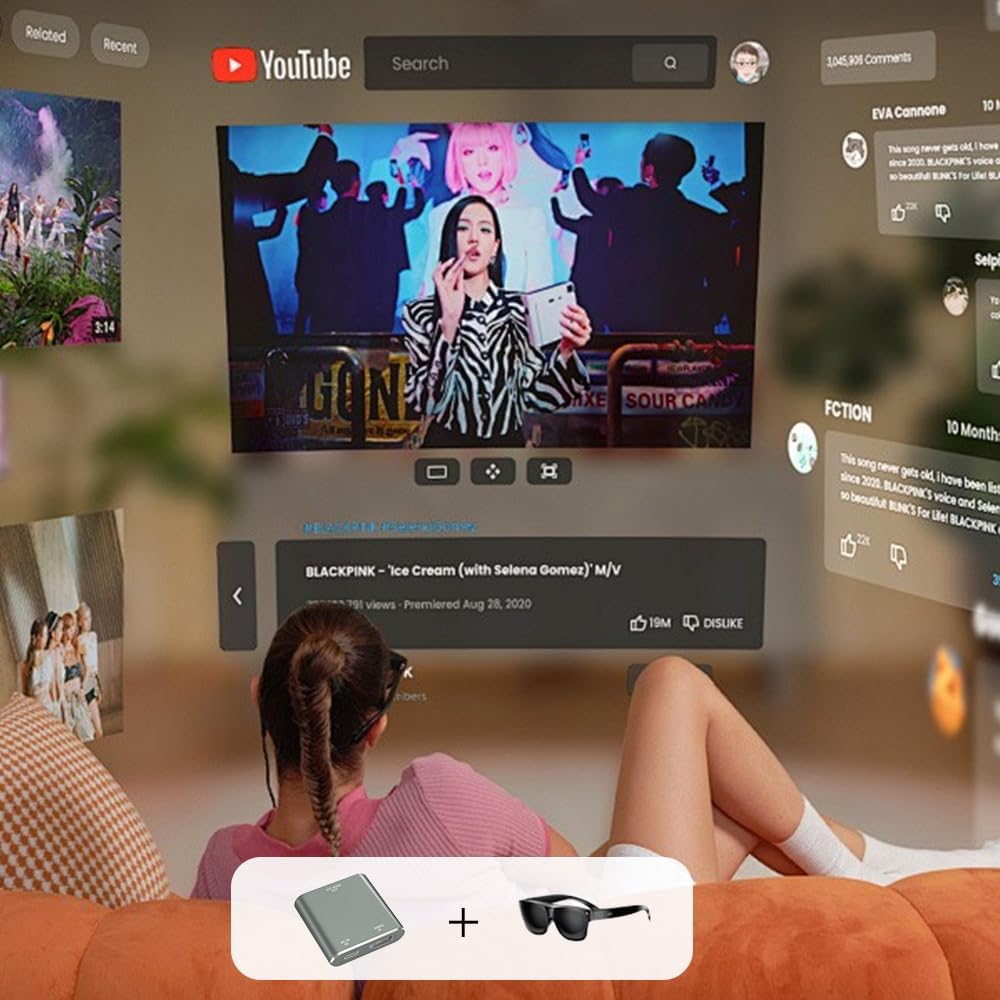
HDMI-to-USB-C: This HUB features the capability to convert HDMI video output ports into USB-C video output ports, designed for the following use cases: Connecting Switch OLED/Switch 2 to USB-C AR glasses or USB-C portable displays. Connecting PS4/PS5 to USB-C AR glasses or USB-C portable displays. Connecting Xbox to USB-C AR glasses or USB-C portable displays. Connecting TV boxes to USB-C AR glasses or USB-C portable displays. Connecting Laptop (with HDMI port) to USB-C AR glasses or USB-C portable displays. The hub’s USB-C video output port supports to RayNeo/VITURE/Xreal/Rokid AR Glasses, as well as portable displays.
DP Protocol Video Output: Xreal AR glasses connect correct to the HUB but there is no sound or not video on glasses, you need to switch the Xreal AR glasses to DP Mode(𝐃𝐢𝐬𝐩𝐥𝐚𝐲𝐏𝐨𝐫𝐭 𝐀𝐥𝐭 𝐌𝐨𝐝𝐞) according to the AR glasses manual. Except for Xreal AR glasses, which require switching to glasses mode, AR glasses from other brands do not require this.
Compatible with USB-C Portable Monitors: The HUB’s power cable can only supply power to AR glasses and displays, with a minimum power output of 10W (5V 2A). It cannot power source devices, so source devices require separate charging.When the portable display’s power consumption is below 25W, the hub can easily power it. If your portable display requires more than 25W, you must first connect an external power source to the display before connecting it to the hub. Otherwise, the display may operate intermittently or experience screen blackouts. Please note the power consumption of the monitor.
Note the Source Device Interface: This HUB is used for Switch, PS4/5, XBox, TV Box, and other video output devices need to make sure your device has HDMI video output port, if there is no HDMI video output port but has USB C video output port, we recommend using a USB-C to USB-C hub. Of course, we also sell USB-C to USB-C hub, please search Amazon ASIN B0FN77JZX1.
Note the HUB’s Interfaces Connection is Stable: You can connect a Portable Charger to the HUB to keep it working properly, thereby solving the power supply issue for the HUB during travel. If a display malfunction occurs, please unplug and replug the cables to ensure each connection is secure and free from looseness.
HD Video: Often we can’t enjoy the visual impact and immersion of HD videos or games because the screen isn’t big enough. This HUB Supports resolutions up to 4K@60Hz,1080p@120Hz/144Hz and is backward compatible. Must use USB 3.1 cable or more advanced cable that can transmit video signals or Thunderbolt 3 cable. note: is compatible not to improve the quality, as long as your device has such a high quality output, our Hub will be able to support. Therefore, if you want to achieve higher resolutions and refresh rates, please ensure that both your input and output devices also support these specifications.
Friendly Service: Product includes: Hub x1, 4K HDMI Cable(60cm) x1, Power Cable(50cm) x1. The interface of the HUB is designed to be compact, this is to prevent the interface from shaking during use. If you have any questions, please leave a message through the manual or Amozon seller KIHENG. We will actively help you to solve the problem.
8 reviews for KIHENG HDMI to USB-C Adapter, HDMI to Type C Adapter for XREAL One/Viture/RayNeo Air/Rokid AR Glasses and Portable Monitor Compatible 4K 60Hz HDMI Source Devices: Switch 2, PS4/5, Xbox, Laptops
Add a review

$23.69
Johnny Gonzalez –
Excellent product.
Fantastic adapter! Works flawless with my Rokid Air Pro paired to my PC and other devices.
M&BKay –
PS5 to XREAL One WORKS
FINALLY a solution for my PS5 to XReal One Pro’s. I tried many HDMI to USB-C adapters, and this one worked instantly. Not sure why the other ones failed but for my setup now: Power cable (included with the product), XREAL One Pro w/ original cable both connected to the adapter. Then HDMI cable on the other end of the adapter to my PS5. My HDMI cable supports 4k and the USB box that the power is connected to and plugs into my power strip is 65w rated. I will update my review if any issue comes up over time but its working as expected and I’m happy.
Amazon Customer –
Worked out great
Works great, only flaw i see is when I start a game with great graphics its turns off my ar glasses so I just have to replug the cords in the adapter and it turns on but Im not sure if that’s the adapters fault or the glasses but the end result is great
lh –
Quickly share content from phone to TV without using Wi-Fi.
Allows me to connect my phone to my TV which doesn’t have built-in Wi-Fi. I can either run it off of the phone’s battery or use a 5 volt DC adapter. This allows me to watch content from my phone on my TV with the USB cable and the HDMI. People typically use a device like this for VR glasses or other devices, but I don’t own any of those and only used an Android smartphone to test it.Everything worked well. It heats up a bit but has all of the inputs and outputs that I need to do what I wanted. The device body is a smooth rounded corner square. It seems pretty decent as far as build quality. The inputs and outputs were also fine. If you do not connect a power source to it, it will just use your phone’s battery. It has an HDMI out Port and then what looks like two USBC ports but one is meant to go to whatever your device is and the other is for powering it. This device does not have enough onboard power to independently run everything. This might be why it’s gotten some criticism. The particular one that I got was working normally so I have no complaints about its functionality. As far as value for the money: that would depend on your use case. The device that you’re connecting to must be compatible with this setup for best results. There are so many ways to connect so if it’s not working, just check what inputs you have selected on the TV. Try it with and without a separate power source, etc.Overall happy with it because it allows me to quickly share some content on a larger screen from my phone. I just leave it connected on the back of the TV when I’m not using it. Because I have a lot of smart devices, this one doesn’t further clog up the Wi-Fi as it allows for a direct wired connection, which is just what I needed.
Saleh ALJateli –
Much needed piece for my xreal one pro
Worked perfectly
Durden8611 –
important to note that this adapter is unidirectional—it only converts HDMI input to USB-C output
The KIHENG HDMI to USB-C Adapter offers a unique solution for connecting HDMI sources to USB-C displays, supporting 4K at 60Hz. Its compact design and included USB-C power cable make it convenient for setups involving devices like the Nintendo Switch, Steam Deck, or AR glasses. The adapter is plug-and-play, eliminating the need for additional drivers or software.However, it’s important to note that this adapter is unidirectional—it only converts HDMI input to USB-C output and not the other way around. Additionally, the adapter requires external power via the included USB-C cable to function properly, which may not be ideal for all users. Some users have reported compatibility issues with certain devices, so it’s advisable to verify compatibility with your specific hardware before purchasing.Overall, the KIHENG HDMI to USB-C Adapter is a functional tool for specific use cases but may not be suitable for all scenarios.Rating: 3/5A niche adapter that performs well within its intended use cases but has limitations in compatibility and requires external power.
Amazon Customer –
Good alternative
Yes, does exactly what its supposed to do. Compact, have used it only a few number of times. Feels, solid?
Derrick M. –
Great add on accessory
Works as it should. Does get a bit warm but no issues after using for over an hour straight.