

GL.iNet GL-MT6000 (Flint 2) WiFi 6 High Speed Gaming Routers for Wireless Internet, 2 x 2.5G Ethernet Ports for Fiber Optic Modem, Long Range Computer VPN WiFi Router, Home & Business
$159.99
Related Products






Product description
The video showcases the product in use.The video guides you through product setup.The video compares multiple products.The video shows the product being unpacked.


GL-MT6000
Add to Cart
Add to Cart
Add to Cart
Add to Cart
Add to Cart
Customer Reviews
4.6 out of 5 stars 2,125
4.4 out of 5 stars 253
4.2 out of 5 stars 745
4.5 out of 5 stars 1,248
4.5 out of 5 stars 4,535
Price
$159.99$159.99
$57.49$57.49
$379.99$379.99
$94.99$94.99
$92.99$92.99
CPU
MediaTek Quad-core, @2.0GHz
Qualcomm Dual-core, @1GHz
MediaTek Dual-core, @1.3GHz
Qualcomm Quad-core, @1.2GHz
MT7981B Dual-core, @1.3GHz
Memory / Storage
DDR4 1GB / eMMC 8GB
DDR3L 512MB / NAND Flash 128MB
DDR4 512 MB / EMMC 8GB
DDR3L 512MB / NAND Flash 128MB
DDR4 512MB / NAND Flash 256MB
Wi-Fi Speed
1148Mbps(2.4GHz),4804Mbps(5GHz
574Mbps(2.4GHz),2402Mbps(5GHz)
574Mbps(2.4GHz),2402Mbps(5GHz)
600Mbps(2.4GHz),1200Mbps(5GHz)
574Mbps(2.4GHz),2402Mbps(5GHz)
Ethernet Speed
2 x 2.5G Ports; 4 x 1G Ports
10/100/1000Mbps
WAN Port:2.5G, LAN Port:1G
10/100/1000Mbps
WAN Port:2.5G, LAN Port:1G
Ethernet Ports
WAN(2.5G),WAN/LAN(2.5G), LAN*4
1 x WAN, 2 x LAN
1 x 2.5Gbps WAN, 1 x LAN
1 x WAN, 4 x LAN
1 x 2.5Gbps WAN, 1 x LAN
OpenVPN (Via Ethernet)
Max.190Mbps
Max.30Mbps
Max.150Mbps
Max.112Mbps
Max. 150Mbps
WireGuard (Via Ethernet)
Max. 900Mbps
Max.190Mbps
Max. 300Mbps
Max. 500Mbps
Max. 300Mbps
Dimension / Weight
233 x 137 x 53 mm / 761g
155 x 120 x 23mm / 275g
155 x 95 x 36mm / 520g
210 x 120 x 36.8mm / 445g
106 x 83 x 33mm / 196g
Cellular Gateway
✘
✘
✔
✘
✘
***Please update the firmware upon initial setup of the router, as it greatly enhances the device’s performance and ensures a superior user experience.*** 【WiFi 6 Standard with ultra-low latency】Wi-Fi 6 speeds up to 6 Gbps to let you enjoy smoother 4K streaming, gaming, video calls and more, DDR4 1GB / eMMC 8GB
【High Speed Gaming Router】Dominate with uninterrupted performance with the ultimate MT6000 gaming internet router, equipped with 8-stream Wi-Fi 6 technology, the Flint 2 delivers blazing speeds, ensuring a stable and high-speed connection during intense multiplayer battles.
【Rapid OpenVPN & Wireguard speed】Wireguard VPN and OpenVPN speeds up to 900Mbps and 880Mbps respectively, giving you complete control over your gaming, streaming and working bandwidth. Actual speed may differ depending on internet service provider, network environment, VPN server location, VPN service provider, etc.
【AdGuard Home Supported】Enabling the use of a DNS server for blocking unwanted tracking and offers a convenient web interface for filtering selected digital advertisements. Users can take full control of their online experience and enjoy a clutter-free browsing environment with ease.
【Mass device connectivity】Experience enhanced online connectivity with our higher storage capacity, catering to over a hundred devices and fulfilling the requirements of DIY users seeking to install additional plugins. Enjoy stable and reliable connections, ensuring seamless performance and accommodating a wide range of digital needs.
【Easy Setup】Follow the Initial Set-up video tutorial on Amazon or Connect MT6000 to your computer via Ethernet cable to access the web Admin Panel.
9 reviews for GL.iNet GL-MT6000 (Flint 2) WiFi 6 High Speed Gaming Routers for Wireless Internet, 2 x 2.5G Ethernet Ports for Fiber Optic Modem, Long Range Computer VPN WiFi Router, Home & Business
Add a review

$159.99
zo –
Excellent router, very fast, AdGuard Home integrated, OpenWRT support.
This is easily the best router I’ve ever owned, very easy to set up, good coverage, fast and with a huge number of features. I’m running the stock firmware which has an easy to use interface but it can also run newer versions of OpenWRT.I really like how easy it is to set up AdGuard Home and it makes a noticeable difference in browsing speed and even blocks annoying ads on my game consoles.This is a stark improvement over my last router which was a few years old.My only complaint is that there is a maddening bug with the Network Acceleration feature that makes loading some things on WiFi extremely unstable with hanging sites that load extremely slowly or not at all. After disabling this feature performance is excellent. I haven’t checked the latest firmware to see if this is resolved but it’s something to note.
Cheeseburger Man –
Perfect Upgrade – Night and Day Difference vs. Spectrum’s Router
I have Spectrum cable internet, and for years, I was forced to pay the $5/month rental for their router. It was horrible, bufferbloat grades around D, lag while gaming all the time, and random drops. Streaming, gaming, video calls, everything suffered. Finally, I bought the GL.iNet GL-MT6000, and the difference was immediate.I unplugged my modem and Spectrum router, plugged in the modem and this router, and it basically set up itself in moments. It was online before I knew it and even prompted to update automatically, no digging through menu systems. All I done was connect the router and put in the password to my phone and PC then bam.It runs OpenWrt, so you have the ability to add plugins for advanced control. After I mned it for just a minute, I installed a SQM plugin to eliminate bufferbloat (the only reason I upgraded) and a second plugin called Cake Autorate. Cake Autorate dynamically adjusts SQM to cable internet’s ups & downs, so mine stays perfectly stable.Bufferbloat grade: A+Latency, 22 unloaded, +0 latency loadedSpeed: ~397 down / 8 upGaming feels downright incredible, I see people before they see me.4k streaming video calls and perfect, not only does it call out and stutter, but they haven’t dropped even once, unlike a SpectrumI was tempted to buy an Eero mesh system, but this router has range, and I don’t need the extra mesh units that would be needed for my house and the router is cheaper.This router is five out of five perfect.If you want to set it up easy, play games at zero latency, and have rock-solid stability, the GL-MT6000 is worth every one of its dollars. It also saves you from Spectrum’s rental fee, and it’s reliable with low latency. Buy this router, and don’t look back.
CJ –
Awesome router for the price!
I was looking for a highly configurable router at a reasonable price, and this model absolutely nailed it. Setup was incredibly straightforward. I’m particularly impressed with the built-in AdGuard support and the seamless WireGuard VPN integration.The range is also exceptional; both the 2.4GHz and 5.0GHz bands reach outside my home without issue. It delivers fast, consistent speeds and stays remarkably cool even under heavy use. Highly recommended for anyone who wants pro-level features without the headache.
J. Huggins –
Powerful OpenWRT IQRouter Replacement for Low Latency No Bufferbloat Cake SQM Performance and More
Regarding the Flint 2 GL-MT6000 router by GL.iNet received May 1, 2025I have a Netgear CM600 cable modem (also purchased on Amazon IIRC) and 300/10 Mbit cable service feeding the Flint 2.After the very sad demise of the IQRouter company, I knew I couldn’t be without a full featured OpenWRT based router that could handle SQM and Cake without choking and that would give me access to all those settings I was reading about on the internet. I wanted those A+ bufferbloat scores that the IQRouter gave me even if I had to wade through millions of misleading and obsolete configuration posts.The training wheels have come off and the Flint 2 has delivered.On the hardware side:The hefty passive heatsink inspires confidence because routers heat up under heavy load which can cause intermittent performance issues. The antennas can’t swivel to the side unlike my stone age routers that you could rotate into a rabbit ears position. It appears this generation they are meant to stay parallel, likely for beamforming purposes.On the operating system and software side:If you’re confronting the full fat OpenWRT for the first time like me then the slick Netdata monitor console which you can install, plus the preinstalled systemwide AdGuard ad blocking and VPN that can be turned on or off by clicking a button will make you feel satisfied. You can run a multimedia server, Tailscale for remote access and other stuff I didn’t know I needed is built in and made easy.I can finally get a decent port forward for QBittorrent.WiFi coverage is as good or better than my last router although I don’t have any WiFi 6 devices to test that band. The Flint 2 does have DFS bands on 5G WiFi that I didn’t know existed. My cell phone sees those bands but my 4K Firestick doesn’t. If you live in an apartment building then you will appreciate those DFS bands because not as many of your neighbors will have access to them, so less interference.There is a new GL.iNet firmware version in the works which is great to know, and anyway you can put vanilla OpenWRT on the device so obsolescence is not an issue. Their product release schedule is impressive too which gives me confidence in this company.Customer support was excellent. I contacted them about a mistake I had made which was not their responsibility and that was entirely their prerogative to dismiss yet they handled it with aplomb.Research indicates this is a good value router too, but don’t buy on impulse if you know what I mean.In summary, if you’ve done your research, and this router is on your list of candidates, then I can recommend it.This review was written without the assistance of any AI, and ignoring all my browser’s grammar autosuggestions to add more commas. I left out some hyphens too that the browser missed. Stupid browser.
Jad –
Router uses a custom openwrt firmware, you can flash normal openwrt on it but i decided to stay on the custom version. It’s great with good specs.
RS –
I’ve tried my fair share of routers, but the Flint 2 (GL-MT6000) has actually outdone my expectations, considering that I value privacy, speed, and control of the network most.Setup:The configuration is simple and easy to use. The web user interface (available through both GL.iNet and LuCI) is suitable for beginners and power users. I set it up with ProtonVPN directly on the router itself, so no VPN client software is required on every device now—a huge convenience.Performance:Performance is impressively high on the 2.4GHz and 5GHz Wi-Fi bands. Even when the VPN is running continually through the router, the speed loss is only minimal. The streaming, browsing, and video calling are uninterrupted and smooth. In addition, I have DNS filtering done through AdGuard Home, and the Flint 2 takes it all in stride with no noticeable slowdowns.Security & Privacy:• Full VPN tunneling to protect all devices that are connected• DNS-over-HTTPS (DoH) for encrypted DNS queries• A customizable kill switch that prevents data leaks if the VPN connection drops• The ability to skip the VPN on a certain device or appNetwork Management:I like the convenience of having independent SSIDs, deciding whether to give both bands the same or different names, and the ability to isolate devices when necessary. Also nice is the feature of labeling some devices such as my work laptop or guest device to a non-VPN Telus connection for selective access.Extras:GL.iNet updates the firmware for performance and security on a regular basis, and the community support is good. The device is also quiet and does not use a fan, ideal for home use.Final Thoughts:If you want a robust, privacy-orientated router that is capable of running an entire VPN client, ad- and tracker-blocking, and sustaining maximum speed, Flint 2 is a winner. The best for those that must have end control of the network but will not compromise speed in the least.Highly recommended!
Blade –
Nach intensiver Recherche habe ich mich bewusst für den GL.iNet Flint 2 (MT6000) entschieden und bin absolut begeistert. Dieses Gerät ist die perfekte Symbiose aus roher Leistung und der Freiheit, die nur ein wirklich offenes System bieten kann.Die entscheidende Wahl: MediaTek statt QualcommMeine Kaufentscheidung fiel ganz gezielt auf den Flint 2 wegen seines quelloffenen MediaTek (ARM) Prozessors. Im Gegensatz zum neueren Flint 3, der einen Qualcomm-Chipsatz verwendet (welcher 500Mhz weniger Takt bietet), wird der MediaTek-SoC des Flint 2 erstklassig und direkt vom offiziellen OpenWrt-Projekt unterstützt. Für mich als Enthusiast, der die volle Kontrolle und Aktualität eines “Vanilla” OpenWrt sucht, war das der entscheidende Faktor. Während der Flint 3 auf die (sehr gute) Hersteller-Firmware angewiesen ist, die auf OpenWrt basiert, aber bei Updates etwas hinterherhinkt, habe ich hier die Freiheit, jederzeit die neueste, offizielle Version zu flashen.Performance & Stabilität – Absolut überzeugendSchon mit der hauseigenen GL.iNet-Firmware merkt man, was in diesem Router steckt. Die Quad-Core-CPU langweilt sich im Normalbetrieb förmlich (Load Average nahe Null), was riesige Reserven für anspruchsvolle Aufgaben bedeutet. Ich betreibe eine Gigabit-Leitung, mehrere WLAN-Netze, anspruchsvolles QoS (SQM) und einen netzwerkweiten Ad-Blocker (AdGuard Home). Selbst unter Volllast bleibt alles pfeilschnell und die Latenz stabil. Abstürze oder Neustarts? Fehlanzeige. Das Gerät läuft seit der Einrichtung absolut felsenfest.Zwei Wege zum Ziel: Original-Firmware vs. Vanilla OpenWrtHier glänzt der Flint 2 besonders.Die Original-Firmware von GL.iNet bietet bereits mehr Features als 99% der Router auf dem Markt. Die Einrichtung von VPNs, AdGuard Home oder Gastnetzen ist kinderleicht und funktioniert hervorragend. Für die meisten Power-User ist sie mehr als ausreichend.Für Enthusiasten liegt die wahre Stärke jedoch in der nahtlosen Installation von offiziellem OpenWrt. Die Installation war ein Kinderspiel: Einfach das sysupgrade-Image flashen, und schon hat man ein pures, schlankes System. Man profitiert von schnelleren Sicherheitsupdates direkt von der Community und hat die absolute Kontrolle über jedes Detail – von VLAN-Tagging bis zu komplexen Firewall-Regeln.Fazit:Der GL-iNet MT6000 ist eine Hochleistungs-Plattform für Anwender, die das Maximum aus ihrem Netzwerk herausholen wollen. Die Kombination aus brachialer Leistung, grundsolider Stabilität und der Wahlfreiheit zwischen einer exzellenten, benutzerfreundlichen Hersteller-Firmware und einem vollwertigen, offiziellen OpenWrt ist in dieser Preisklasse unschlagbar.Wer die Kontrolle will und sich für die Open-Source-Kompatibilität entscheidet, bekommt hier ein Gerät, das selbst Router schlägt, die das Doppelte kosten. Eine uneingeschränkte 5-Sterne-Empfehlung
Peter 55 –
Prima router met VPN cliënt mogelijkheid. Duidelijke UI in verschillende talen waaronder Nederlands. Eenvoudige configuratie en VPN inrichting voor de meest gangbare VPN providers.
Rasmus –
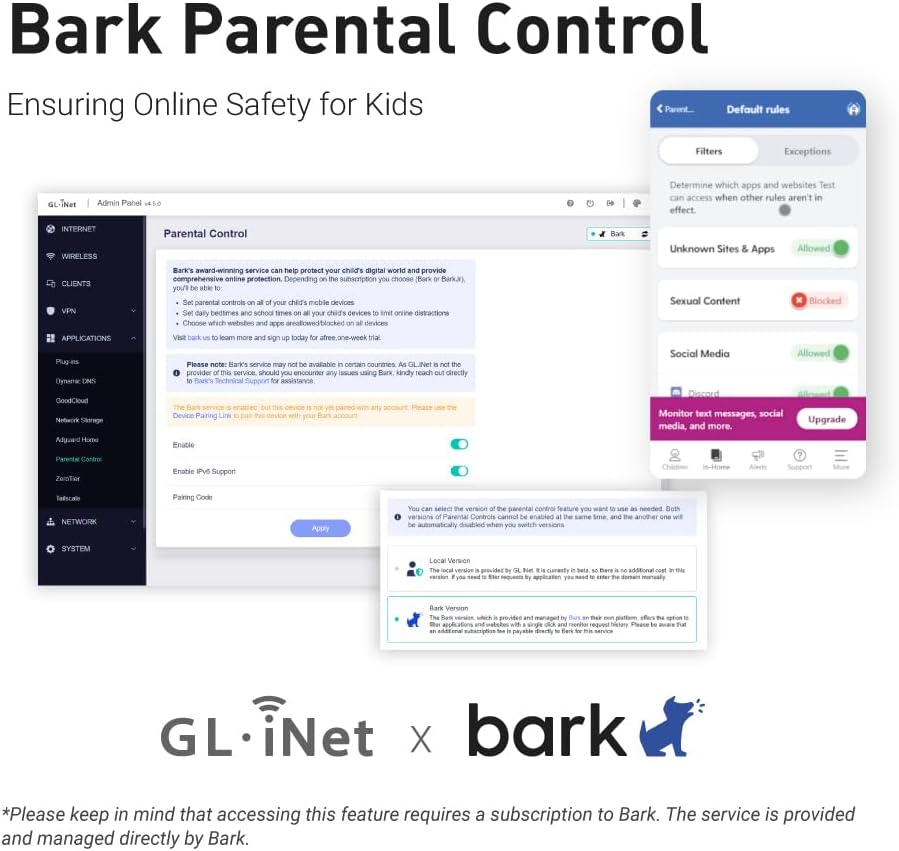
This is the best router ever! It has tons of possible configurations. I bought it primary for blocking youtube on my “smart” TV and my kids phones. And it works. Under Parental control you can ad a profile and under that profile you ad the devices you want to be able to connect to internet. If they are not on a list they will be blocked. Even if they are connected to the network, and this is a must. Then you ad a a rule set under witch you can add all youtube sites to block. I asked an AI for that. There are a lot of sites you need to block. After this you can also ad time windows where these rules applies. Awesome!I also tried to add an M.2 SSD via the USB3 on the side. You set it up under Applications/network storage. My SSD is NTFS formatted but AI told me ext4 is best. Follow the guide and give the disk a UN och PW. Then I added a network drive in my computers file explorer pointing to the one configured in the router. Bam! 256GB on the network for moving files in the network (in Linux Mint, the manual says windows works to). AdGuard Home is a built in feature. It can also block sites and ads! Check out NetworkChuck on YT for more information. Awsome! No more ads. I also connected my old TP-Link P7 mesh network downstream the Flint 2 to extend the range. The rules set in the Flint 2 now also applies to the old P7 mesh network as they work as extenders from now on. AI helped me do this to. Now I have 4 access points for my devices with awesome range! I an go on and on. Best money ever spent on a router! Just buy!