
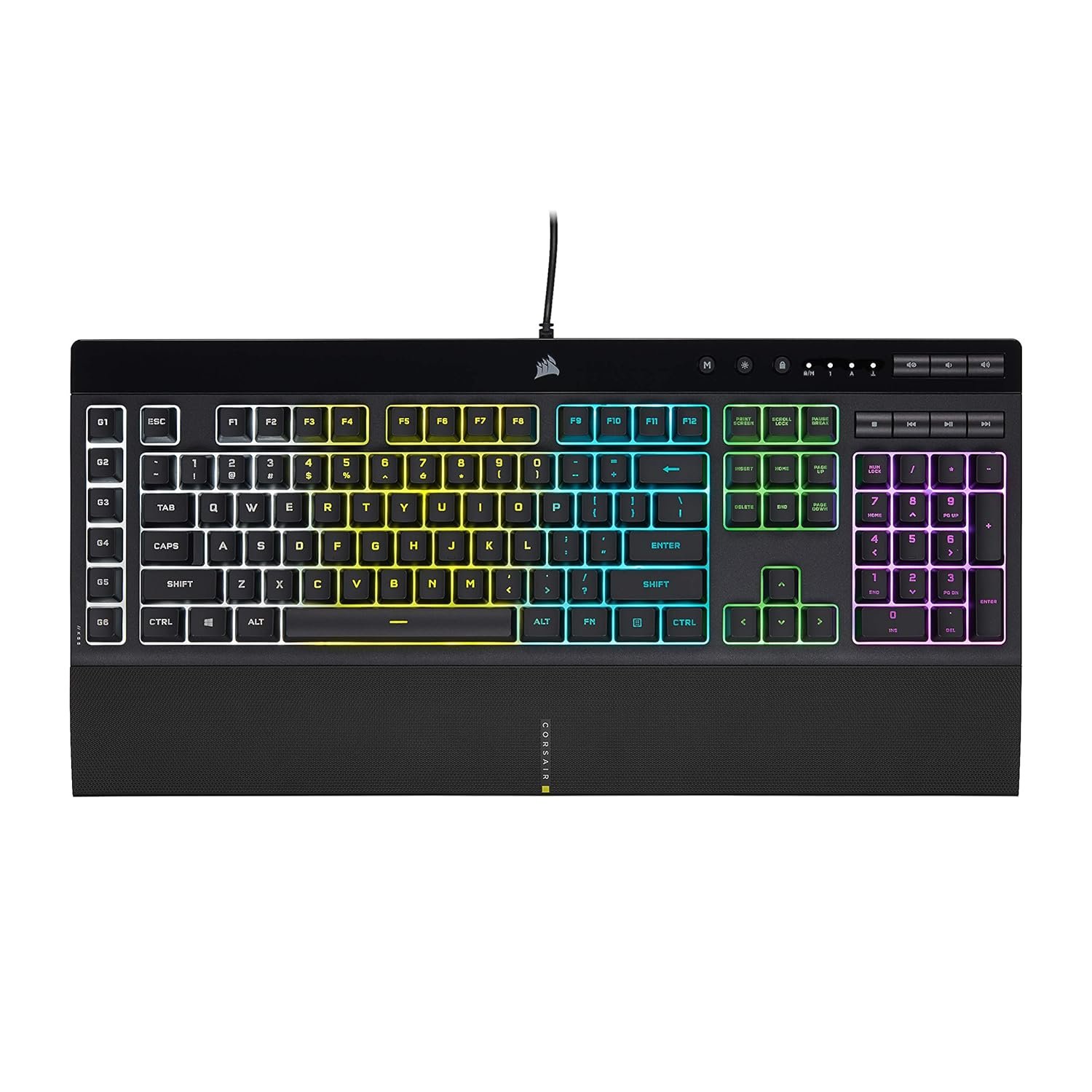
Corsair K55 RGB PRO Membrane Wired Gaming Keyboard – IP42 Dust and Spill-Resistant – 6 Macro Keys with Elgato Integration – iCUE Compatible – QWERTY NA – PC, Mac, Xbox – Black
$69.99
Related Products




The CORSAIR K55 RGB PRO Gaming Keyboard lights up your desktop with vibrant five-zone dynamic RGB backlighting and powers up your gameplay with six easy to set up dedicated macro keys. The K55 RGB PRO is certified for IP42 dust and spill-resistance to stand up to wear, tear, and more, with a detachable palm rest to ensure all-day comfort. Quiet and responsive keys are comfortable for typing or gaming, and dedicated media keys put play, pause, and more within easy reach. CORSAIR iCUE software makes it easy to personalize your lighting and macros, while anti-ghosting and selective key rollover ensure your critical inputs are delivered when they matter most.
Dynamic RGB Backlighting: Light up your desktop with six onboard lighting effects, assign a color to each lighting zone, or program your own vibrant lighting effects across five RGB lighting zones with CORSAIR iCUE software.
Six Dedicated Macro Keys: Activate functions, shortcuts, or keypresses in just one stroke with six dedicated macro keys, easily set up through CORSAIR iCUE software, or use instant streaming commands through Elgato Stream Deck software.
Dust and Spill-Resistant Design: IP42-rated protection guards against accidents so your gameplay never has to stop.
Detachable Palm Rest: A soft rubber palm rest reduces stress on your hands so you can play longer in comfort, with a textured surface to keep your hands from slipping.
Dedicated Volume and Media Keys: Convenient control for media playback and fine-tuning volume on-the-fly without having to interrupt your game.
7 reviews for Corsair K55 RGB PRO Membrane Wired Gaming Keyboard – IP42 Dust and Spill-Resistant – 6 Macro Keys with Elgato Integration – iCUE Compatible – QWERTY NA – PC, Mac, Xbox – Black
Add a review

$69.99
Zahira M. –
Great keyboard
Confortable and surprisingly compact. I like it that keys are not too loud as other keyboards. Nice backlight.
Ervin –
Good value
Works good so far
akin –
Waterproof
Great for sweaty players
One very disappointed fan. –
Worst board I’ve ever owned.
Windows lock won’t unlock. I’ve done everything there is to do. Restarting, firmware, hard rest keyboard, checks the box in the software to disable the locking – nothing works. The thing is just plain garbage. Worst keyboard I’ve ever owned.
Debbie A. –
Present
Loved it!
Amazon Customer –
Doesn’t Permanently Save Lighting Settings
In the iCUE app, there is option to save lighting customization to the device memory, but it seemingly doesn’t save those settings in a permanent way. Those device memory settings are wiped if you unplug the keyboard.
pablo melo –
muy feliz con lo recibido.
la calidad de este teclado se siente desde la primera pulsacion muy conforme con la compra el producto llego en perfecto estado 10/10 la compra