

Corsair Harpoon Wireless RGB Lightweight FPS/MOBA Gaming Mouse – 10,000 DPI – 6 Programmable Buttons – Low-Latency Bluetooth – iCUE Compatible – PC, Mac, PS5, PS4, Xbox – Black
$49.99
Related Products




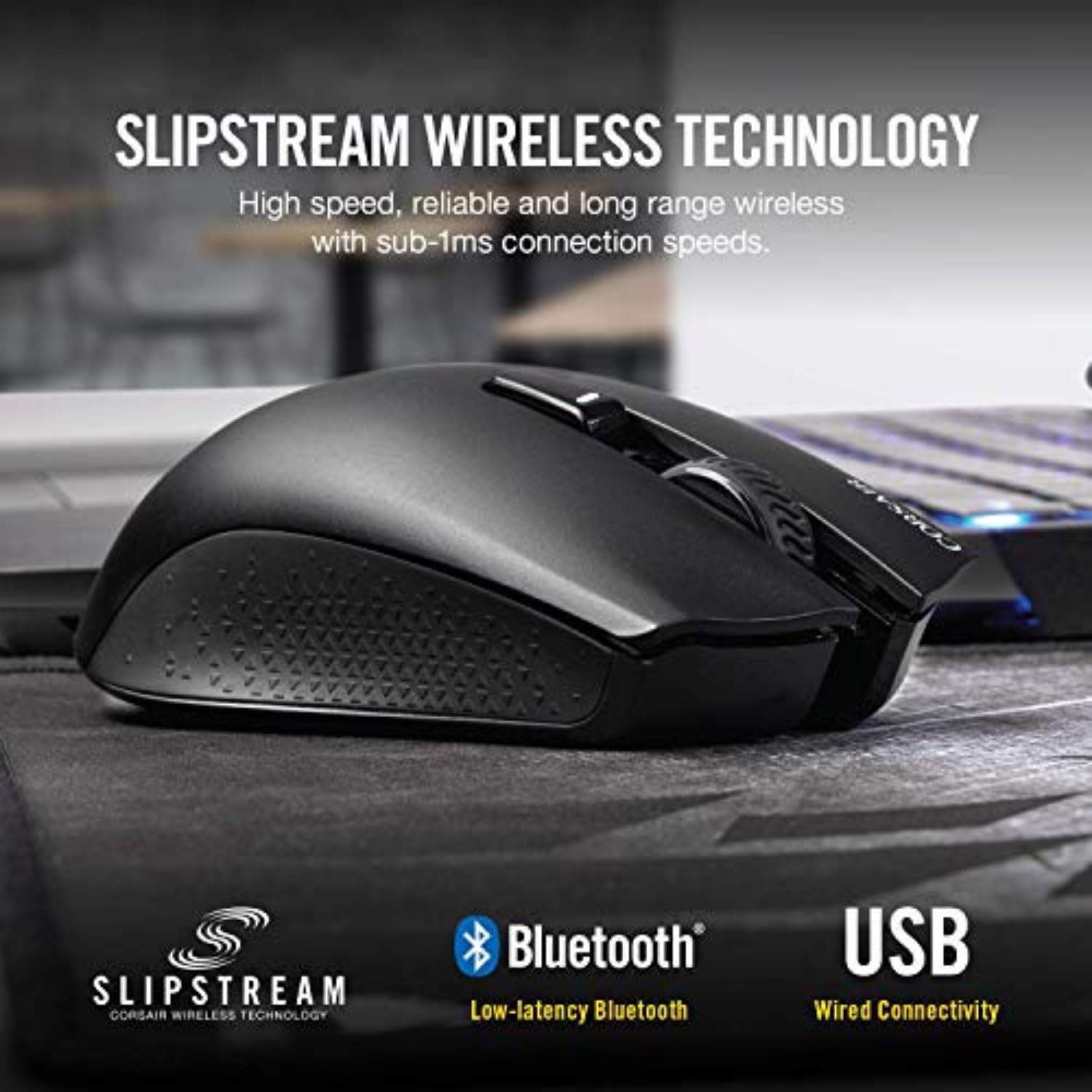


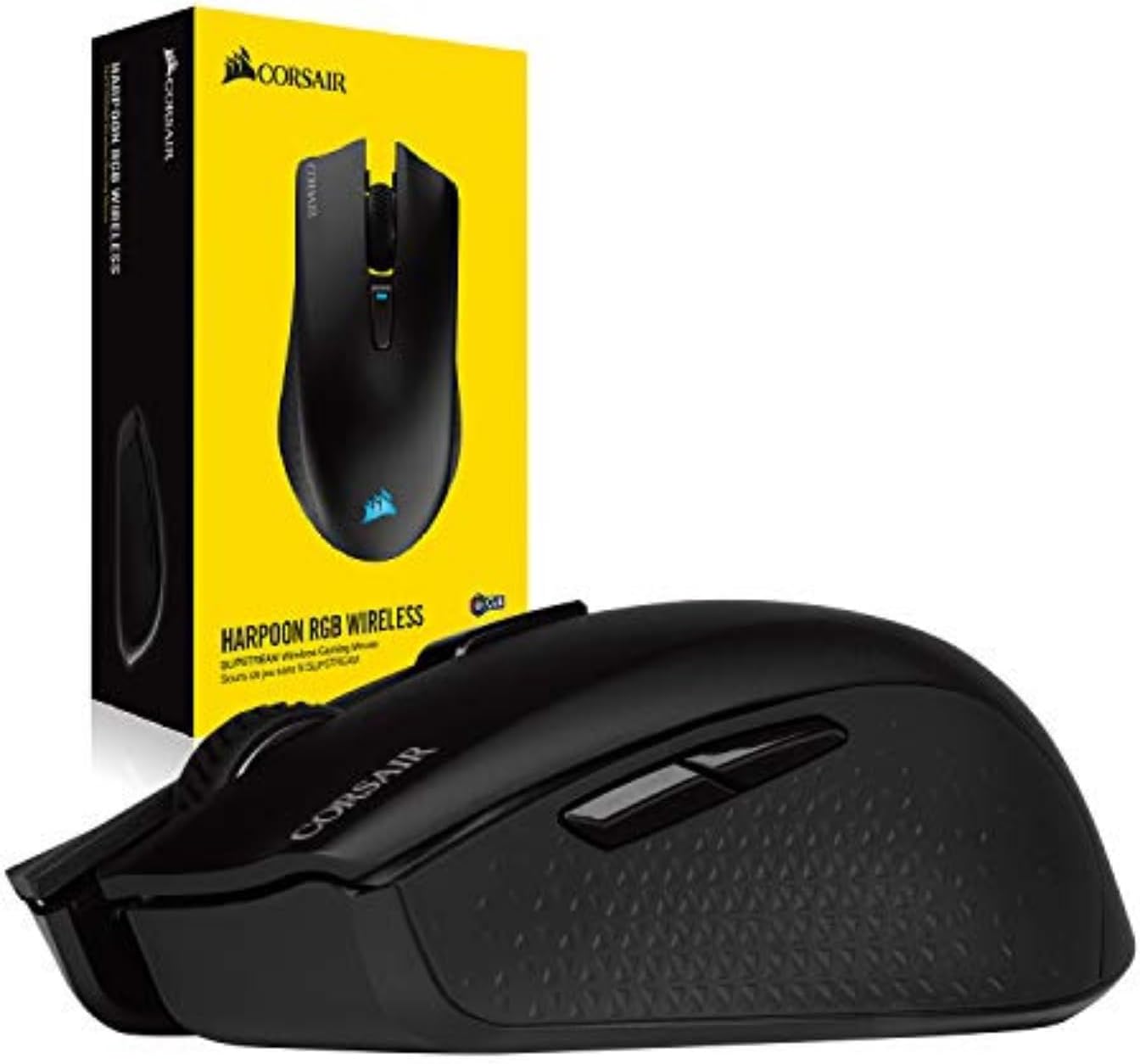
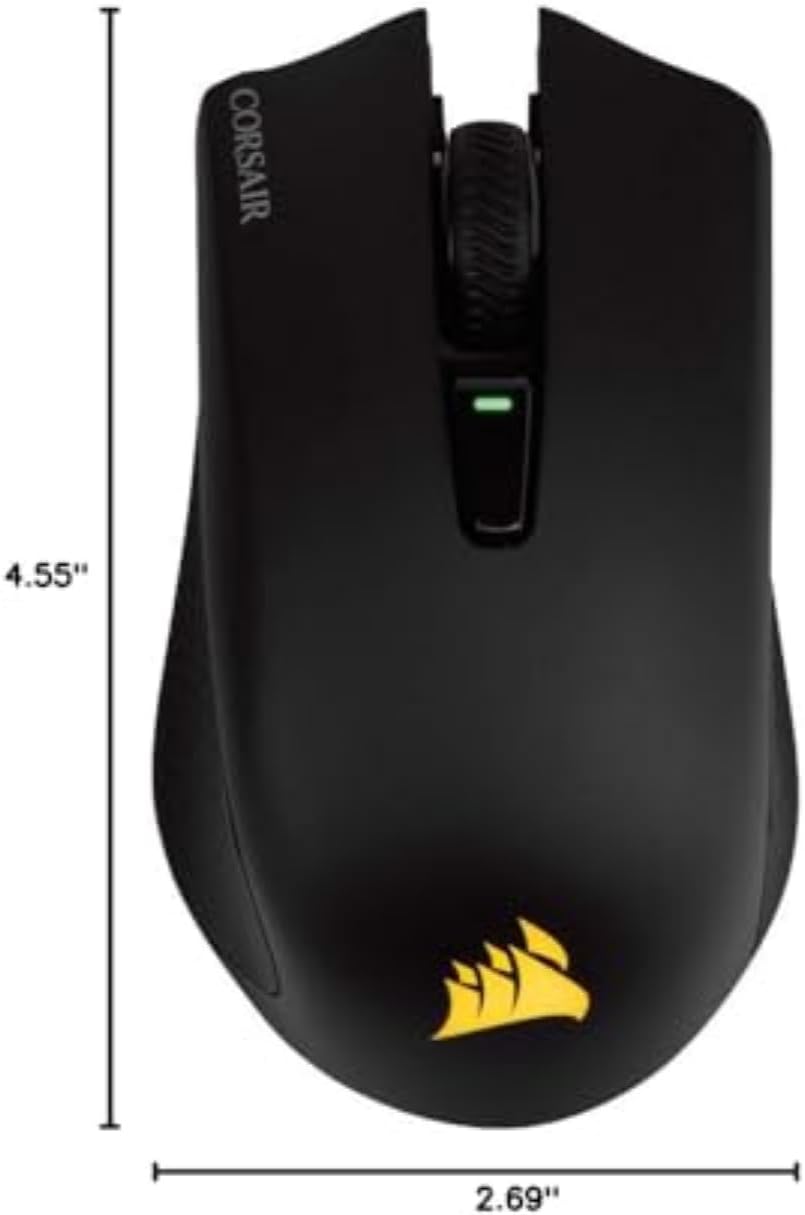
The Corsair harpoon RGB wireless gaming mouse lets you choose how to play, with the ability to easily connect to your PC via hyper fast, sub 1ms Slipstream Corsair wireless technology, Bluetooth or USB wired connection. Whether you play on a desktop, Laptop, or beyond, The harpoon RGB wireless’ comfortable contoured shape and up to 60 hours of battery life ensure you have the grip to make the crucial shots when it counts and the durability to outlast the Fiercest resistance. With Corsair iCUE software, you can customize sensitivity and DPI settings, monitor battery life and synchronize harpoon RGB wireless’ dynamic lighting across all your icue compatible Corsair Devices. It’s time to wire less and win more. Mouse Button Durability: 50M L/R Click.
Game in the Fast Lane: Play with hyper fast, sub 1ms Slipstream Corsair Wireless Technology, or connect with low latency Bluetooth or USB wired
Weighs Just 99 grams: Lightweight construction, so you can play longer without fatigue
Simple Setup Gets You Playing Faster: Just connect the wireless adapter to a USB port and switch the mouse on
Contoured Shape and Rubber Side Grips: For long term comfort and a confident grip
Up to 60 hours of Battery Life: Play uninterrupted with battery life that lasts for days, or plug in for wired mode to keep playing while charging
11 reviews for Corsair Harpoon Wireless RGB Lightweight FPS/MOBA Gaming Mouse – 10,000 DPI – 6 Programmable Buttons – Low-Latency Bluetooth – iCUE Compatible – PC, Mac, PS5, PS4, Xbox – Black
Add a review

$49.99
Bradford Wilson –
The first ever wireless mouse that I’ve been comfortable gaming with.
I’ve been gaming on PC for longer than I’d care to admit, and been playing World of Warcraft (casual to hardcore raiding and back) since it launched in 2004. I’ve tried several wireless gaming mice over the years, and they always ended up disappointing me. Largely because of the tracking issues (i.e., the pointer skipping across the screen or inaccurate pointer movement), but also because of the battery. So I figured I’d have to just live with a wired mouse for gaming. For reference, I have been using the Corsair M65, which is a great wired gaming mouse.I have it connected via Bluetooth to my gaming laptop, and it works flawlessly. You can also connect via a USB dongle, and even wired via USB (this is also how you charge it). I’ve tried all three and they all work great. As far as its battery, this is the third day, after two raiding nights in WoW and it’s at 70%. I don’t use it much between gaming, other than for web browsing, email, etc. If I had to guess, I’d say between 8-12 hours of gaming time.The only couple of minor negatives I’ll give it, is that a) there’s no sniper button. If you play FPS games, this comes in super handy if you want to slow down the aim. You may be able to map that ability to a button that it does have, I haven’t researched it, but there’s no dedicated button. Which leads me into… b) I haven’t figured out how to configure the mouse while connected via Bluetooth. When I go into iCUE, which is Corsair’s proprietary app that lets you configure your Corsair devices, it says “No device detected!” I have to be connected via dongle or wire to get the software to recognize it, and the settings don’t transfer over when you reconnect Bluetooth that I have seen. Which just means the Corsair logo on the mouse continuously cycles through all the colors and I haven’t figured out a way to make it stop.But your hand’s going to be over it anyway, so who cares. The mouse is very precise, and you can easily cycle through 5 different sensitivities. Red is a crawl, blue is crazy quick. I don’t lose any pixels with this mouse; it’s as if I’m using a wired one, although it doesn’t have quite the heft as my M65, but that’s not a bad thing. If you need a great gaming mouse, and wireless is important to you (i.e., gaming on a laptop, etc.) this is the best one I’ve ever had.Edit: I’ve been using this for a while now, and wanted to provide an update on the battery life while using Bluetooth. At full charge, it provides way more than 12 hours of game play, that I originally estimated. I use the mouse every day for at least a couple of hours and it lasted a few weeks. I had almost forgotten that it had to be charged until I got the notice that it was at 2% battery from Windows 10 today. And I honestly can’t remember the last time I plugged it in to charge. It has to be at least 2-3 weeks.
christopher kinneman –
i been using this mouse awhile now.
for awhile now this Cosair Wireless mouse is just great. it is wireless Yes.! and does it need Batterys No it does not need battery’s, it also has a Bluetooth option. or a wireless chip. you put into the usb port on your desktop. or laptop. i have both. lap and desktop and this mouse is just i love out. i had to get a Cosair Mouse to go with my Cosair Full size keyboard. and it pairs good with the software icue. i really love the detail. and texture i am not picky with gaming mice, but you wont be Let down i had it for afew months now. and it feels great.its 10/20/2024 and i will say i am Happy with this mouse! i want to be a product review someday! im happy with this product!the dislikes of the product. the only thing i hate. i hate that its a “USB Micro” if it was a USB C Type it would be Awesome.over all this is a good product. no matter what for the budget it is
Eyeball –
Small but pretty nice. I love it.
So far my only complaint is that the side buttons are kinda small and hard to click due to the angle they’ve been put at. Otherwise, as of now the 2.4hz has been solid and it’s mostly comfortable to hold. Going to need to get used to it though because my last mouse was a decent bit larger.I gotta say Corsair has amazing software. iCue has consistently worked better and faster than ‘the green’ brand. I’m saying this because it was that bad software that made me switch to Corsair’s products. Unless something goes catastrophically bad, I’m a Corsair fanboy now.Little update : I got a new laptop and really hated the trackpad and didn’t wanna use a wire mouse for neither my laptop or main PC, then I remembered this has the 2.4hz adapter and a Bluetooth mode. IT IS AN ABSOLUTE BLESSING, now whenever I’m gaming on my PC, I just use the 2.4hz mode and whenever I’m using my laptop I switch it over to Bluetooth.Honestly, such a genius design. Upgraded to a 5 Star.
Joshua Eubanks –
A okay mouse.
I have used this mouse a little while now. Seems to have no double clicking issues unlike the newer corsair mouses. The mouse also has a weird power saving issue. When picking up the mouse and moving it back to center too quickly the mouse would not track and has lost me some rounds of fps games. Besides that the mouse works great.
Don –
Very nice mouse for over 4 years
I bought this mouse 4.5 years ago, and still love it. It is small and light (for wireless), its simple and just works. iCue is not the best program, but it works just fine to set custom light settings and DPI settings. It is comfortable for me to hold, and has held up really well. I am not abusive to it, but it looks like new still. The only problem that I am starting to have is that maybe every 50 clicks, I am starting to get a missed or double click on the left click. Considering I have used the mouse daily for gaming and online school, I am happy with how it has held up, especially for the price. I am considering buying a replacement of the same mouse once this misclicking issue gets problematic.
Pan Wen –
Nice little mouse, iCUE sucks.
Overall an excellent mouse. No discernible lag on 2.4ghz with the included adapter, sensor is accurate, has a good weight and works well with a claw grip. The switches feel fine but because the buttons are a one piece design, the feel of the clicks is different depending on which area is pressed. Overall feels a little bit more spongy than say my ROG Gladius, but that is a much more expensive wired mouse.Only real gripe is that iCUE has to be running to keep lighting settings active, and I’d prefer to turn off the RGB to conserve battery. However every peripheral company has it’s own bloated software package these days and it’s more or less par for the course.Still would buy another without hesitiation. Extremely high value and quality mouse.
Jon –
Wireless, or Bluetooth, or wired, with an internal rechargeable battery, what more could you want?I’ve bought both the wireless Harpoon “Wireless” and the Dark Core “Standard Charging”After some use of the Harpoon it began to feel a little small, which prompted my purchase of the Dark Core, which is absolutely beautiful – full sized, it feels great in the hand, with a bit of weight and rubberized sides. I am a tall/large person, the Dark Core feels great in the hand, whether palm, claw, or grip.The Harpoon is a solid mouse, just a tiny bit small for my hand.Some reviews have said that the side-button placing on the Dark Core is awkward, and they’re right, it is a little awkward. But an easy fix for the forward/back buttons, is to remap the ‘Sniper’ button onto the forward button, and remap the forward button onto the sniper button. Which is pretty easy with the software.I’ve found iCUE fairly easy to navigate, and easy to remap and create macros with. As well as adjust RGB.I’ve had no connection issues (as described by some reviews) with either the Harpoon or Dark Core.The ergonomic design for the Dark Core is not only the best feeling of any mouse I’ve owned, but it looks great too. And a little RGB action for fun.The Harpoon is a decent ergonomic design with nice rubberized, grippy sides. but again, just a wee bit to small for me hands.Also, the DPI button has a massive range.It’s a work of art.
RyanT –
Is a great wireless mouse for gaming. Not much lag noticed for an average gamer. Is light and not much resistance when moving across desk matts. However, battery life is not that great. Needs to recharge every 1 or 2 weeks depending on usuage.
Elwalid Ebied –
This is amazing light weight gaming mouse, love it already
Gabriel Cieplinski –
Produto excelente, pena que a entrada de carregamento não é tipo-c.
Abdullah Rahmi –
The best mouse ever