

Arris (SBG10) – Cable Modem Router Combo – DOCSIS 3.0 16 x 4 Gigabit & AC1600 WiFi, [Check with Your Provider for Compatibility] 400 Mbps Max Internet Speeds
$69.90
Related Products



![[Upgraded] BigBlue 3 USB Ports 28W Solar Charger(5V/4.8A Max), Portable Foldable Solar Panel for Camping, IP44 Waterproof, Compatible with iPhone 11/XS/XS Max/XR/X/8/7, iPad, Samsung Galaxy LG etc.](https://futureflowtech.co/wp-content/uploads/2025/11/81YnxzTVGL._AC_SL1500_.jpg)

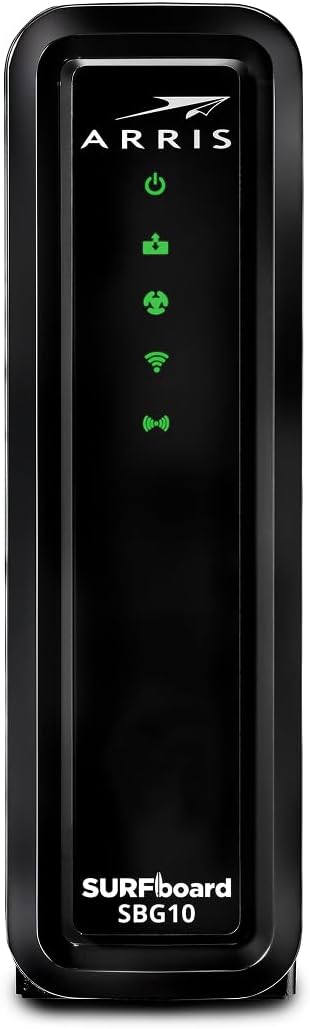


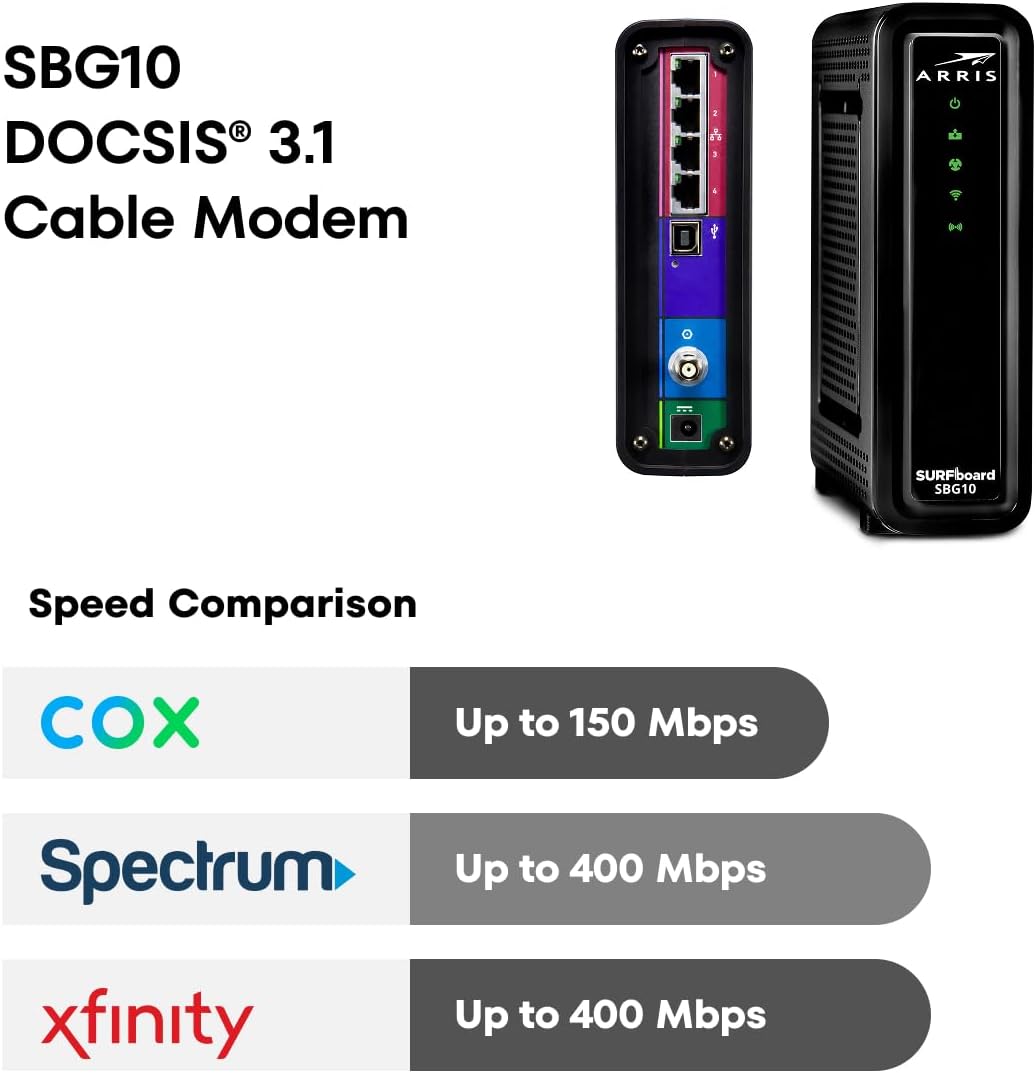


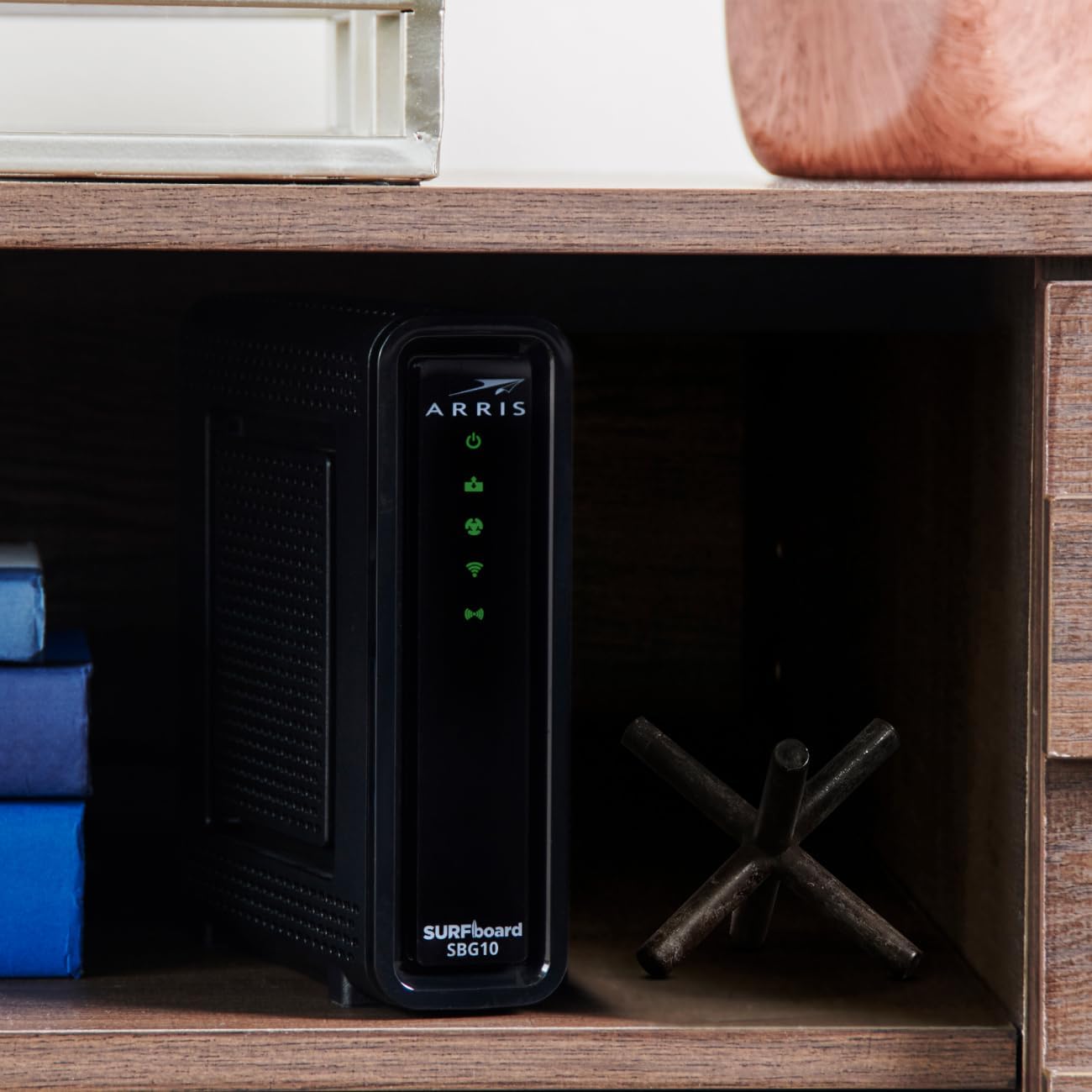
Our leadership in video and broadband technology and services, combined with our dedication to close collaboration with our customers, allows us to continually stay ahead of the curve and innovate what’s next. ARRIS is relentless in our focus to deliver strong results for our customers and our shareholders, and we do so in a forthright and ethical manner. ARRIS delivers a 70-year legacy of innovation. ARRIS invented digital TV & brought wireless internet into the home with the first cable modem gateway. We have a long track record of creating game-changing technology. We’re the same company that the world’s leading service providers choose to connect millions of people around the world to the internet – we’re powering the digital world. ARRIS is at the center of a new era of entertainment and communication that unites our vision and technological leadership with our customers’ evolving needs to help transform the way that millions of people around the world connect to the internet and consume content. With the ARRIS SURFboard SBG10 Wi-Fi Cable Modem, you will increase your network capability and get fast streaming and downloading throughout your home. From a trusted brand with over 260 million modems sold and growing. Get high speeds, better coverage, and a two-in-one product!
A Trusted Name in Home Connectivity: Get high speeds, better coverage, and a two-in-one product. With the ARRIS SURFboard SBG10 Wi-Fi Cable Modem, you will increase your network capability and get fast streaming and downloading throughout your home. From a trusted brand with over 260 million modems sold and growing.
Save Money: Own your modem and save. Reduce your cable bill up to 168 dollars per year in cable modem rental fees (Savings vary by cable service provider). Certified for use with most U.S. cable internet service providers. For a complete list see additional details below.
Modem Technology: DOCSIS 3.0 is a reliable, broadly available, and affordable technology that delivers high speed internet to your home devices.
Simple and Secure Set-up: Just plug-in, download the SURFboard Central App, and follow the step-by-step intrstuctions to activate the modem, set-up and customize your Wi-Fi network, and add devices to your home network. Once setup is complete, the app provides real-time monitoring of the devices on your network, enhanced parental controls like setting time limits and pausing internet and much more.
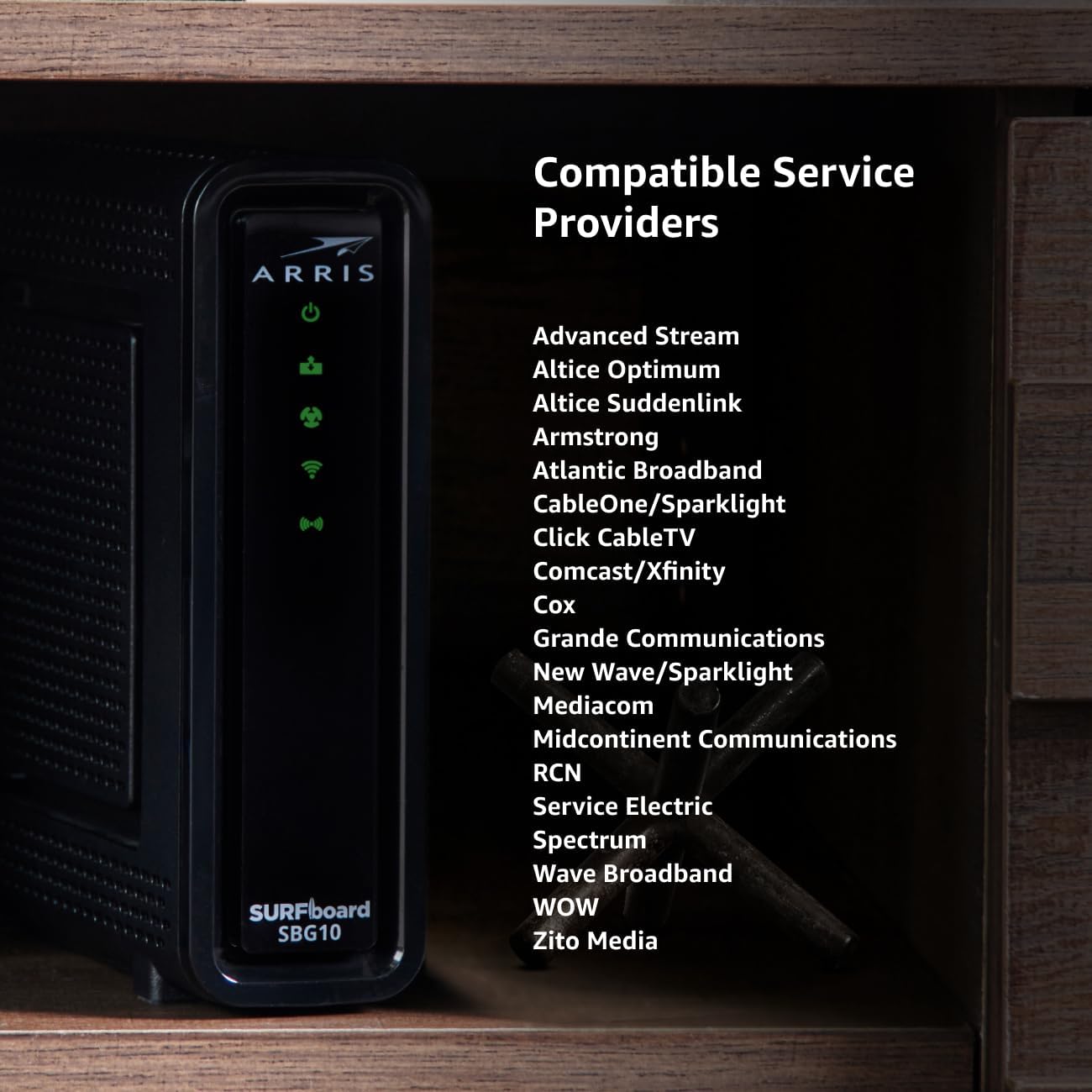
The SURFboard SBG10 is compatible with major U.S. cable internet providers including Cox, Xfinity and other cable operators across the country. Check your Internet Service Provider (ISP) website to confirm compatibility.
3 reviews for Arris (SBG10) – Cable Modem Router Combo – DOCSIS 3.0 16 x 4 Gigabit & AC1600 WiFi, [Check with Your Provider for Compatibility] 400 Mbps Max Internet Speeds
Add a review
![Arris (SBG10) – Cable Modem Router Combo – DOCSIS 3.0 16 x 4 Gigabit & AC1600 WiFi, [Check with Your Provider for Compatibility] 400 Mbps Max Internet Speeds](https://futureflowtech.co/wp-content/uploads/thumbs_dir/51cZX1MBpSL._AC_SL1300_-rhqhm901alm27zqp97thsxihck6ohma1plufuornsk.jpg)
$69.90
AR1 –
ARRIS SURFboard SBV3202 DOCSIS 3.0 Cable Modem
I picked this up as an affordable bring-your-own modem for Comcast / Xfinity. This was to save some money over time, rather than renting a modem, for the household of family members. Their previous internet service was very slow and frequently went offline. This modem was easy to set up and has been working seamlessly. I can’t remember what tier of internet service they got, or the results of the speed test when we tried it, but I remember it was many multiples faster than the previous service, and more than adequate for them. We paired it with a TP-Link AC1900 router (ASIN: B08C3YBBHM) to connect devices through WiFi and Ethernet; this was also easy to set up and has worked well with the router.
techie92 –
Works with Xfinity Voice and Internet
I bought this to replace an aging EMTA and cable modem for Xfinity voice and internet. Getting the phone lines activated was not easy because of the infamous Comcast support experience, but the modem itself works great now that its set up. Note that the SBV3202 is a modem only, there’s no router or wifi built in. Separate router required.If you have both internet and voice, and want to use a separate router, this modem is a good choice. Most other approved modems available either don’t support the phone service, or are an all-in-one (router built in). The other voice-capable modem that Xfinity recommends right now is a Netgear model that’s twice the price.For those who may have an older Arris EMTA (voice modem) like a TM722 or TM822, this is the direct successor. It even looks like a TM822 but with blue lights and much better specs.Note that the backup battery to keep the phone service running in a power outage is not included, and Arris no longer makes the BPB044S battery despite these modems still being sold new and widely used. Aftermarket has plenty of options though.A tip for others with Xfinity Voice who may buy this modem for your phone lines:Be aware Phone Provisioning is separate from the internet activation, and it’s a two step process. To get this working, FIRST activate the modem for internet service through the Xfinity app. The App may say it activated phone service too, but my experience was that it doesn’t despite saying so. AFTER the app setup finishes, if you have no dial tone, call Xfinity and speak to an agent. Tell them you replaced your Xfinity Voice phone modem and that you need the phone line provisioned. They will ask for the last 4 digits of the CM MAC (aka HFC MAC) from the modem label and perform that provisioning, then it will reboot and the phone lines will have a dial tone.If you call BEFORE doing the App step, they might say they can’t provision it. I had multiple reps tell me the CM MAC was invalid up until I did the modem setup via the app. Once I did the App setup, they had no issue seeing it and provisioning phone service on it.
Tiger –
An Hour of Pain for Lifetime Rental Savings, & Functions Perfectly
Like most, I rented my combined cable modem + WiFi router from Comcast, another Arris model, for over 6 years at $10-$13 per month at a cost of up to $936 until I finally returned my rental after replacing it with this modem and my own WiFi router. For the longest time the available models with voice were very limited, until I found this one. I personally want to separate the components of Cable Modem from WiFi because WiFi evolves much faster than the cable modem aspects, and WiFi seems to break or become unreliable faster. Now I can just upgrade or replace just the faulty components going forward. I had already been through two models of renting the Arris cable modem + WiFi router (802.11g, then 802.11ac) because the WiFi eventually gave out. Even on the 802.11ac model I already added my own WiFi router because it too became unreliable for WiFi. While rented, Comcast replaces for free (other than the $936 I paid them monthly), but I can pick the best gaming or streaming routers from the most reliable brands of my own choosing if I like if they are separate. To be fair, I have a ton of Alexa devices, WiFi outlets / switches / bulbs which likely led to my WiFi problems, but work fine on my own separate WiFi routers (I actually have 3 — Asus (my workhorse), Netgear (gaming), & AmpliFi (easy & pretty)).I picked this cable modem (SBV3202) because:(1) It is just the cable modem + telephone (keeps WiFi separate).(2) it offers the maximum downstream & upstream channels (32 x 8) available to me right now, versus a lot of 24 x 8 models and others with more limited DOCSIS speeds.(3) It is certified to work with my Comcast Xfinity internet & phone service.(4) DOCSIS 3.0 and up to 1.4 Gbps, and will be a very long time before I have actual internet service that fast, and although a newer DOCSIS standard is arriving, this is very current and I believe will last a very long time without envy.(5) It is one of only a few options available to buy instead of leasing for Comcast service.SETUP & ACTIVATION:Setup is actually very easy. Just unplug the other one, plug this one in its place, and get ready to spend an hour with Comcast customer service to activate it, likely with 3 different support people. Just be patient and nice, and you’ll get through it. Meanwhile you will not have internet or home phone, so make sure you have cell service & your account info. The manual has a label with the S/N & MAC addresses right on it for easy reference (MTA MAC for phone, HFC MAC for internet). The manual says to do online activation first, but that doesn’t work unless they already have your MAC addresses on file, which they don’t if you bought your own, unless you leased this and are doing a self install. I still tried to no avail on 3 ways, on the old modem, on my new modem, and with my cell service internet. So then you just call the Comcast number in the manual. I recommend having a nice Bluetooth speakerphone or something to make it more comfortable. The Comcast agents were super nice and patient. The first person most likely will have trouble seeing your modem and activating it, even after asking for MAC addresses, model number, and S/N. Just be patient, and when it doesn’t work they’ll escalate it to another technical specialist where it really gets done. With Comcast, the internet and phone people are actually separate, so first the internet activation and they eventually find your modem, and then they route you to voice activation and pass along the info so you don”t have to repeat.Additionally, because I didn’t setup a new WiFi router with the same SSID & password (already had my other routers setup), I had to run around the house and reconnect some devices (like all my smart WiFi outlets & bulbs) that were still on the old WiFi network and now stopped functioning until I reconnected them to one of my remaining WiFi routers. It is easiest to just have another replacement router set to use the same SSID & password and your existing devices will not know the difference.DRAWBACKS:(1) Emits a slightly audible high-pitched noise (and is located in my bedroom) like some electronics do, but not so high pitched as normal coil whine on some devices, and not as loud as some devices that I cannot have in the same room as me. I’m pretty sensitive to this, and my wife can even hear it on this one, but it honestly is quiet enough that I can live with it, just taking off 1 star for it because I still like it overall and tolerate it. I’m actually going to see about putting it in a cabinet, closet, or build wood box with some sound dampening insulation (but with good air flow).(2) LEDs are bright and blinking. Arris actually has updated firmware that (version 9.1.103AA65L and up) that offers “web manager access” rather than just a status page, and a new “CM Feature” tab that lets you toggle off the LEDs. *BUT* firmware upgrades are controlled by your cable provider through DOCSIS standard, so yours might not support that. Comcast upgraded my firmware and stopped at a prior version (9.1.103AA45E) on mine, so I cannot control it. So I resort to using blackout stickers, as I do for most devices around my bedroom. However, the LEDs are on a curved edge, and the surface material isn’t prone to strong adherence of tape, so I have some trouble getting the blackout stickers to stay because by aren’t meant to leave a gummy residue and peel back on their own. But it is solve-able.(3) Emits heat, but not as much as the bigger combined Arris cable modem + WiFi router.(4) Ethernet patch cable it comes with is Cat5e when Cat6 has been around a long time, and would be better for Gigabit speeds. But realistically Cat5e should be no noticeable difference for short distance and internet service speeds. I still used my existing Cat6 cable instead.