

ARRIS (SB6183-RB) Cable Modem – Fast DOCSIS 3.0 16×4 Gigabit Cable Modem, For Comcast Xfinity, Cox, Spectrum and more, 1 Gbps Port, 400 Mbps Max Internet Speed, 1 Year Warranty – Renewed
$29.99
Related Products
![Type C Charger Fast Charging for iPhone 17 16 15, 2Pack [10FT&6FT] Long USB C Cable with 25W Phone Super Fast Charger Block Compatible with Galaxy S25/S24/Plus/Ultra,iPhone 15/16/17/Air/Plus/Pro Max](https://futureflowtech.co/wp-content/uploads/2025/11/61ds9lV9RaL._AC_SL1500_.jpg)

![Sony PlayStation 5 Pro 4TB Digital Edition Fortnite Cobalt Star Bundle with Controller Case – White – Upgraded 4TB Ultra Fast SSD Double the Storage Space Flagship PS5 Pro – White [playstation_5]](https://futureflowtech.co/wp-content/uploads/2025/12/61ZysMBm2wL._SL1500_.jpg)

![CXX i Phone 17 16 15 Charger Fast Charging-20W USB C Power Brick with 6Ft Type C to C Cord for i Phone 17/17 Pro/17 Air/17 Pro Max/16/16 Pro/16 Plus/16 Pro Max/15 Series, iPad Pro & More [3 Pack]](https://futureflowtech.co/wp-content/uploads/2025/11/611kcFrtA0L._AC_SL1500_.jpg)


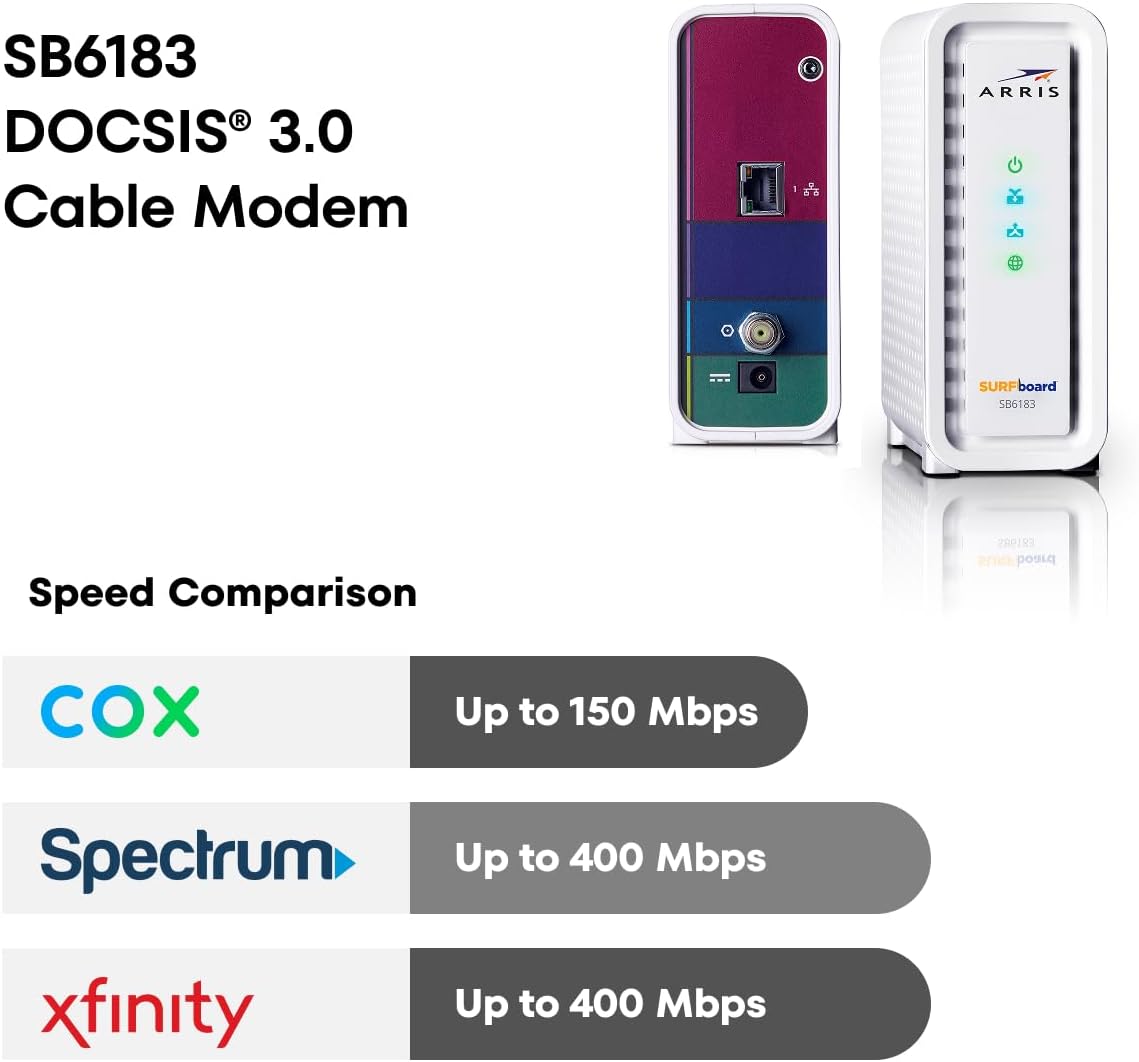
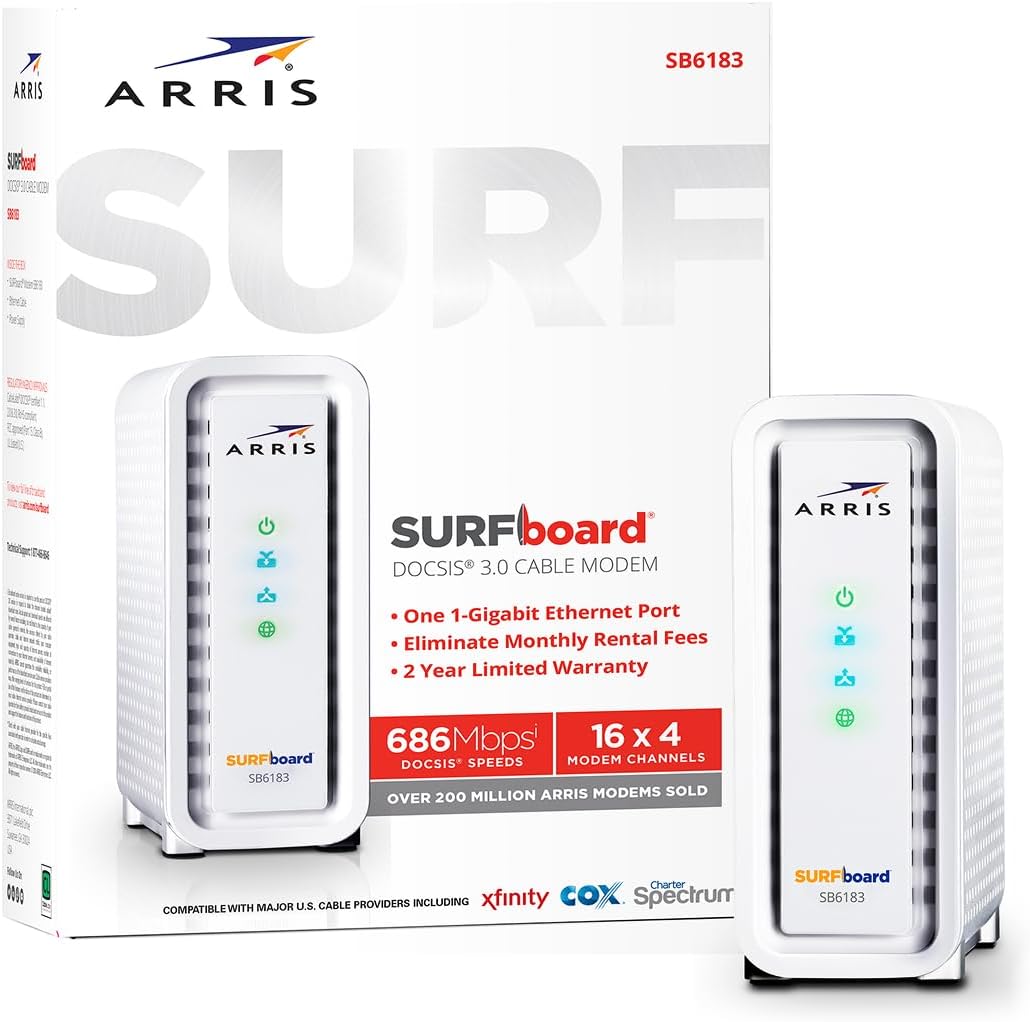

The SURFboard SB6183 is a DOCSIS 3.0 Cable Modem capable of of bonding up to 16 downstream and 4 upstream channels. It’s best for cable internet speed plans up to 400 Mbps. Stop spending money on monthly rental fees. Power your home network with the SURFboard SB6183.
This product may come white or black in color
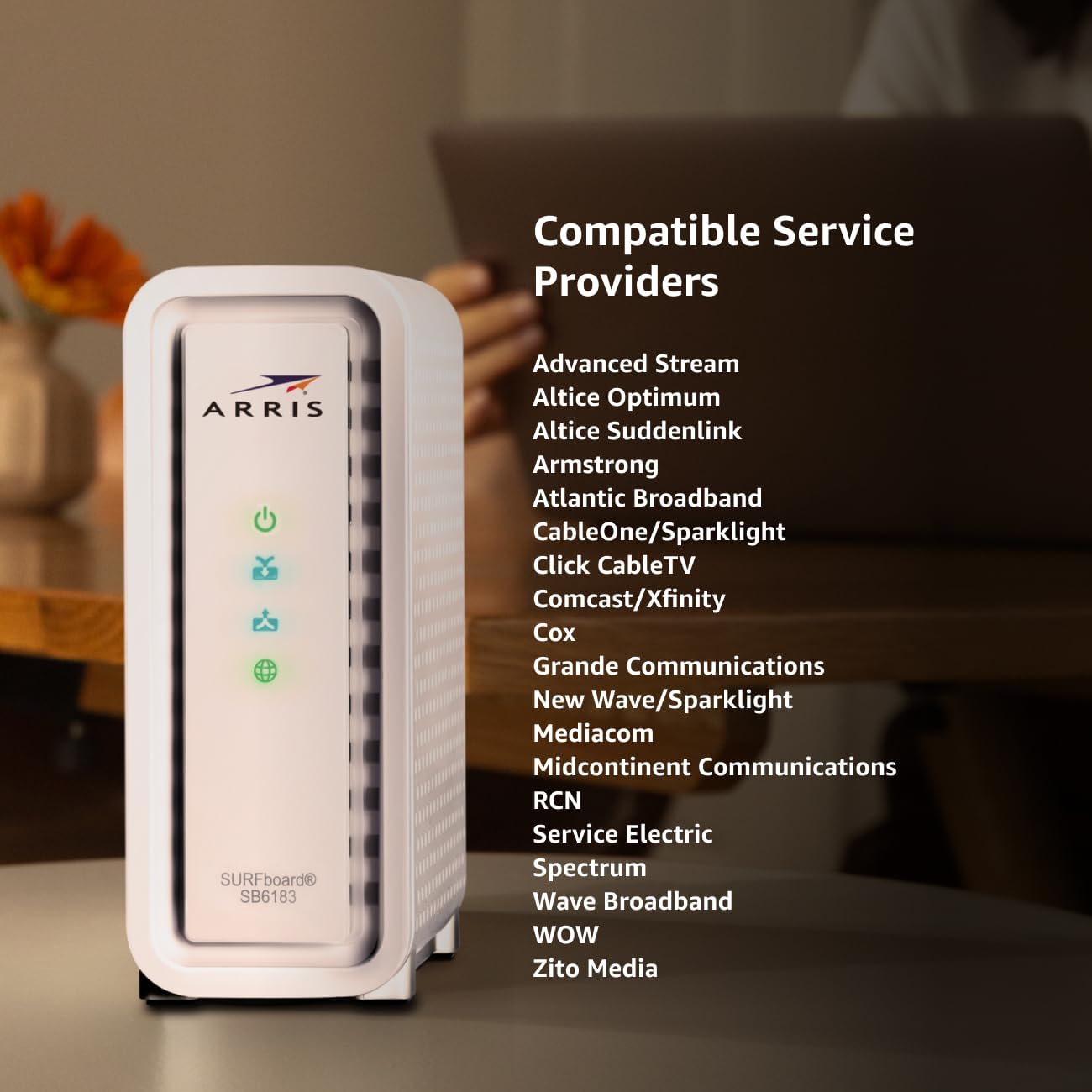
Approved for Cox, Spectrum and Xfinity internet along with other US cable internet providers. Is NOT compatible with ATT, CenturyLink, Verizon, Frontier or other Fiber Optic, DSL or Satellite internet service providers.
Does NOT include Wi-Fi and Does NOT support cable digital voice service.
Modem Technology/Simple Set-Up: DOCSIS 3.0 is a reliable, broadly available & affordable technology that delivers high speed internet to your home devices. Plug-in the device, download the SURFboard Central App & follow the instructions to activate.
Compatibility: Compatible with major U.S. cable internet providers including Cox, Spectrum, Xfinity and others. It’s approved for cable internet speed plans up to 400 Mbps. Check your Internet Service Provider website to confirm compatibility.
Ethernet Ports/Warranty: Has one 1-Gigabit ethernet port to connect to a Wi-Fi router or other wired device. Product ships with 2-Year Limited Warranty. Live Chat and Phone Support available 8am -1am EST.
9 reviews for ARRIS (SB6183-RB) Cable Modem – Fast DOCSIS 3.0 16×4 Gigabit Cable Modem, For Comcast Xfinity, Cox, Spectrum and more, 1 Gbps Port, 400 Mbps Max Internet Speed, 1 Year Warranty – Renewed
Add a review

$29.99
Brett –
Great modem – increases connection stability – note on setup.
Pros:- Great speeds- Stable- Easy to setup (see note below)Cons:- Runs warm- Bright LED lightsI bought this to replace an aging DOCSIS 2.0 modem I had been renting from Time Warner Cable (and had, over the years, paid enough in rental fees by many modems – gulp). It works great with the TWC service and based on standards and prior experience, I see no reason it wouldn’t work with all major providers. As others have noted, you get a minor “speed boost” over older modem – this is not due to an increase in sheer maximum speed, since that is set by the cable company, but rather due to the ability of this modem to bond up to 16 channels maintaining the maximum speed more stably (instead of the speed bouncing up and down).The only thing that troubles me about this device is the fact that it does get fair warm to the touch – so make sure it’s in a well ventilated area. The blue LEDs in the front panel are also very bright – and even if you wanted to cover them up, you can’t effectively block the light as it comes through the main body (sides and back) of the device which cannot be covered due to the need for ventilation. This isn’t a problem for me since I keep it in a “wiring cabinet” with plenty of ventilation and a door to block the light, but I can see it being an issue for some.Note on setup – I attempted and failed to be able to use TWC’s “auto-setup” so I called their support line. They told me there was an “outage” in my area so while they would enter the data, I wouldn’t be able to use the modem until the outage was repaired. This was curious to me, since my internet worked perfectly with the old modem not 30 seconds before. So, with the guy on the phone (without him telling me to), I unhooked this new modem and re-plugged in the old one…suddenly he tells me the outages is fixed and he’s able to provision the new modem. Strangely, as soon as he enters the new modem, the “outage” reappears. So again, I switch modems without him telling me to (now having the new one plugged in) and boom, outage gone and new modem works like a charm. Long and short of it? If TWC doesn’t see the modem they have in their system plugged in and powered on, there’s an “outage” and they can’t install a new modem. So if you can, plug in both your existing modem and this new one at the same time (maybe in different rooms) and they’ll be able to set the new one up with no issues – in fact, auto-provisioning may work.
cutterjohn –
Nice hardware.
Nice modem offering potential higher bandwidth, however I live south of Detroit and have the ever so wonderful comcast and unfortunately, nope they weren’t hiding any higher bandwidth tiers unfortunately. Still 105M max.Modem physical install as always was simple and easy and even the router/modem played nicely together this time around(replaced a sb6121 and it took me about a month to geta d-link N dir-615 route to play nicely with the 6121). This time around it was with an ASUS RT-AC66R running completely stock fw ATM.Now the funtimes begin(as I expected, I half dreaded receiving the modem knowing what likely pits of pain were awaiting me but foolishly the afternoon of the day that I received it I had a few minutes and decided WTH install it). Everything looks smooth no router/modem problems, modem syncs up to the cable network, run the activation via browser. Everything looks OK until:OK, let’s check speedtest and just to be nice(?) let’s let it run off the locally hosted comcast server.6183: 30M down/ 6M up… hmmm… (I’m on the 50M/10M plan ATM, 105M is unfortunately max here, small joke)6121: 60M down/12M up…Check the modem status, 8 channels down, decent SNR, 3 up good power.Spend some minutes trying to remember WTF my comcast id/pw are(yes I use their “services” quite a bit 😉 ), acct #/etc. were phailwhale as usual.OK, both modems show up in my account. Seems AFAICT that the 6183 is active.Take the dive into the depths of hell and CALL comcast(I know what awaits, but I usually come off on the plus side with a lower bill and better services, so WTH). Get the usual I can sort of speak english but also have the added detriment of being in an EXTREMELY NOISY room CSRs which makes for great fun trying to understand them(be OK w/o the extreme background noise).Play the script game, MAC addr, try to resend config nope. Insert some feeble upselling, which for some reason didn’t seem to have actually been entered as he offered a good price for 105M v. what they advertise, but my acct still shows 50M.End up randomly scheduling a “tech” (and I use the term loosely) to come. (By this time the 6183 has disappeared from my account, but it’s still passing data, so I leave well enough alone FTM plan). Fortunately I am home when this guy shows up(noticed the van there as I’m about to leave. And ask him if he’s here for this address.)So we get re-add modem to account(mysteriously disappeared see above), apparently is sent correct config this time(but not achieving anywhere close to perf of 6121 not to say that 50M is anything to write home about). Also find out SURPRISE SURPRISE that there’s apparently a line problem somewhere with 185′ of my house. (I say surprise as comcast NEVER EVER does ANY plant maintenance, even DTE shows up every 15y or so to hack away at trees.)So yeah, basically the modem seems good. My only real complaint is the log file will not default to the December whatever it was/1970 date if it cannot sync up time, just puts the oh how helpful “Time Not Established” in the time/date field and then the log message. At least if it defaulted to the 1970 date/time I would have a relative offset as to how far apart the log messages are spaced. The sb6121 had that behavior.This is putting me right back on the hoping for FTTP before I croak train though, thanks to the ever so wonderful comcast.
Everyday Reviews –
Reliable, Fast, and Still a Solid Choice
Reliable, Fast, and Still a Solid ChoiceI’ve been using the ARRIS SB6183 cable modem and it has been rock solid from day one. Setup was straightforward—just a quick call to my ISP and it was activated within minutes. It’s DOCSIS 3.0 with 16×4 channel bonding, which isn’t the newest standard anymore, but for internet speeds up to 400 Mbps it’s more than enough. I consistently get the speeds I’m paying for without drops or lag, and it pairs well with my existing router.One of the things I appreciate most is the simplicity—no built-in router or WiFi to fuss with, just a dependable modem that does its job well. The compact design means it doesn’t take up much space, and the indicator lights are easy to read at a glance.The only watch-out is compatibility—you’ll want to double-check with your ISP, as the listing notes it isn’t supported by Spectrum. Also, if you plan to upgrade to gigabit service in the future, this model won’t keep up with those speeds.Bottom line: A reliable, easy-to-use modem that’s perfect for anyone with internet plans up to 400 Mbps who values stability and simplicity over extra features.
Denisse Villar –
Reliable modem with fast speeds and easy setup
This modem has worked really well so far. Setup was quick, I just plugged it in, followed the provider’s activation steps, and it was up and running within minutes. The connection has been steady with no random dropouts, and speeds have stayed consistent for streaming, work, and everyday use.It’s compact, doesn’t overheat, and fits easily on a shelf without taking up much space. I also like that there aren’t a bunch of flashing lights, just simple indicators that make it easy to tell when everything’s working. It’s been one of those plug-it-in-and-forget-about-it devices, which is exactly what I wanted.
Amazon mike B –
leave it ALONE more TROUBLE than its worth problem seller 1/10
thanh son nguyen –
just upset stupid internet provider service, modem really good
Denis –
Everything is fine with a product. Looks nice, i chose white color.That is all i can tell. I did not use it, due to service provider refuse adding it to their network. Reason? No idea. Even though i checked specs with them before purchasing it, they declined this specific model.
CO –
Unit was a great value. A simple design, and I’ve run it for a few weeks and I’ve not had any issues so far. Very simple set up.
Nicola Wolters –
Exactly what I needed. Works perfectly.