

ANQUORA AR Glasses Adapter, USB C to AR Glasses 4K@60Hz and Charging Up to 100W PD, Plug and Play, Compatible with Switch 1,Steam Deck, ROG Ally and More, Supports Rokid/XREAL/Viture AR Glasses
$21.99
Related Products


![[Upgraded] BigBlue 3 USB Ports 28W Solar Charger(5V/4.8A Max), Portable Foldable Solar Panel for Camping, IP44 Waterproof, Compatible with iPhone 11/XS/XS Max/XR/X/8/7, iPad, Samsung Galaxy LG etc.](https://futureflowtech.co/wp-content/uploads/2025/11/81YnxzTVGL._AC_SL1500_.jpg)




Product description


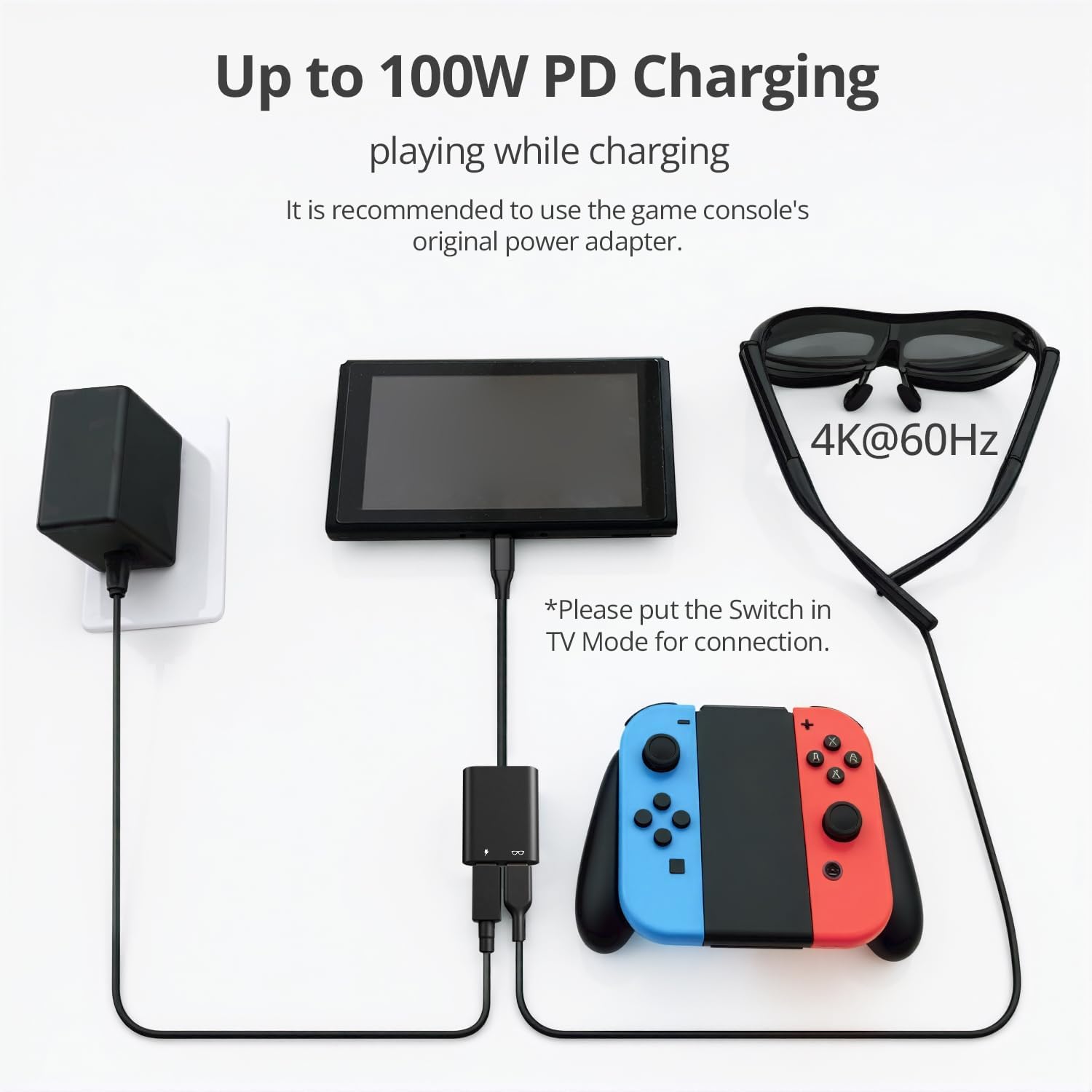
CHARGE & PLAY SIMULTANEOUSLY: Stop battery drain! This USB-C adapter splits your port for power and video, letting you charge your device while using AR glasses or an external display.
ESSENTIAL FOR GAMING HANDHELDS: Compatible with Switch 1, Steam Deck, ROG Ally, Legion Go, iPhone 15/16, iPad and more. Delivers stable power to run the Ally’s 30W Turbo Mode while you game on a big screen or AR glasses. THIS ADATPER IS NOT COMPATIBLE WITH SWITCH 2.
PRO-LEVEL PERFORMANCE: Experience crisp 4K@60Hz video with synchronized audio. The adapter supports 100W PD passthrough charging while delivering up to 30W of power directly to your AR glasses.
THE ULTIMATE AR GLASSES COMPANION: Perfect for XREAL, Rokid, Viture glasses. Also connects your iPhone 15/16, iPad or Samsung device to a portable monitor while charging for a true mobile workstation experience.
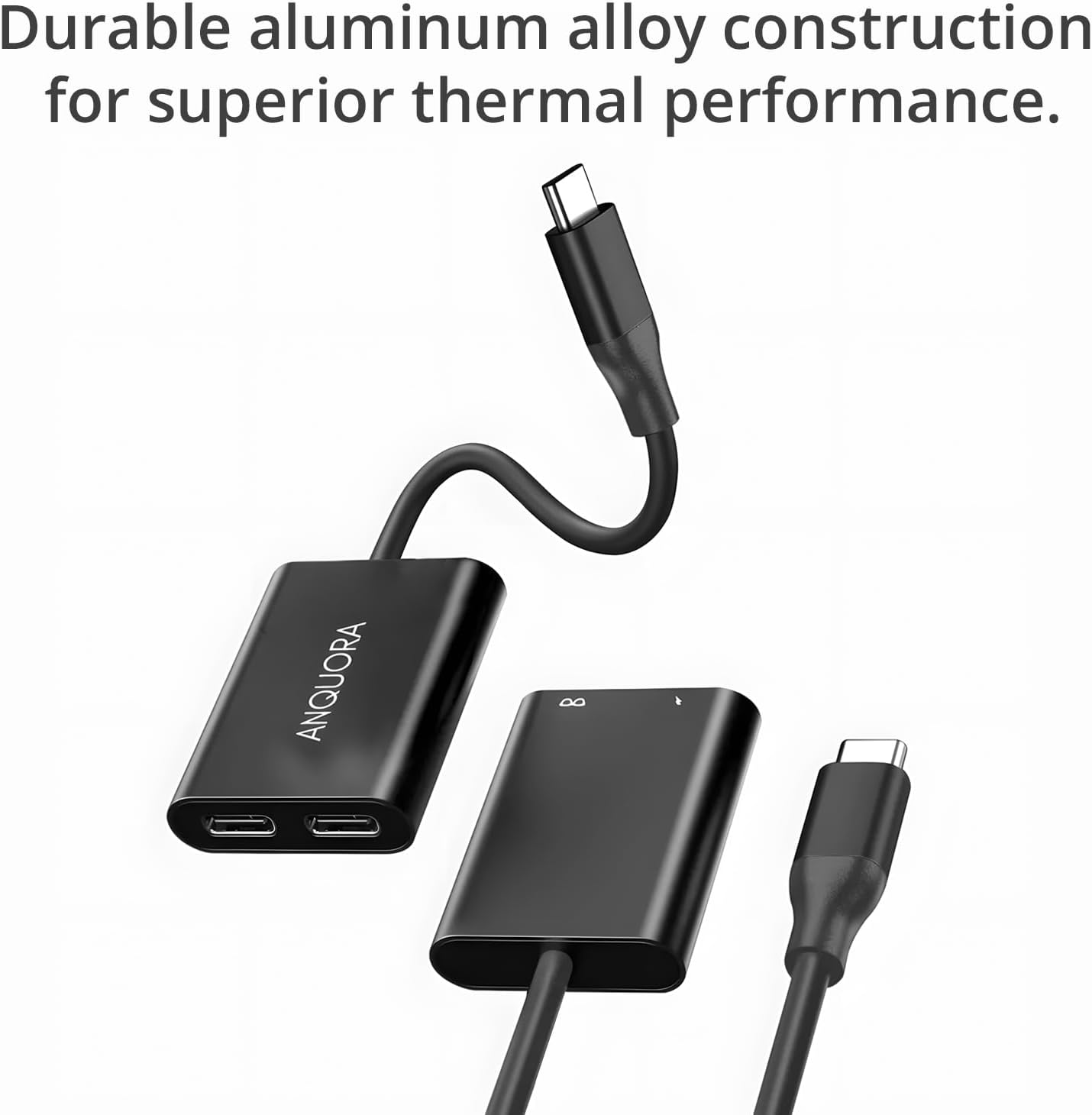
PREMIUM BUILD & EASY SETUP: Instantly works with no drivers—just plug and play. Features a rugged Aluminum shell for durability. Note: For best results with XREAL, please ensure your firmware is updated.
13 reviews for ANQUORA AR Glasses Adapter, USB C to AR Glasses 4K@60Hz and Charging Up to 100W PD, Plug and Play, Compatible with Switch 1,Steam Deck, ROG Ally and More, Supports Rokid/XREAL/Viture AR Glasses
Add a review

$21.99
Amazon Customer –
Very useful.. I can use my AR glasses for endless period of time.
Can charge my phone and stream phone contents at the same time. Is a very good companion for using Viture XR pro AR.
yanfei –
Works well
Works as expected
Joe Y. –
Works Well, but Charging Speed Could Be Better
Picked this up to use with my Viture One glasses, and overall it does the job really well. It lets me charge my device while using my Viture One glasses, and the picture projection is clear with both my phone and my ROG Ally. I also tested it with a portable monitor—worked great for gaming in the airport lounge and at hotels during my travels.The only downside is the charging speed. It didn’t deliver turbo charging on my ROG Ally (65W), even though I was using a 100W brick. It does fast charge my Samsung Galaxy S22, though, so that’s a plus.If you’re looking for a convenient way to keep your devices powered while using AR glasses or portable displays, this adapter works as advertised. Just don’t expect top-tier charging speeds.
Timothy M. –
Great adapter for Steam Deck and VR glasses – fraction of Viture cost
This is a great adapter to keep your Steam Deck charged while using the VR glasses. It does exactly what the Viture branded adapter does at a fraction of the cost. It is very affordable and actually smaller than the Viture branded one so it is more portable in a sense since it takes up less room in my case. The output works perfectly with my Viture Pro AR glasses and the 100W PD charging keeps my Steam Deck powered during long gaming sessions. Plug and play functionality means no setup hassle – just connect and it works. The compact size makes it easy to throw in my travel case with the rest of my gear. Smart purchase if you’re using AR glasses with your Steam Deck and don’t want to pay premium prices for the brand name adapter that does the same thing.
Keith –
Works great with Steam Deck!
Using with a Steam Deck and Ray Neo glasses, combo works great! This item is cheaper than the OEM adapter from Ray Neo and gets the job done
Alberto Martinez –
Don’t use for AR glasses
Did not connect my switch 2 to my AR glasses.
Sanver G. –
Power Up and Play at the Same Time
ProsVery good for money, this adapter lets you charge and use video devices at once without battery drainFully functional with popular devicesDelivers stable power, including 30W Turbo Mode when gaming on large screens or AR glassesSupports crisp 4K video at 60Hz with synced audio, making gaming and work visually sharpHandles up to 100W passthrough charging plus 30W direct power for AR glassesPlug and play with no drivers needed, comes in a durable aluminum shellWorks perfectly with popular AR glasses like XREAL, Rokid, and Viture, creating a great mobile workstation setupConsNot compatible with Switch 2, so double-check your device versionTo get the best performance with XREAL glasses, firmware updates are needed for smooth use
andrew –
A must have companion for AR devices
I’ve been an early adopter of AR/XR devices for some time now, and even purchased a few from Kickstarter. I enjoy the ability to have a large screen wherever I go without worrying about disrupting others (great for use in bed while the wife is sleeping besides me). Aside from it making me look like even more of a dork, the biggest drawback to these glasses is the drain on my devices’ battery life. Enter this adapter. It functions to allow you to charge your phone or steam deck, etc while simultaneously outputting video to glasses or monitors. There is no degradation of video quality and it’s very compact and light (casing is made of high quality aluminum and not plastic). Years ago, there was only one player in town that offered this functionality and it cost 5x more because it only came with a phone that is not sold in the US market. I was able to purchase a used one at 2x the cost of this at an auction site and I prefer this adapter since it does not have a long cord. In short, this option is a much better value.
Shin –
4Kに対応したUSB-Type-C 分岐アダプターです。本体はアルミ合金製で艶消し黒のような表面仕上げで安っぽくは見えません。PCやゲーム機等のホルトからモバイルディスプレイやARグラスへ給電しながら映像出力できます。モバイルディスプレイに接続しPCからYoutubeで動画を再生してみました。特にカクつくこともなく滑らかに再生できました。映像も綺麗で特に変色したりノイズが乗るようなこともありませんでした。→ PC性能の都合で出力はFHDです。使用中は発熱しますが一般的な同様商品と同じレベルだと思いますので問題はありません。小さいので持ち運びにも便利そうです。★役に立ったボタンを押していただけると励みになります。
bit_co36916 –
給電させながらType-Cデバイスを接続して使うことができます。PDは使えたり使えなかったりとPDのネゴシエートは不安定でした。PDトリガーはなく給電元をスルーして接続するようです(★-1)PD出力が決定した状態で他デバイスに接続するとそのままの出力で接続になるので、別デバイスで使う場合は面倒でも一度給電を外した上で接続することをオススメします。(20Vが確定している状態でモバイルバッテリーに繋いだところ、IN/OUTポートを焼いてしまいました)
Amazon カスタマー –
4K@60Hzでの映像出力に対応し、最大100WまでのPD急速充電が可能なUSB-C変換アダプターです。ドライバーのインストールが不要な点も含め、接続するだけですぐに使える仕様はありがたいです。私は「DisplayPort Alternate ModeおよびPD充電に対応したUSB Type-Cポート」を備えたノートPC用として本製品を選びました。これまで、ノートPCのUSB Type-Cポートから外部モニターへ映像を出力する場合、充電は別途DCジャックを使用する必要があり、配線が煩雑になりがちでしたが、本アダプターを導入したことで、USB Type-Cポート1つだけで映像出力と給電を同時に行えるようになり、ケーブル周りが非常にすっきりしました。さらに、高出力のモバイルバッテリーを併用すれば、電源コンセントがない屋外環境でも、ノートPCと外部モニターを組み合わせた作業環境を構築できる点は大きな利点だと感じています。一方で、使用環境によっては注意点もあります。従来はノートPCにモバイルモニターを直結することで、ノートPC側のバッテリーを消費しながらモニターへ電力供給と映像出力の両方を行えていましたが、本アダプターを介した場合、モバイルモニターへの電力量が不足するケース(モバイルモニターが点滅して正常に作動しない)がありました。そのため、私の環境ではモバイルモニター用に別途モバイルバッテリーをもう1台用意する必要(ノートPCとモバイルモニターの合計二個の電力源が必要)が生じています。ただし、そもそも以前の運用では、モバイルモニターを接続するとノートPCのバッテリーが急速に減ってしまうという問題がありました。本アダプターを使うことで、ノートPC側のバッテリー消費を抑えられるようになった点を考えると、これは一概にデメリットとは言えず、電源の役割分担が明確になったという意味ではメリットとも受け取れます。総合的に見ると、配線の簡素化と運用の自由度が大きく向上する実用性の高いアダプターだと感じています。今後、さらに長期間使用していく中で不具合や新たな気づきがあれば、レビュー内容や評価を見直す予定ですが、現時点では使い勝手に満足しています。
水樹 –
小型で持ち運びやすく、接続もケーブルを挿すだけですぐ映像が出力されました。画面の遅延や乱れもなく、4Kでも安定した表示が可能です。PD充電しながら使えるため、長時間の利用でも安心です。本体は軽量ながら質感が良く、端子のグラつきもありません。複数デバイスとの互換性も高く、使い勝手のよいアクセサリーでした。
はっぴーバース –
このメーカーの製品は、いつも見た目は樹脂なのに、実際には金属でできてて騙されます。ニッチな製品をちゃんと作ろうとしてる感じ。質感的にXiaomiとかと同じ基準で評価できるなと思ってます。映像用だけでなく、DACとかにも使えるので、汎用性は高いです。機能としても、安めの電源供給におすすめできます。個人的に良かったのがT字ではなく2方向にケーブルの接続が揃えてあるところです。T字好きじゃないので。電源と映像用のケーブルを両方指してから、本体側のType-Cケーブルを指しましょう。後から電源や映像用ケーブルを指したら私の環境では上手く行きませんでした。追記:レビュー当初は見落としていましたが、よく見てみるとケーブルを接続する時に、どうしても端子が全部刺さり切らないです。他の人も刺さり切ってないみたいなので、設計不良ですね。中途半端なシールドになっていますし、耐久性も下がります。端子の奥に見えるツメはバネみたいなストッパーで、本来この周りは樹脂で埋めてはいけないと思うんですが、どうなんでしょう?しっかり刺さるように直れば★5です。