
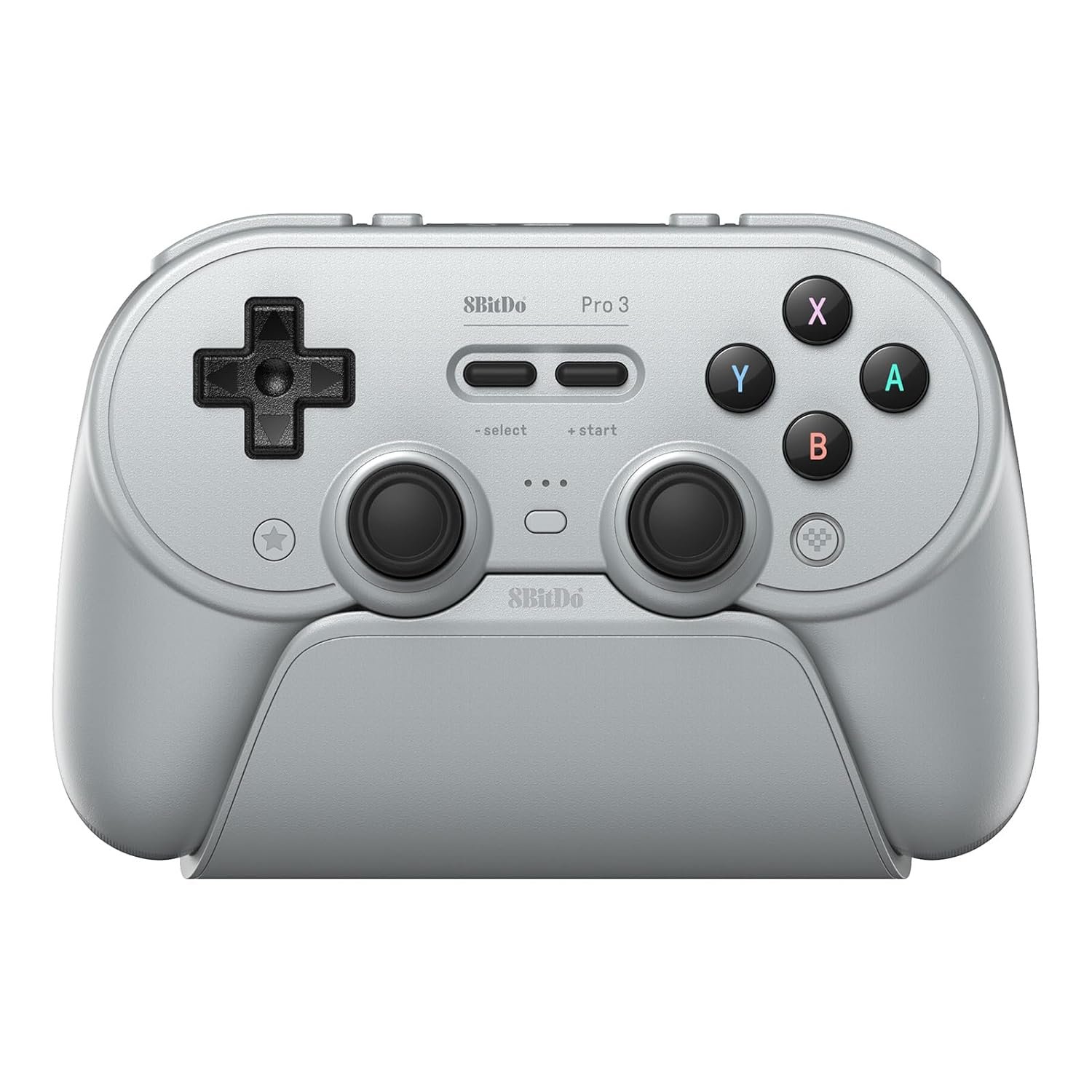
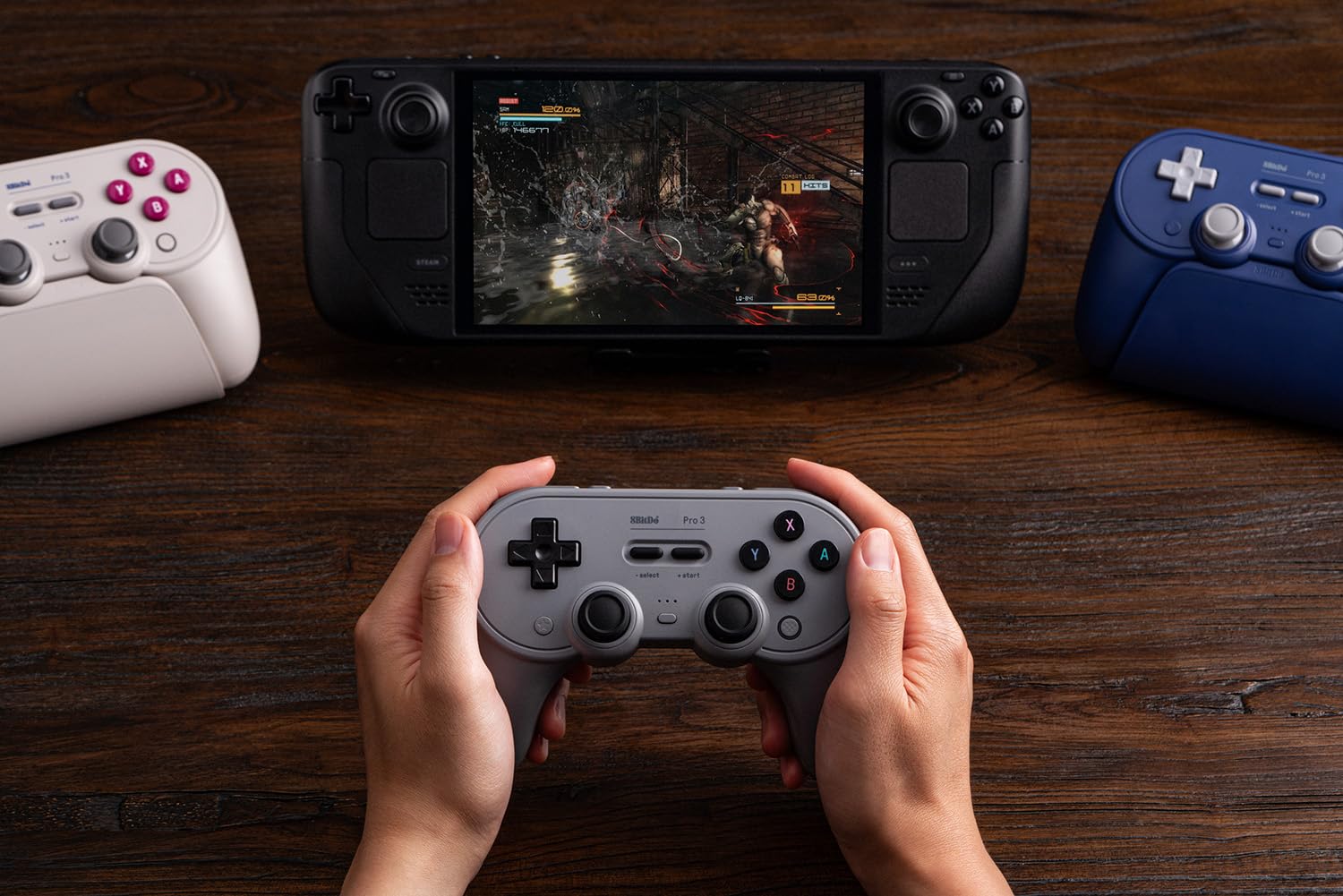
8BitDo Pro 3 Bluetooth Controller for Switch/Switch 2 – TMR Joysticks, Swappable ABXY Buttons, Pro Back Buttons, Charging Dock, Hall Effect Triggers, for Windows, Apple, SteamOS, Android – Gray
$69.99
Related Products






Product description

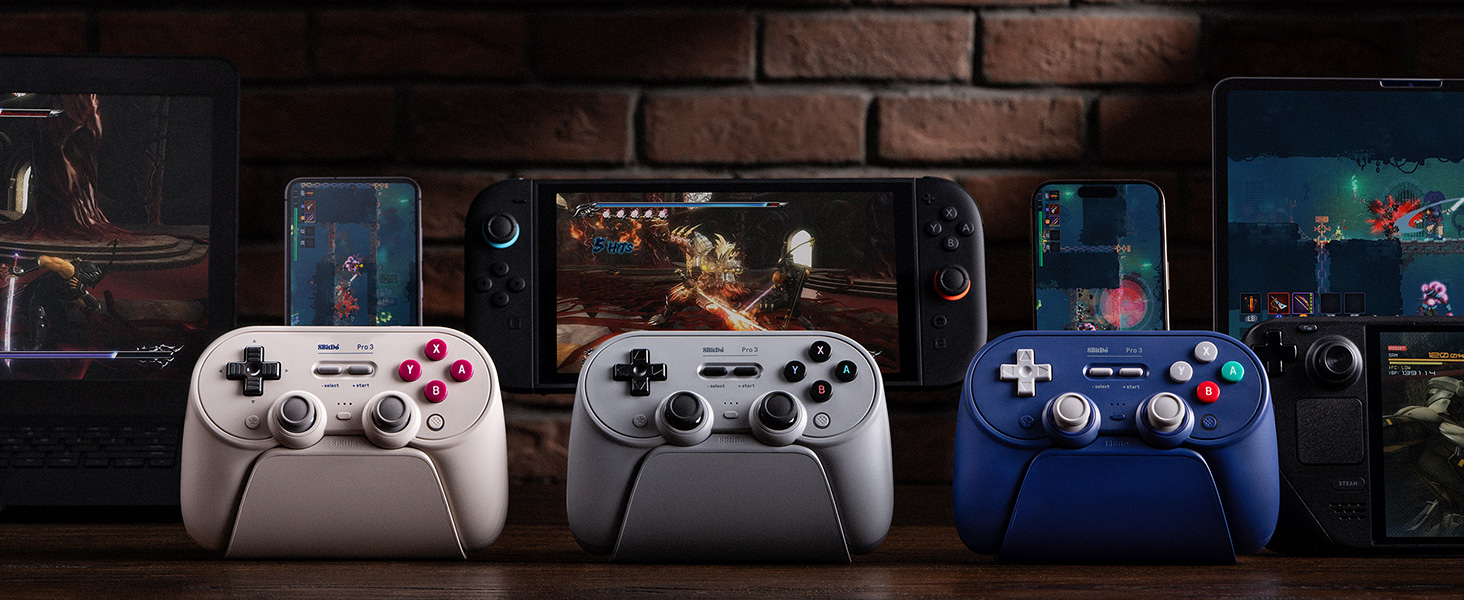

1 Iconic Design
2 Tactile D-pad
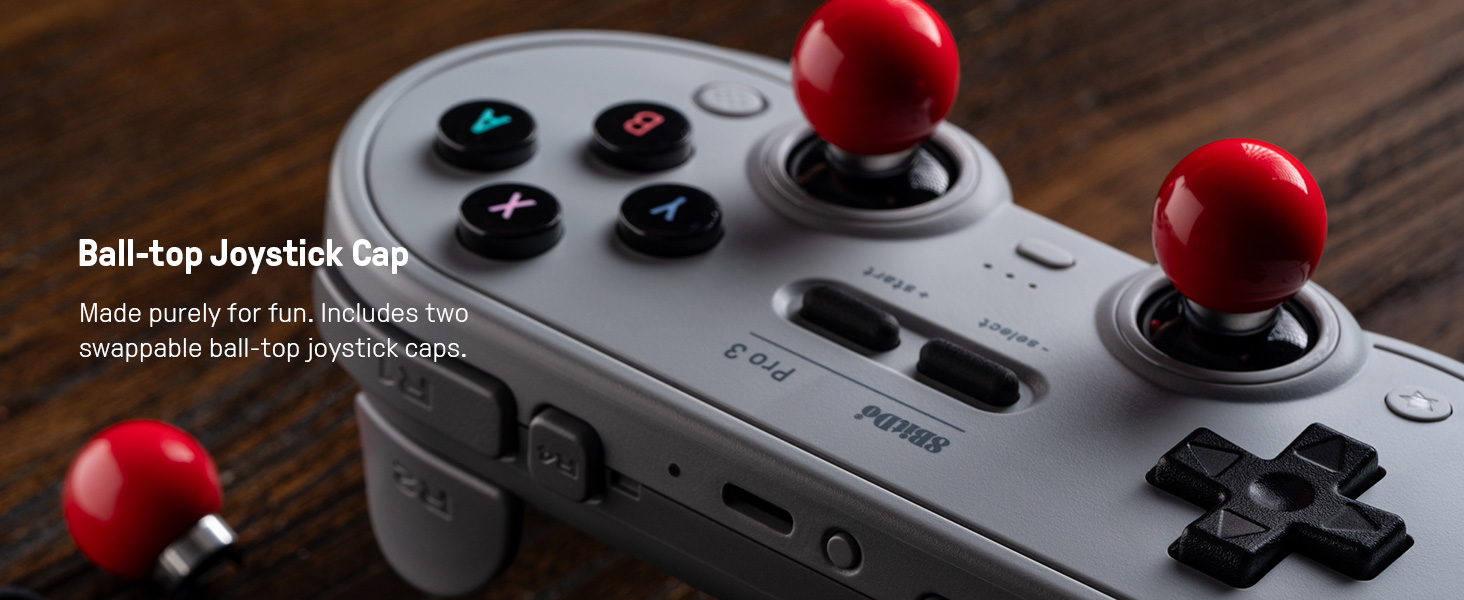
3 Ball-top Joystick Cap
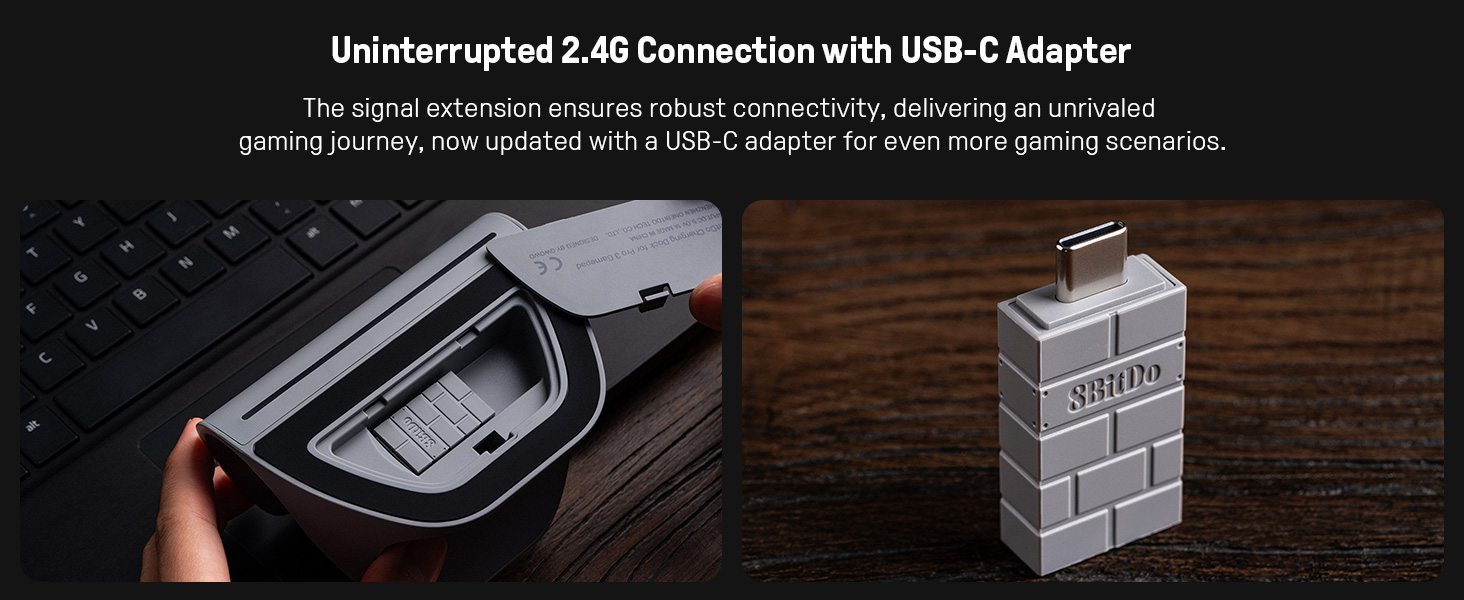
4 USB-C Adapter
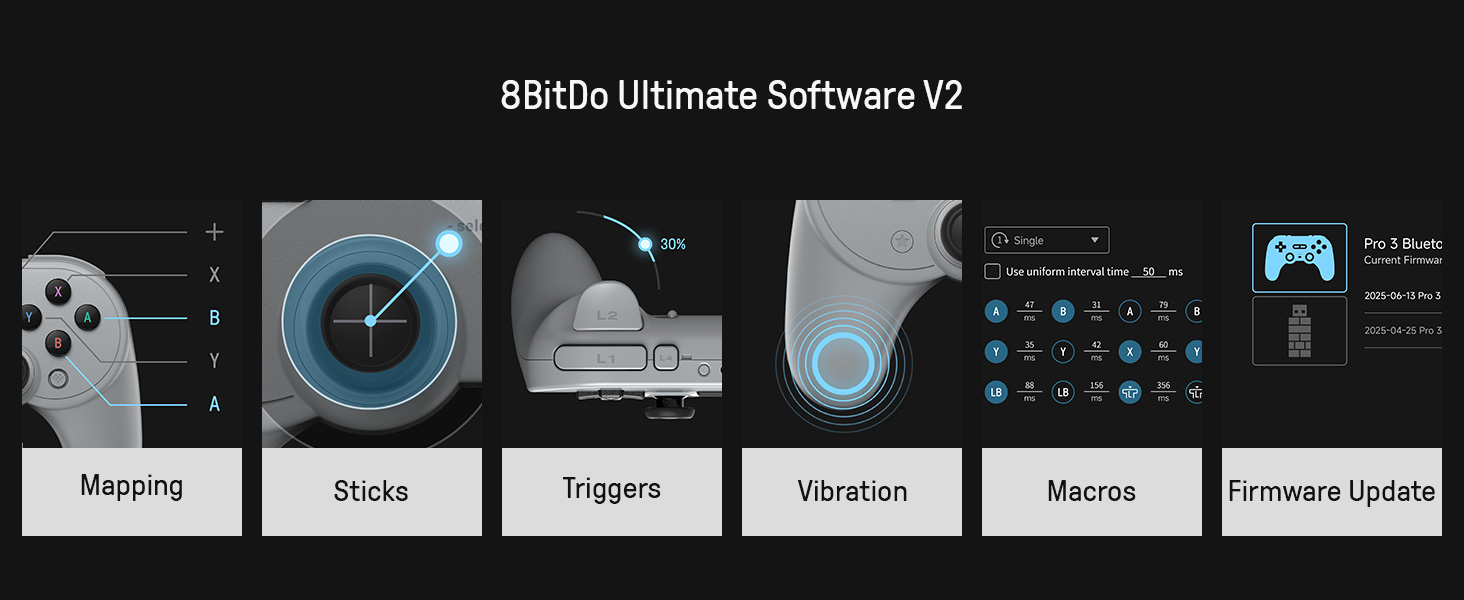
5 Ultimate Software V2

8BitDo Bluetooth Gamepad
Add to Cart
Add to Cart
Add to Cart
Add to Cart
Customer Reviews
4.5 out of 5 stars 873
4.4 out of 5 stars 1,326
4.5 out of 5 stars 5,927
4.2 out of 5 stars 7,450
Price
$69.99$69.99
$42.05$42.05
$44.99$44.99
$69.99$69.99
Connectivity
Bluetooth, 2.4G, Wired
Bluetooth, Wired
Bluetooth, Wired
Bluetooth, 2.4G, Wired
Joysticks
TMR Joysticks
Hall Effect Joysticks
Hall Effect Joysticks
TMR Joysticks
Triggers
Hall Effect/Tactile Triggers
Linear triggers
Linear triggers
Hall Effect/Tactile Triggers
Bumpers
Silicone
Silicone
Silicone
Tactile
Ultimate Software Support
Ultimate Software V2
Ultimate Software
Ultimate Software
Ultimate Software V2
Charging Dock
✔
✘
✘
✔
Fast Bumpers (L4/R4)
✔
✘
✘
✔
Wear-resistant Joystick Rings
✔
✘
✘
✔
3.5mm Audio Jack
✘
✘
✘
✘
Multi-Platform Compatibility – Compatible with Switch 1 & Switch 2, Windows PC, Apple, SteamOS, and Android devices.
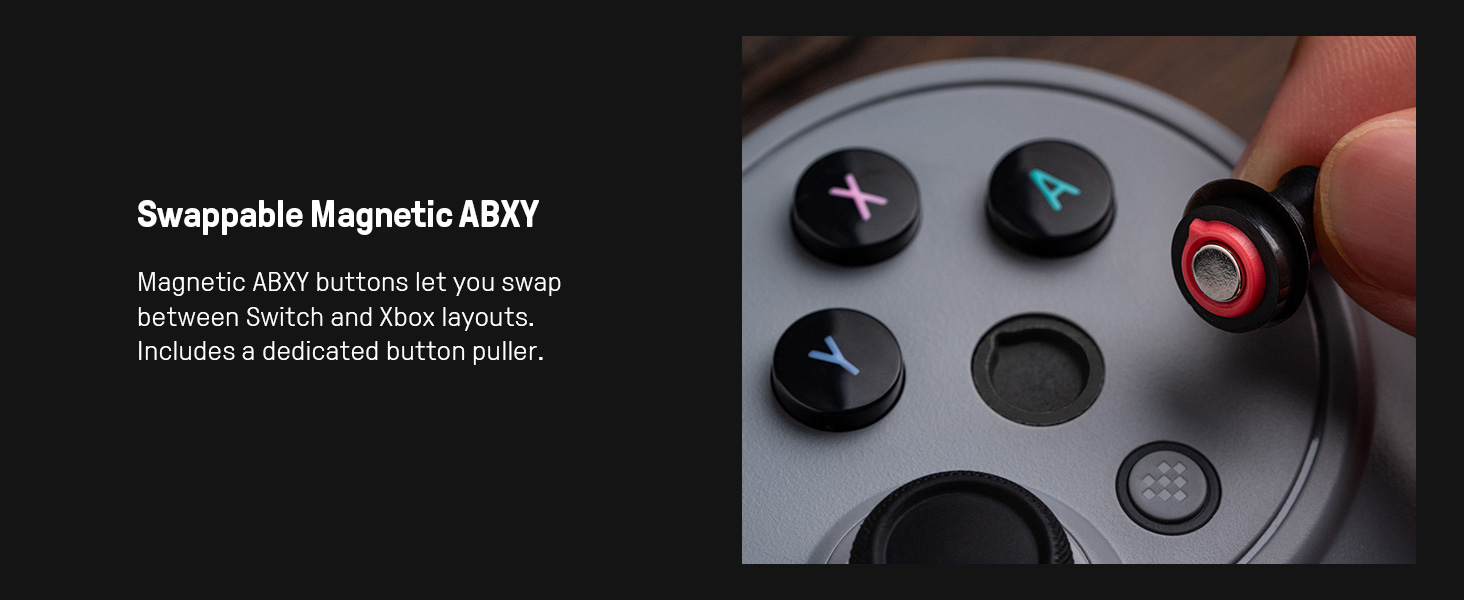
Swappable Magnetic ABXY Buttons – Easily switch between Switch and Xbox layouts with included button puller.
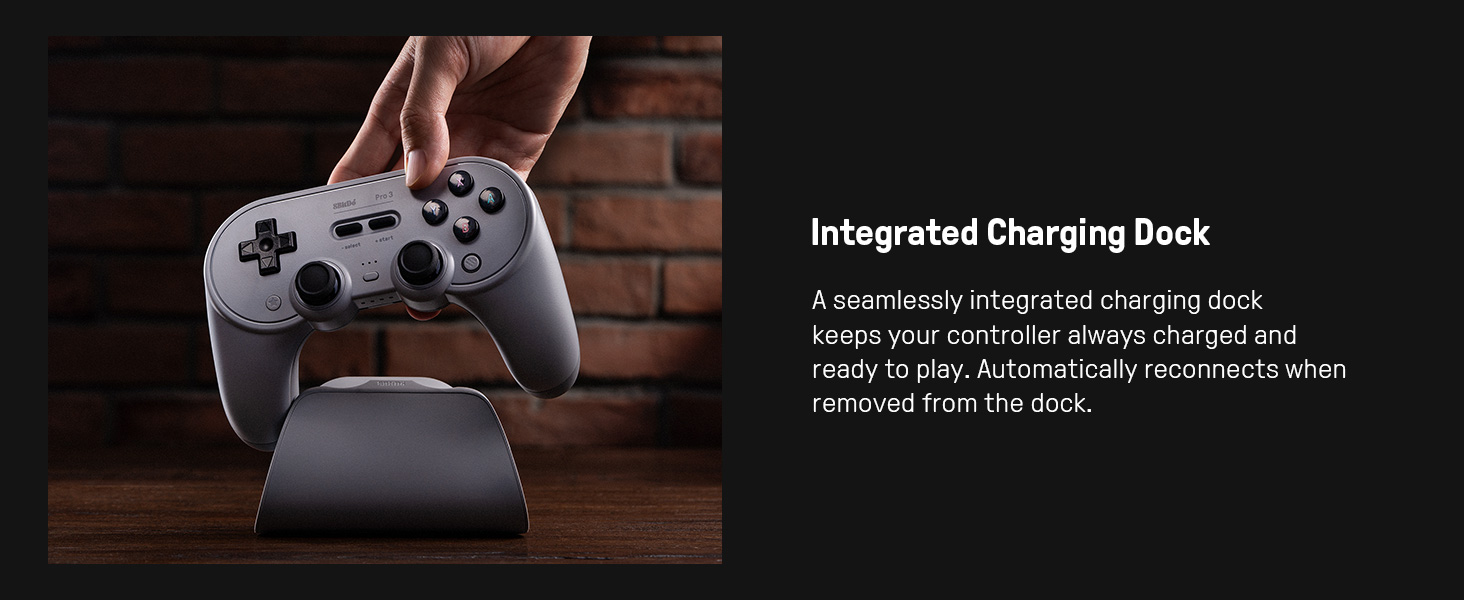
Integrated Charging Dock – A seamlessly integrated charging dock keeps your controller always charged and ready to play. Automatically reconnects when removed from the dock.
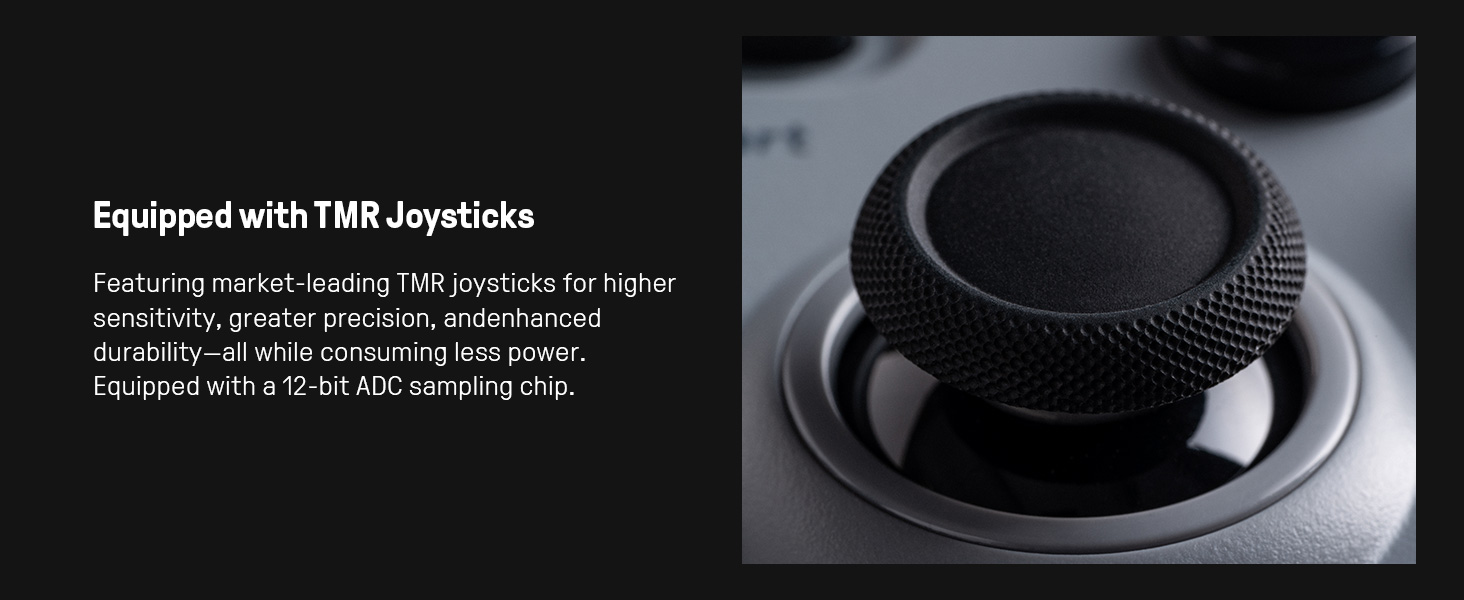
TMR Joysticks & Trigger Mode Switch – Equipped with high-precision TMR joysticks with 12-bit ADC sampling chip. Easily switch between linear Hall Effect triggers and non-linear tactile triggers for optimal control across different gaming scenarios.
Includes 2 Pro-level back buttons, extra R4/L4 bumpers for quick reactions, a tactile D-pad, 3 custom profiles, and 2 ball-top joystick caps.
9 reviews for 8BitDo Pro 3 Bluetooth Controller for Switch/Switch 2 – TMR Joysticks, Swappable ABXY Buttons, Pro Back Buttons, Charging Dock, Hall Effect Triggers, for Windows, Apple, SteamOS, Android – Gray
Add a review

$69.99
Dylan –
The Bloodline is Satisfied by This Very Reliable Controller
Overall this is a great controller that includes a lot of functionality within it. First and foremost, it has a dock, whilst this might be a turn off for some people, I personally love it! It gives me a spot and space to have the controller rather losing it somewhere in a desk. Secondly, that dock acts as the receiver for the controller allowing for even faster input time compared to bluetooth. This also makes connectivity seamless and fast, the second I pick the controller off the dock it just connects.The next thing I really like about this is the build quality, I had the pro 2 and its just a level above it. It has a more tactile feeling d-pad that I love, the controller feels more hefty, the toggle for the trigger, and the extra buttons are all just a plus.Finally, this controller is very customizable. My bloodline comes from a long lineage of Playstation players so we are all just used to the X, O, Triangle, Square button layout. With this controller I am able to swap the faces on the buttons to match that exact layout and that’s just amazing. It also has the ability to swap out different joysticks which would likely help a FPS player who needs a more precise joystick.
Carlos Bracho –
Perfect (or almost)
I’ve been using 8BitDo controllers for a couple of years now. This is the first of the Pro type, I’ve always used the Ultimate ones, and my experience so far has been excellent, it’s quite ergonomic (and It’s also a matter of getting used to it) The joysticks are amazing and the D-pad is clicky which is something I particularly like a lot, but the buttons are not although this is a matter of preference. Being able to change the buttons position it’s a great thing for those who use it with different consoles (Switch + PC in my case) The position of the fingers rests just where it should to play comfortably and the battery lasts a long time, and of course having a dock to charge it and that also looks nice is a nice touch.Something I don’t like is that unlike the Ultimate, it doesn’t turn on or off using the 8bitDo Home button, but rather by pressing Start + first left button (X or Y) which is something I don’t like much although it’s probably a matter of habit, and the switching between Xinput and Dinput is something you can play with depending on your preference of using it with the dongle or connected via Bluetooth depending on your necessity, but overall it is a very good experience and I really recommend this controller.Also adding the ability to change the triggers from analog to digital which is something I use too much and I think it can be very useful for those who switch between FPS games and those games that require analog triggers or maybe just for preference or comfort.I wish there was black, but gray is quite neutral and I think it’s the prettiest of the three available colors.
Johnathan –
Best Switch Controller
Ill keep it short and sweet. Great battery life, great weight and feel, great response and button quality, easy macro setup with great software, easy connection, comes with cool retro look and feel replacement sticks, dock is cool and sleek, USB C, many extra buttons, turbo mode, multiple profiles. Well well worth the price especially since it can be used on multiple platforms. If you are looking, look no further.
rc –
A powerhouse that falls just short of greatness.
It’s been a bit, but it’s time to drop a new Amazon Controller Review! Please check my other ones if you’re looking for a controller to meet your gaming needs – I have written quite a few :)The Pro 3 is a controller I’ve been looking forward to ever since I tried the 8BitDo Ultimate 2C last year. The new dpad in that controller was so much better than the old one for Tetris, so I wanted that in a symmetrical layout immediately. With the GameSir Tarantula ending up being a disappointment in the latency department, this was my next hope for my 2D game controller main. Let’s see how it stacked up (Tetris pun was unintentional)!tl;dr version:The 8BitDo Pro 3 is a big step forward from the Pro 2 underneath. That said, there are some frustrations such as overly heavy triggers when locked, a heavier than average dpad, and a small step backwards that some may find a deal breaker – the removal of the external battery port which allowed the usage of AA batteries if the provided rechargeable battery died. For me, the dock addition negates the lack of an easily removable battery (every battery is removable with a screwdriver and enough know how). I overall rated it 4 stars due to the frustrations hurting my gaming experience, but the issues I have may not bother you as a potential buyer. I would overall recommend the upgrade over the former model.—– Full review —–Features:Face Buttons: Membrane – very clacky.Center Buttons: Membrane – mushy like SNES.Shoulder Buttons: Tactile. Feel less hollow than Pro 2.Triggers: Hall – Heavier than Pro 2. Microswitch locks – Locked trigger feels heavy.Joysticks: TMR – Huge Improvement over Pro 2. Detachable stick could allow different heights as an accessory later.Dpad: Tactile – Feels a little heavy.Gyro: Yes (I don’t test this as I’m not a gyro user).Extra Buttons: 2 Rear, 2 Top.Special Features:Magnetic Swap-able Buttons! I like these features because as an older millennial gamer, sometimes my brain gets confused switching between layouts and being able to look down can be a help. You also have an option for blank Super Famicom color buttons if you don’t want the labels at all (I’ve opted for this as no labels bothers my brain less than seeing the wrong ones).Arcade joystick balls as a detachable joystick option. This I think is mostly a gimmick because of how slick they are, but perhaps it can be made workable if you are playing an arcade style game that only uses a few face buttons and you rest the controller on your desk/lap.Turbo mode can be enabled for any button on controller by holding the button you want to set to turbo and pressing the turbo button (bottom left below the dpad) to engage it. This works for the rear buttons as well, at least if they are set to a single button. I imagine it wouldn’t work if they are set to macros via software but I did not test that.Also the Pro 3 comes with a dock, which is new to the Pro series. More on that later.Ergonomics & Functionality:The Pro 3 feels exactly the same as the Pro 2 to hold, and I felt the Pro 2 has decent ergonomics. I personally don’t love the outer angles of the Pro series – I find Xbox style controllers the most comfortable and the Pro 2/Pro 3 have a straighter angle on the outsides much like the Ultimate series which is less comfortable for me personally. This is subjective since it may be the opposite for some people. That being said, overall the ergonomics are still decent and don’t bother my hands for casual play.As far as connectivity, Wired, 2.4GHz, Switch 2 Bluetooth, and Android have zero issues for me. The controller refused to respond in iOS. In fairness, the product box and manual do not state that it’s compatible with iOS, but the website does say it’s compatible and I don’t know which to believe. Since there are no instructions, it’s also possible a different mode should be used but normally Android and iOS share the Direct Input mode.Be warned… the face buttons are the loudest face buttons that I’ve ever used in an membrane controller! Likely something they did for the swap-able buttons has meant that the noise level had to increase to keep the same footprint.Other than that, a few other things the the Pro 3 has that the Pro 2 does not… first, two extra top macro buttons. More buttons is always nice, but you definitely have to reach to push these so don’t put anything you need to use frequently up there. Second, anti friction rings and metal joystick rings. These combine to make the Pro 3 joysticks feel MUCH better than the Pro 2.What the Pro 3 lacks from the Pro 2, that some people may not be happy with, is an externally removable battery and the ability to use AA batteries to power the controller. With the inclusion of a dock, the change to an internal battery, in my eyes, is fine. If it’s not being used, keeping it docked should negate any emergency battery issues and it’s likely that if the internal battery goes bad, it is user replaceable (at least the last few models have used batteries with a plug and not soldered ones).Functionally, this controller improves on its ancestor. Subjectively, I feel the dpad is better but players of certain types of games may disagree. Objectively, the TMR joysticks are a massive improvement in resolution and smoothness over both the ALPS and Hall sticks in the Pro 2 and its later revision respectively. You also have two more customizable buttons and the swappable face plate buttons are an upgrade whether you use the feature or not.If I have any complaints about the feel of the controller beyond its ergonomics, it’s that I feel some things are too heavy. The microswitch triggers when locked are heavier than any other controller I’ve used – excessively in my opinion. I also feel the dpad is a bit on the heavy side, but not as bad as the locked trigger feels. The triggers did affect my gameplay testing in Genshin a little bit as sometimes I accidentally would release the left trigger while trying to aim due to how much harder I had to squeeze to keep it down. The dpad being stiffer does create fatigue when playing Tetris for longer amounts of time but I imagine it will be fine for games that don’t require a lot of presses and direction changes multiple times a second.And if I have any other complaint… it’s that they didn’t maximize the potential for low latency by giving the controller 1000Hz polling rate. Since the 2.4GHz versions of the Ultimate 2 and 2C have it, I would have expected the same here. This may only make a 3-5ms difference in latency, but I wish they’d push the envelope since this is currently their most expensive controller.QC / Durability Concerns:Nothing was defective or gives me concern about this controller. While I’ve had relatively good luck with 8BitDo in general (aside from a defective hall stick in an Ultimate 2.4GHz which they replaced under warranty, and a torn membrane in my SN30 Pro+ in which they just shipped me new membranes to replace myself), I have seen reports of triggers in the Ultimate 2 having issues that require taking the controller apart to fix. If a similar system is being used here then it may be something to watch out for in the future.Tests:Test 1 – the Tetris dpad test. I play games on Tetris at as fast of a pace as I can (I’m roughly a 1 minute sprinter in modern Tetris games) and see how many false hard drops I get. I’m happy to say that the updated dpad from the Ultimate 2 series of controllers being put into a Pro 3 gave me exactly the results I hoped for. I literally got 55 seconds on my first attempt, and I was able to come within 2 tenths of a second of my PB (52.21 sec currently) during day 2 of usage, and I’m sure I could set a PB with this controller easily if I can get a day where my brain is cooperating with my hands better lol. In short, I’m very happy with its performance and my only wish is that the dpad felt a little bit lighter to actuate. I can try much longer with other controllers but the added weight causes fatigue with this controller much more rapidly.Test 2 – (I’m basically considering scrapping this test because only older 8 bit resolution joysticks fail it and basically everything that comes out now exceeds that. I may start just using software designed to test joysticks in the future.) Practical Joystick Resolution. If you play Genshin Impact, there is a function that allows you to set the time of the day, and you can get a good idea of how much resolution a joystick has by how easily you can set a precise minute on the clock. This controller passes as it’s much higher resolution than the Pro 2.Test 3 – Is this really on? With some wireless controllers, just plugging in the dongle acts as if the controller is turned on even if it is not. This can be an issue if you use multiple controllers on your PC and don’t want one to constantly be “player 1.” A pass means that you can leave the dongle connected without it registering as a controller and fail means that the dongle itself takes up a controller slot. This controller: PASSIn Conclusion:This is objectively a better controller than its ancestor, but I can’t help but feel a little bit disappointed. I feel the decision to limit 2.4GHz dongle polling rate to 250Hz hurt its potential latency even though it’s still acceptable for Tetris. Also, the heavy trigger locks and slightly heavy dpad hurt its usability for me. I think this is a really good controller, but my rating is 4 stars because my subjective experience had some negatives that I definitely can’t ignore since they adversely affected my play experience. That being said, its ACCURACY for Tetris and its dpad centric symmetrical layout means that it will still be my go-to for 2D games – I can’t wait to play Silksong with it soon! I still was able to achieve a very close to best time in Sprint and my main concern is just the increased fatigue the heaviness causes when I want to have a long Tetris session.That being said, this could easily rate as a 5 star controller if you are not bothered by a subpar for 2025 2.4GHz polling rate, heavy triggers, or a heavier than average dpad press. I overall would recommend it and will likely eventually buy a second unit… maybe even a third if they bring their pastel colors to this series of controllers. I feel it is the best symmetrical controller you can currently buy outside of a first party DualSense.
Federico –
Pad davvero robusto e ben studiato per chi ama gli stick in posizione simmetrica in stile playstation.La chicca di questo pad è quella di poter utilizzare tasti colorati vintage in stile snes, oppure con lettere come le console moderne: si scambiano semplicemente usando una ventosa riposta nella base del pad, dove c’è anche un piccolo ricevitore wireless per il collegamento a pc e Mac. Non è necessario rimuovere il dongle, basta collegare la base al pc / Mac e tutto funziona come se avessimo collegato il dongle.Ottima l’utility di configurazione e creazione profili, anch’essa disponibile sia per windows sia per Mac. I profili funzionano sia in modalità Nintendo Switch sia in modalità Windows (2 configurazioni separate).Menzione d’onore anche per gli stick con tecnologia TMR, precisissimi e senza pericolo di drifting sul lungo periodo.Personalmente ho abbinato un adattatore Mayflash Magic-X per utilizzare il pad 8bitdo su xbox serie X.In particolare utilissimi gli switch fisici sul retro del pad per trasformare i trigger analogici in tasti digitali, per gli sparatutto avrete la mira disponibile in tempi ridottissimi rispetto alla corsa di un grilletto analogico.In rete avevo letto di problemi nel premere i grilletti con forza, con il rischio di rimuovere il blocco da digitale ma non ho riscontrato questo difetto.Inoltre avevo letto di scarsa robustezza dei tasti colorati, ma anche in questo caso dopo 15 giorni di utilizzo non ho riscontrato questo tipo di problema.
Cliente de Amazon –
Buenísimo, los sticks son una maravilla de la tecnología, es la primera vez que de verdad siento lo análogo de los sticks, su precisión es inigualable, si el juego de verdad usa la sensibilidad análoga en los sticks vas a notar una diferencia abismal comparado con sticks que no usan esta tecnología.Yo compré el que tiene los colores de la PS original, muy acertado el color, muy cómodo y con una sensación de muy buena calidad.Sin queja alguna después de un par de meses de uso.
ScarletAziz –
It’s amazing and works perfectly , programming it is easy and the battery is great too.
Aviel –
Nice controller, but on Mac OS works only Bluetooth options: dongle doesn’t work on Mac OS maybe in future updates
Fernando de Almeida coelho –
Excellent product