
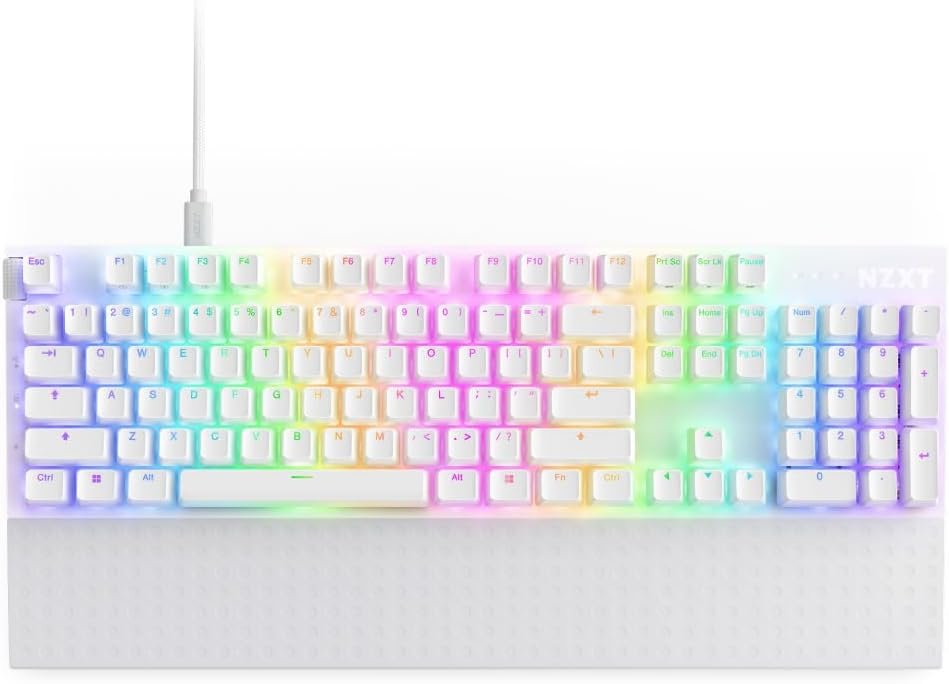
NZXT Function 2 Full-Size Wired Optical Gaming Keyboard – 8K Polling Rate – Linear Optical Switches – Adjustable Actuation – Double-Shot PBT Keycaps – RGB – Hot-Swappable – White
$59.99
Related Products


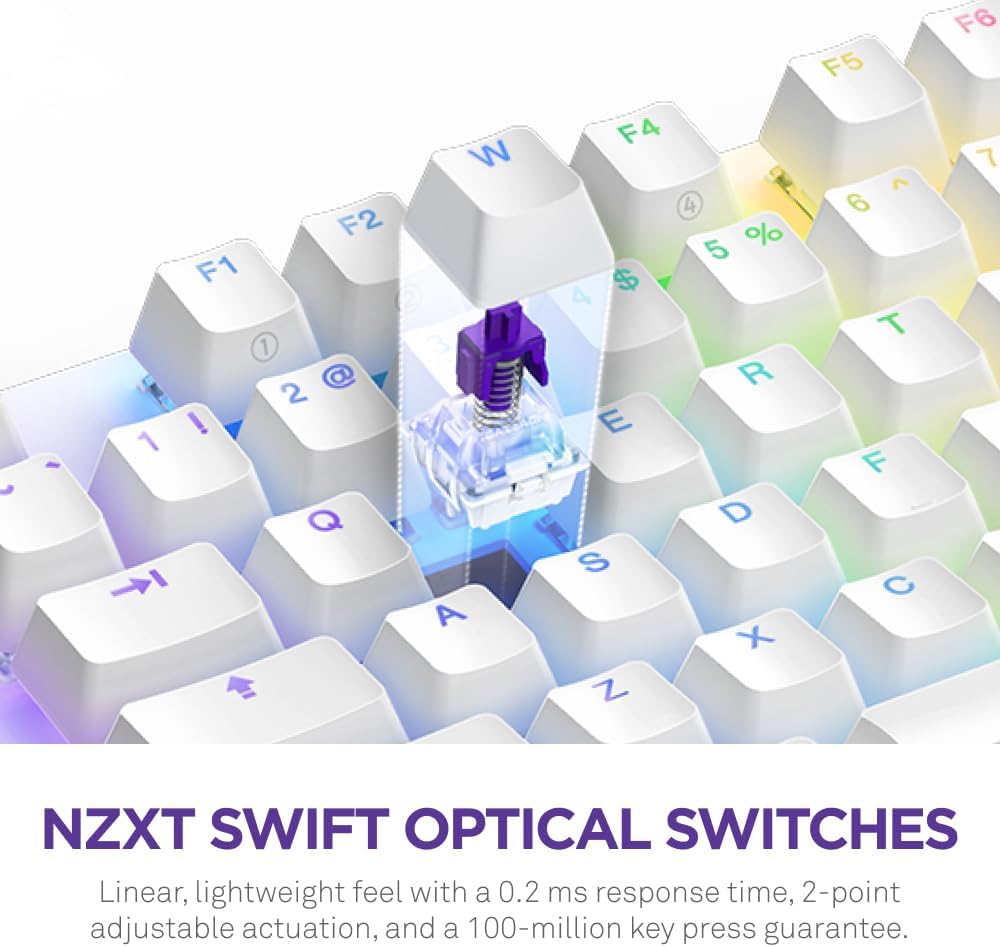


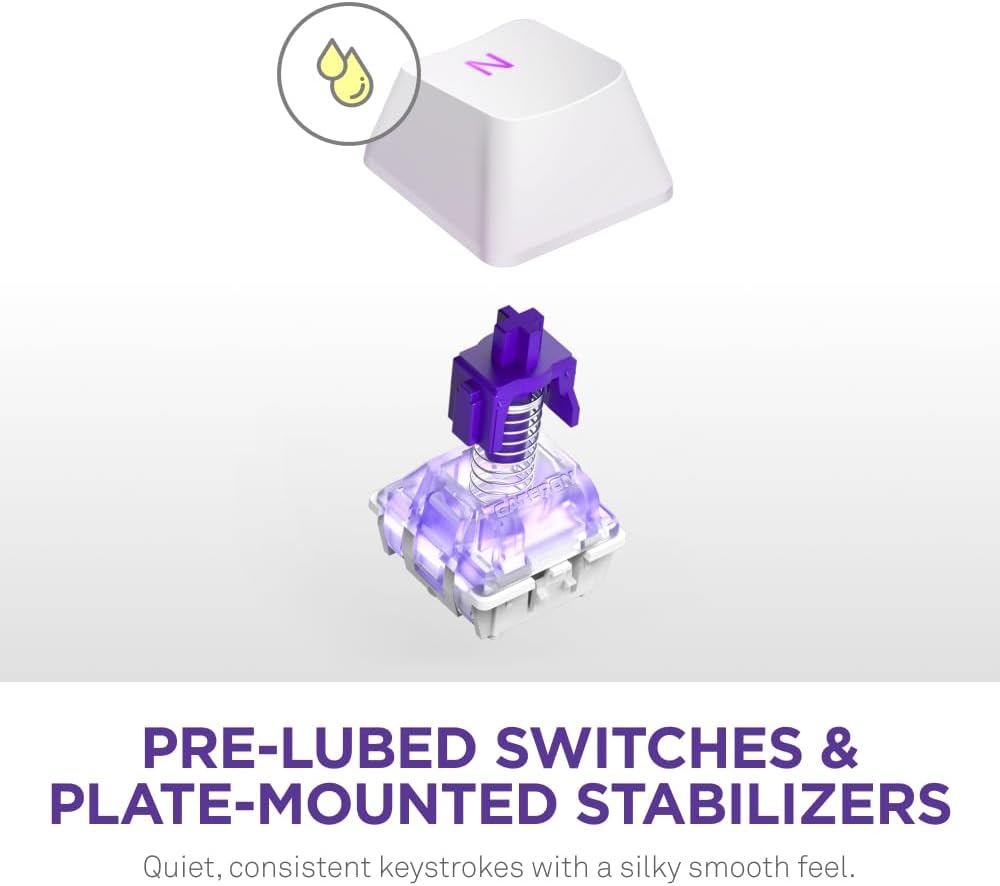

Experience lightning-fast performance with the NZXT Function 2 KB-001NW-US – an optical gaming keyboard equipped with linear optical switches and an 8,000 Hz polling rate to ensure every key press is registered with speed and precision. Savor the satisfying sound and tactile feedback of each keystroke, and switch up the feel at any time by easily hot-swapping with the included extra switches.
NZXT Swift Optical Switches have a linear, lightweight feel with a 0.2 ms response time, 100-million key press guarantee, and 1 mm or 1.5 mm adjustable actuation.
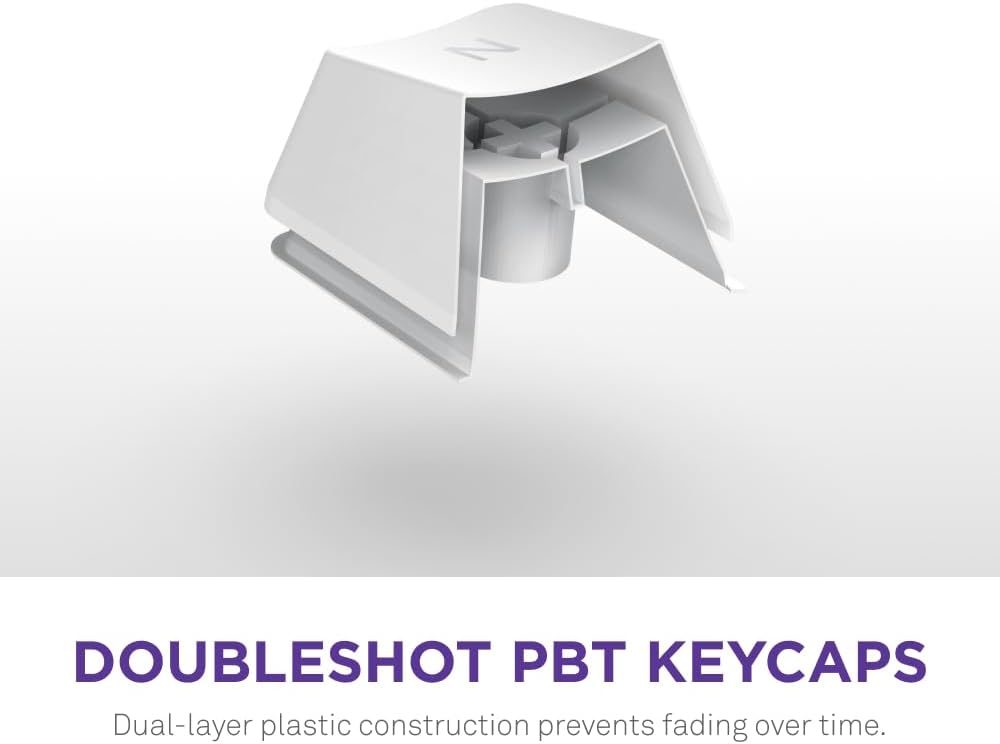
Doubleshot PBT keycaps feature two layers of plastic to preserve legends and prevent fading over time.
8,000 Hz polling rate transmits input signals 8x faster than most gaming keyboards, ensuring lightning-fast responsiveness.
Dual-layer of sound-dampening foam and tape-enhanced PCB improve acoustics by absorbing unwanted pinging noises.
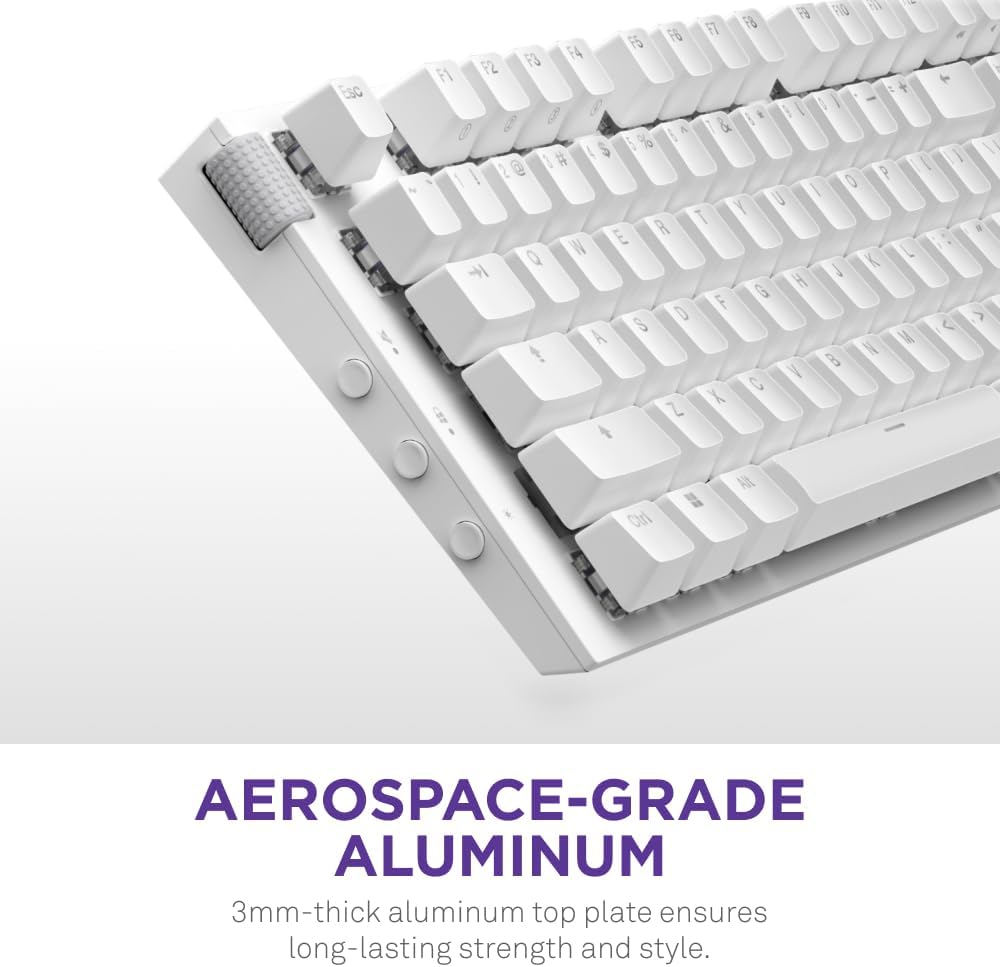
Top frame plate is crafted from 3mm-thick aerospace-grade aluminum for long-lasting stability and a sleek appearance.
13 reviews for NZXT Function 2 Full-Size Wired Optical Gaming Keyboard – 8K Polling Rate – Linear Optical Switches – Adjustable Actuation – Double-Shot PBT Keycaps – RGB – Hot-Swappable – White
Add a review

$59.99
James –
PERFECT!!
If you’re on the fence about this keyboard, don’t be! This thing is amazing and probably the most beautiful keyboard i have ever owned. It feels good. It sounds good. The response is amazing. The color effects and settings are top notch! Trust me when i say, you will be very happy with the purchase. I liked it so much, i purchased 3 of them.
Joseph –
Great keyboard
I love this keyboard, it isn’t too loud, but it still has the nice clicky feel. The angle it sits at on the desk is great for typing, and the built in wrist rest makes it super comfortable. As someone who does all of my work from home, I love it.
Abigail Thompson –
Solid Board
Pros:The switches are oh so very smooth.The metal frame is very nice, it feels MacBook-esque with its sort-of textured satin finish and visually sharp but not sharp to the touch edge, and it has this cool feeling smooth scalloped(?) protrusion on the left and right side that give some visual flair, and it’s good that the bottom is some form of plastic rather than being full metal, the acoustics I’m sure benefit from not having full metal, and the board is still insanely hefty and solid.The lighting is very nice and well diffused, it’s really great that they have a ring of light around the perimeter rather than just having the keys illuminated, it brings it together and looks really perfectly diffuse.The condensed TKL form factor is great, having the function row and arrow keys and delete, page up/down, etc. without gaps really makes the board look cohesive and put together, and complements the RGB nicely while taking up less space on the desk.It has one extra key compared to a standard TKL, well really it has two extra keys, an F13, and one labeled NZXT which seems to do nothing by default but you can remap it in software, but minus the menu or right windows key, for a total of one extra key.Being hall effect, you can customize the actuation point of the switches, deeper for avoiding typos for typing use or shallower for a snappier response for gaming, and it has rapid trigger functionality as well.Another benefit of the hall effect switches is reliability, hall effect switches use permanent magnets and contactless sensors that detect the magnetic field in each switch, so there is no metal on metal contact which exists in standard mechanical switches and wears out over time leading to missed or doubled keystrokes, something I’ve had happen to several of my Gateron Red switches (missed keystrokes) and Cooler Master SK622 TTC Low-Profile Reds (doubled keystrokes), which is why I’m so glad to have made the switch to hall effect, especially with this MiniTKL that has all the keys I need so this can really be my forever keyboard, I hope.It has storage for 4 onboard profiles so you can save your settings and switch between them without NZXT’s software running.Compared to other software like Logitech G Hub, Corsair iCue, SteelSeries GG, and especially Asus Armoury Crate & Razer Synapse, NZXT CAM is simple, lightweight, and thoughtfully organized.Neutrals:It’s subtle, but the keys require a bit more force than the Gateron red switches I’ve been using, some people may prefer this some may not, hence neutral, all up to personal preference whether that sounds good to you.The keyboard has almost all of the keys coolly thoughtfully laid out with no gaps but there is a small gap between the ctrl and left arrow keys, though I can’t really fault it, there are a couple good reasons why it’s there, it keeps the spacebar row using standard size keycaps and stabilizers so you can swap them if you wish, and having a gap is pretty good for finding the arrow keys by feel i suppose, and they integrated the gap into the design well, the gap is filled with white plastic like the keycaps so it fits in visually and the white plastic extends to the edge where they’ve put the NZXT logo, so it’s kind of a cool contrasting piece in the metal casing that’s purposefully placed.Cons:The screw-in stabilizers NZXT claims as a selling point are just okay, maybe a syringe of Krytox GPL205g0 would get them disappearingly good, but as it stands, out of the box they needed some amount of break-in to feel good, and they still make an unpleasant scratchy sound, it’s not horrid, it’s about what I’d expect from a big name brand keyboard, but NZXT claims their stabilizers as a selling point when they are decidedly average, and because they’re screw-in type, replacing them would require serious time-consuming disassembly of the keyboard, compared to plate mount stabilizers which could just shimmy out after pulling off only the keycap and switch they stabilize.If you want a proper rainbow RGB you have to manually create a custom gradient with four evenly spaced steps, pure 255 red, green, blue, and looping back around to red, because NZXT’s rainbow wave preset has extra lilac and added white, NZXT shouldn’t be shoving their brand colors into the rainbow preset.The keyboard doesn’t include a wrist/palm rest, and NZXT doesn’t even make one to be sold separately. This is really disappointing especially for a non-standard sized keyboard, as finding a quality third party wrist/palm rest to match a non-standard sized keyboard is like finding a needle in a haystack, I’ve just been using a Cooler Master WR510, which is the perfect height for me but not as wide as the whole keyboard and unfortunately is discontinued, if you need a wrist/palm rest maybe try the one Wooting makes for their 80HE keyboard.This is just a nitpick, but, while the cable is pretty quality feeling, and the strain relief looks nice, it’s very stiff, and it doesn’t come out of the keyboard offset fully left or fully centered, it’s an okay compromise functionally where it is I suppose but it does look kind of dorky, maybe if they had included a black cable with the white keyboard so it doesn’t stand out on a black desk mat it’d be better in my opinion, also maybe this is a dying trend but I would’ve like to see a coiled cable instead.Overall Thoughts:I really like this keyboard and at the $80 I paid it’s a fantastic value, for that price or close I can definitely recommend this keyboard but not at MSRP, and it looks like NZXT is killing it off because of that so I’d say scoop one up while you can, and maybe grab some Krytox GPL205g0 to go with it for the stabs.
LTFoReal –
NZXT doesn’t miss
I’ve always been a huge fan of NZXT to the point that I chose to have my PC built in 2019 by them. I’ve been upgrading that PC recently and saw that the function 2 keyboard was finally on sale. Personally I love the minimal look to it as well as how the keys feel when I type. I previously used a full mechanical keyboard and wasn’t a fan of the loud noise it made from a simple key stroke. The NZXT f2 has a unique sound to me and the quality feels much better than I anticipated. I’m not a huge macro or key mapping guy but this seems to have a healthy bit of that in the CAM Software. I love the fact that unlike other keyboards I’ve used in the past. This one doesn’t have a pocket for trash to find it’s way into in between the keys. It’s more or less just a flat white board that does an amazing job at bouncing light off of it to create smooth gradients in the RGB. If I had to toss out a complaint it’s that the RGB aren’t as customizable as your PC case lights using the nzxt connectors. It’s mainly different variations of rainbow with some not so satisfying key press effects. It connects via a USB c to USB A connector, nothing too fancy there though I wish it would’ve been just type c to type c for consistency.
Deniz Ç. –
Affordable Customization and Comfort
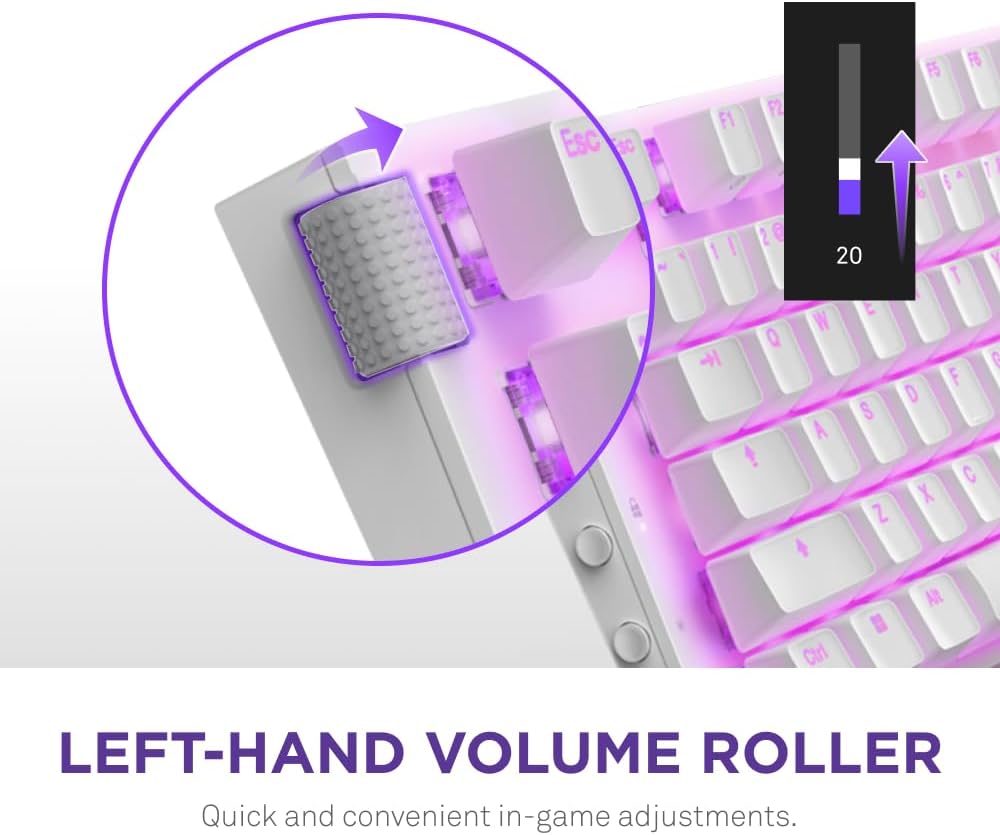
The NZXT Function Mechanical Keyboard is a great choice for those who want a high-quality keyboard without breaking the bank. With MX compatible 5-pin hot-swappable sockets, this keyboard offers a level of customization that is not commonly found at this price point. Additionally, the standard bottom row design makes it easy to replace keycaps and enhance the keyboard’s aesthetics.Despite its affordable price, the NZXT Function Mechanical Keyboard does not compromise on design or functionality. The durable aluminum top plate and low-profile minimalist design give the keyboard a sleek and professional look. The per-key RGB lighting is easy to customize through the CAM-powered software, providing a variety of lighting effects to match your personal preferences.The magnetic wrist rest is a standout feature, providing a comfortable typing experience during extended gaming sessions. The keyboard also includes a volume wheel and mute button on the left-hand side for easy access to essential controls.Overall, the NZXT Function Mechanical Keyboard offers excellent value for its price. While it may not have all the features of higher-end mechanical keyboards, it still provides a great typing experience with a level of customization that is hard to find at this price point. If you are looking for a budget-friendly mechanical keyboard with solid build quality, the NZXT Function Mechanical Keyboard is definitely worth considering.
Amazon Customer –
Sensitive, great feel, hefty weight, individual rgb per key, zero regrets.
So far I’m lovin i. I went from an old hard to press keys ibuypower keyboard to this on sale. All I have done is set up the individual rgb for my left hand for gaming, and I set it to the less sensitive Actuation level because I was mis-inputting because of how sensitive it was. It’s night and day, if found on a sale it’s a steal. I’m am unsure of how other keyboards feel but this one is still worth full price in my opinion.
yong c chae –
My 16 year old son loves it
Great keyboard
Palecoder –
Excellent for the price
Bought on Black Friday. Good materials, not so small and almost the same as a regular tkl. Switches are almost silent, software is ok and can improve
Alexis Gonzalez –
Encontré muy pocas reseñas de este producto pero como me encanta la marca NZXT me aventuré a probarlo y la verdad es que tiene y a calidad y un funcionamiento magnífico
Pepe –
ゲームはたまにしかしないのですが、とにかくかっこいいです。マイクもnzxtさんで揃えて使っているので雰囲気バッチリです。
Amazon Customer –
While I was a bit worried about this working with Ubuntu my trepidation was totally unfounded. The feel of this keyboard is solid and while I had to set up customised key colours in Windows (CAM, Linux does not yet have a equivalent I know of) the keyboard seems to have onboard memory to store customisations which worked also on Ubuntu and is BLOODY AWESOME!!! Very happy.
Alvaro –
I had a hardtime deciding which keyboard I should try, and took this one because of a friend recommendation. I cannot be more happy with it. It feels just perfect for working or play without distinction, at least for my usage. Slightly pressing a key will take it as an input, some keys slightly easier than others (or that’s my feeling).
Jomar Andrew De Leon –
don’t buy this. it has so many issue. i have returned the product.